Changing the order of blocks in a study
Last updated: August 31, 2026
How to change the order of your questions in a draft study
To reorder your study blocks:
Open the study builder.
Press and hold down the block you want to move.
Drag and drop to change the order of the blocks.
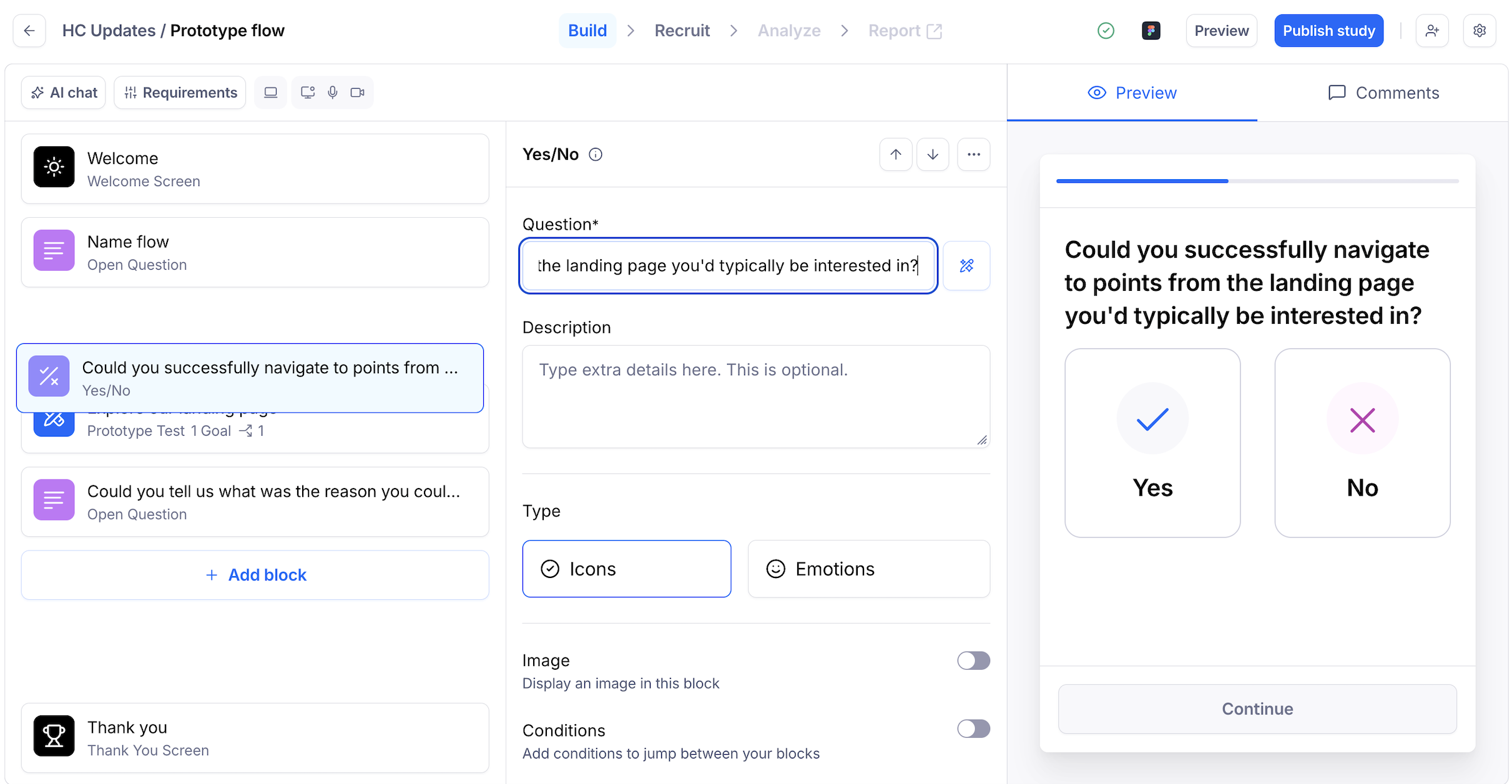
How to change the order of your questions in a live study
At the moment, there isn't an option to randomize/shuffle the order in which your blocks appear to testers. If this is something you'd be interested in, please share your feedback with our team!
As a workaround, you can follow the steps in the previous section to manually edit the order of the blocks in a live study. Here's how:
Create your study and send it live.
After you've had enough tester responses on that version, go back to the study builder to change the order of the blocks manually.