Comparing results side-by-side in a Variant Comparison block
Last updated: August 4, 2026
The Variant Comparison block allows you to test and compare multiple design variants. This helps identify the best-performing designs in terms of usability and desirability.
The Variant Comparison block is an exclusive Enterprise plan feature.
Learn more about the Variant Comparison block
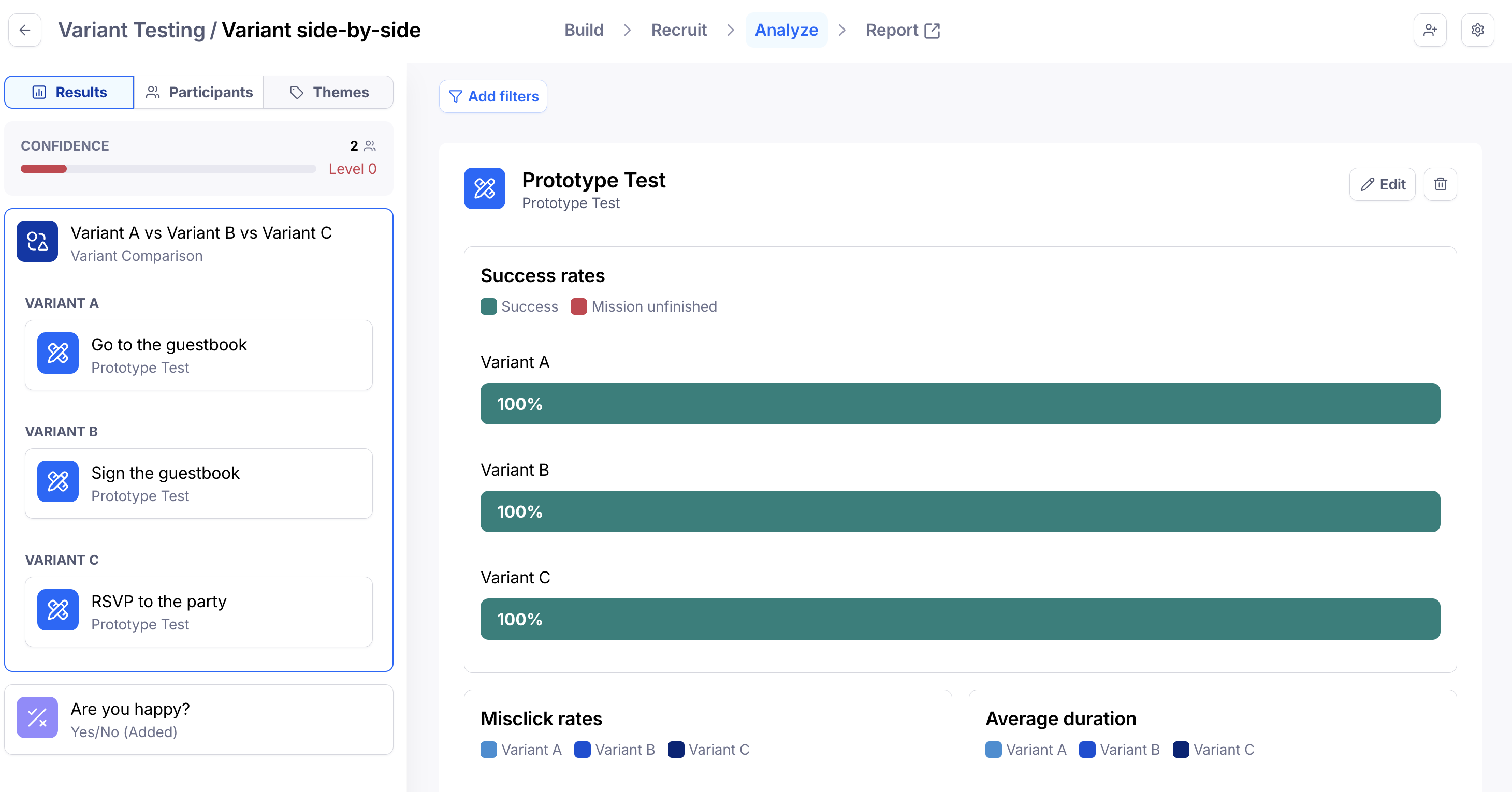
From the Results tab, you’ll see a similar structure as in the builder, with the Variant Comparison block containing the blocks for each variant.
Side-by-side comparison
It’s possible to compare the results of similar blocks across different variants side-by-side in a single view. Side-by-side comparison is only available on the results page. It doesn’t appear in the report.
The currently supported blocks are:
Prototype Test (goal-based)
Multiple Choice
Opinion Scale
Yes/No
Open Question
To compare blocks directly side-by-side:
Open the Results tab, and select the Variant Comparison block.
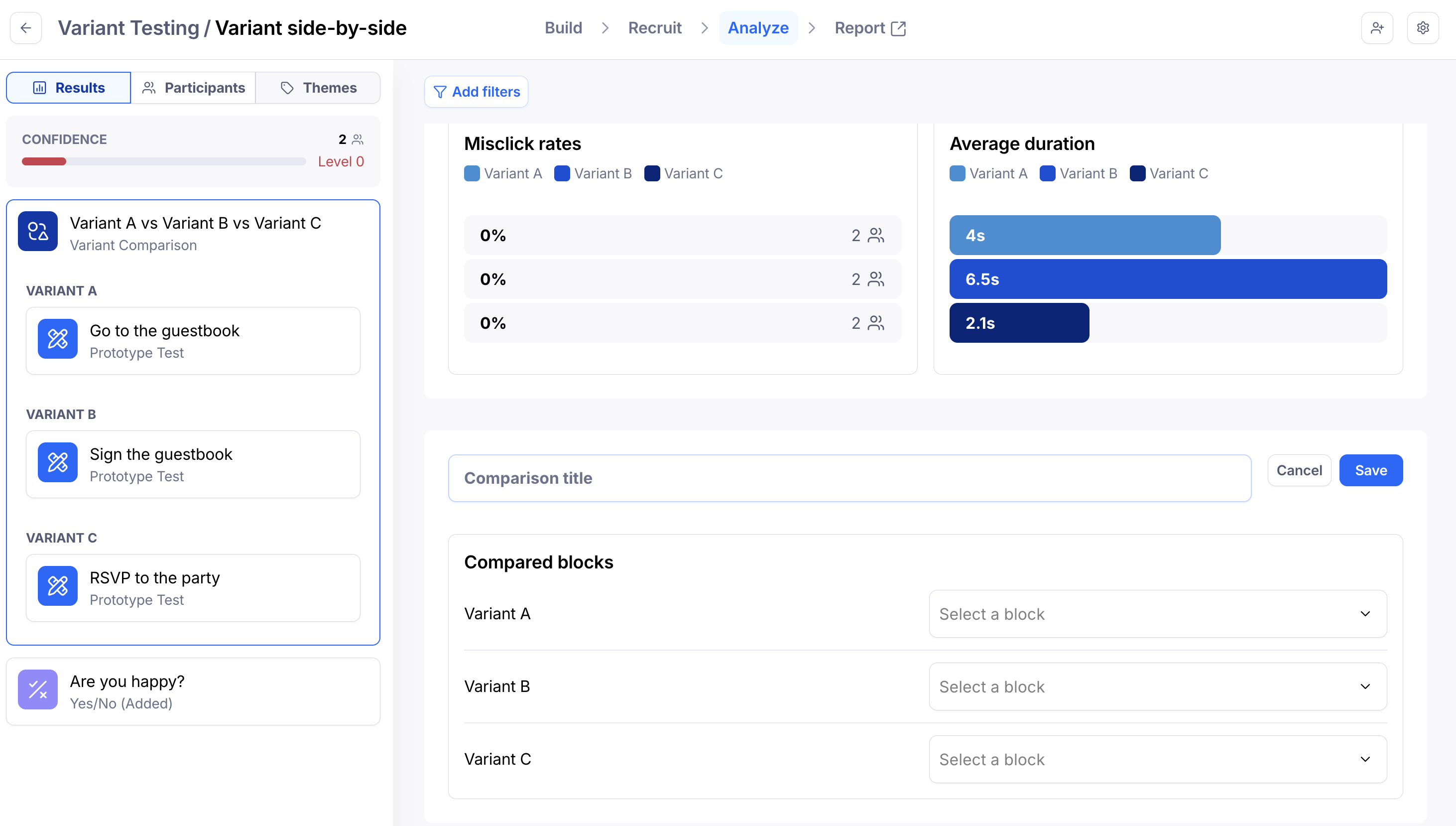
Scroll through the existing charts comparing the different blocks.
You can also select specific variants to analyze. To do so, click the New comparison button and select the blocks you want to compare.
Block-by-block comparison
Other block types don’t support direct side-by-side comparison in the results. These include:
Live Website Test
Simple Input
Tree Test
Card Sort
For these block types, review each block in the Variant Comparison to compare the results.
FAQ
Why can't I select my prototype test blocks for side-by-side comparison?
Side-by-side comparison is currently available only for goal-based prototype tasks. If you have prototype blocks set up as free-explore tasks, they won't appear in the drop-down for selection.
Still need help?
If you have any questions or concerns, please let our Support team know — we'll be happy to help!