Recruiting participants from Maze’s Extended Network
Last updated: August 6, 2026
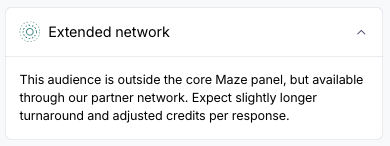
Maze partners with multiple panel providers to source participants. Most orders are fulfilled through the Maze Core Panel (powered by Prolific). For regions or audiences outside Core Panel coverage, Maze automatically routes the order to our Extended Network—a set of additional providers that can reach a wider range of geographies and audiences, including verified B2B professionals.
Who can use this
The extended partner network is available to all Enterprise and Team plan customers. It is not gated by plan tier.
Note: Recruiting through the Extended Network is currently only available for Unmoderated and AI Moderated Studies.
How routing works
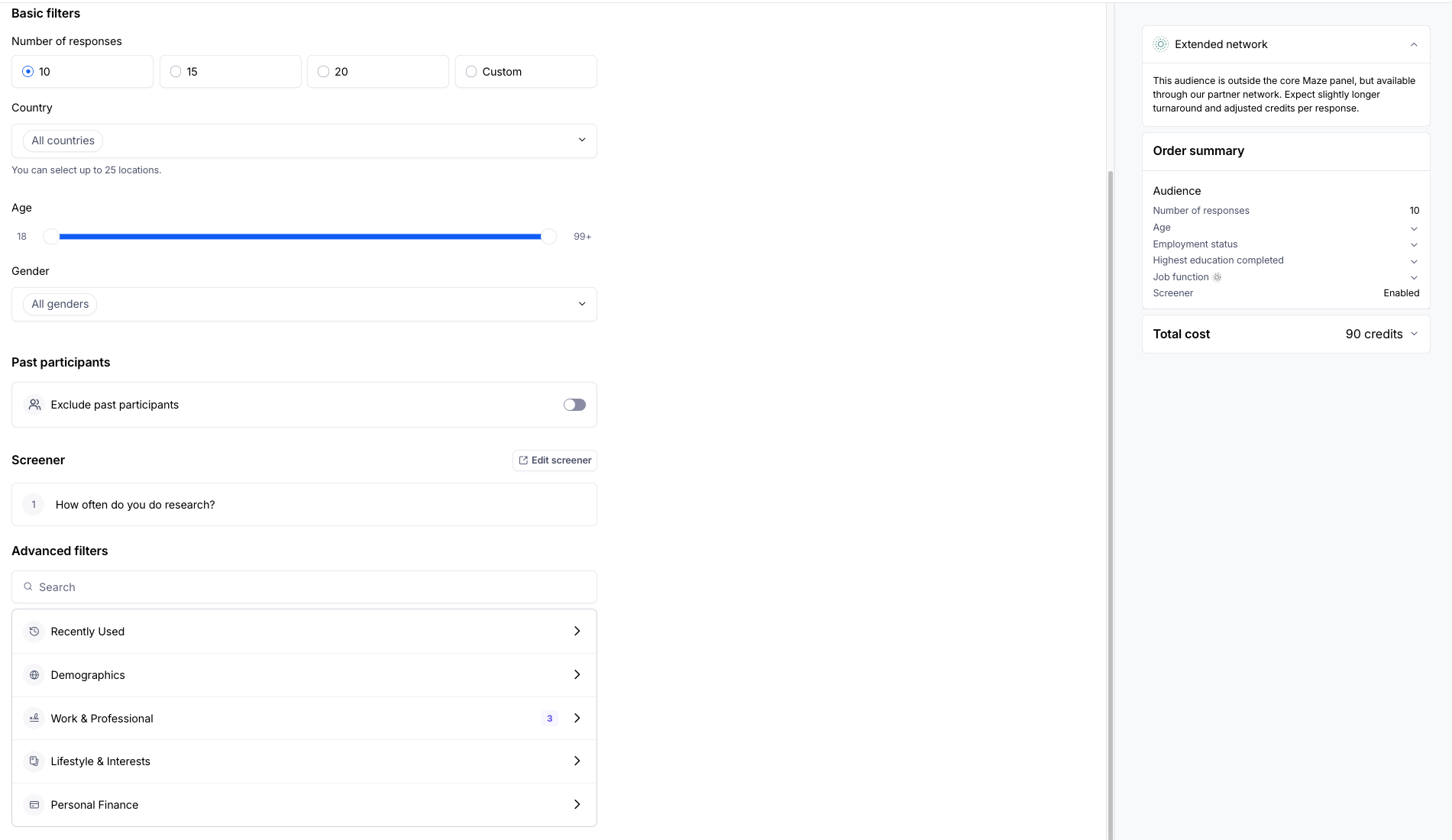
There is no separate form or button to request Extended Network participants. Routing happens automatically based on the audience filters you select in the standard panel order flow.
Your order routes to the extended partner network when you select:
A country that requires Extended Network coverage: a growing list of geographies in LATAM, APAC, Africa, and parts of EMEA that are not covered by the Core Panel. See Available countries below.
A B2B filter: job function, seniority, or similar professional targeting criteria to ensure you get access to verified professionals.
Low incidence B2C audiences: If we determine the B2C audience you configure has a low incidence rate on our Core Panel, we will automatically route the order to our Extended Network.
When your selections trigger Extended Network routing, we’ll update the Feasibility Estimate confirming that your audience will be sourced through the Extended Network. Updated pricing will be shown before you submit, so you can adjust if needed.
Pricing
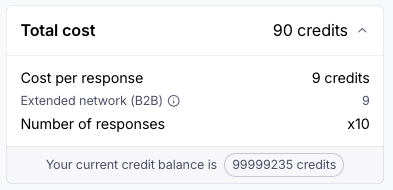
Network | Credits per response |
Core Panel | 3 |
Extended Network — B2C | 5 |
Extended Network — B2B | 9 |
Pricing is shown in the order summary before you submit.
Expected recruitment timelines
Given audiences source through our Extended Network are typically more challenging to recruit, panel orders can take longer to fill. Extended Network orders often take up to 2–3 business days to fulfill on average, compared to 2–4 hours for Core Panel orders.
Available countries
The extended partner network covers a wider set of geographies than the Core Panel. This includes:
New regions
Latin America
Argentina, Bolivia, Colombia, Costa Rica, Dominican Republic, Ecuador, Guatemala, Honduras, Nicaragua, Panama, Paraguay, Peru, Uruguay
Africa
Egypt
North America
Jamaica, Puerto Rico
Asia-Pacific
Malaysia, Philippines, Singapore, United Arab Emirates, Vietnam
EMEA
Romania
Expanded supply
These countries were already available through the Core Panel but now have meaningfully more participants available through the Extended Network:
Brazil, Mexico, Continental Europe, India
Available filters
The panel filter set has been streamlined to focus on objective, stable targeting criteria. If a filter you previously used is no longer available, use a screener block instead — screeners are better suited to nuanced or subjective audience criteria.
You can explore the full filter set here.
After you place your order
Once submitted, your order appears in the Performance table.
You can track your Extended Network order progress just like a Core Network order. Extended Network orders may remain in Pending for a short time while Maze processes the order with the appropriate provider.
To confirm the network your panel order was recruited from, click on the panel order in the Performance table to open up the Panel order summary side panel where you can find the Recruitment type for the order under the “Details” section.
You'll receive an email confirmation when the order is live and participants are being sourced as well as when your study fills and is ready for review or if your panel order is cancelled.
Canceling an order
Panel orders placed through the Extended Network can be canceled just like a Core Network order.
For Unmoderated Studies, simply pause the study to cancel the panel order.
For AI moderated studies, click on the gear icon in the top right corner of the Recruit tab. This will reveal the Study settings where you can stop collecting responses: navigate to the Quick Actions section —> Stop collecting responses —> click on “Stop”.
Archiving the project or deleting the study will also cancel all active panel orders
Cancelling automatically refunds the remaining credits for any participants not yet completed. It does not refund credits for completed responses.
Reporting a participant
If a participant did not meet your requirements, you can report them following the same process as Core Panel orders. Depending on the state of the order, Maze will either replace the participant or refund credits for that participant.
Learn more about reporting unmoderated panel participants.
Related articles
Still need help?
If you have any questions or concerns, please let our Support team know — we'll be happy to help!