Reporting moderated panel participants
Last updated: June 24, 2026
When recruiting panel participants, the quality of the interviews is our biggest concern. Our goal is to provide high-quality participants quickly, so you can trust their insight to make confident, informed decisions.
If you’re dissatisfied with any aspect of an interview with a panel participant, please report it. Your feedback helps us maintain our panel quality.
When can I report a participant?
You can report a participant in the following circumstances:
No show: The participant didn’t join the session as scheduled.
Late join: The participant joined late, and the session wasn’t conducted. If you’ve agreed to proceed with the interview despite the late start, you can’t report the participant.
Video issues: The participant’s video was unclear or turned off despite your requests.
Audio issues: The participant’s audio was inaudible or distorted, making communication difficult.
Target criteria mismatch: The participant didn’t meet the target criteria you’ve specified in the panel order and screeners.
Inappropriate language or behavior: The participant acted unprofessionally or offensively during the session.
False or misleading information: The participant provided inaccurate, unclear, or unhelpful answers.
Invalid responses: The participant’s answers were irrelevant or didn’t align with the session objectives.
Is there a timeframe for reporting a participant?
Panel participants receive their incentive payment as soon as they’re marked as ‘Interviewed’.
If no other action is taken, 72 hours after the end of the scheduled session time, participants are automatically marked as ‘Interviewed’ and receive the incentive.
If you wish to report a participant, you should do it within this 72-hour window, and before marking them as ‘Interviewed’.
It isn’t possible to report or revoke the incentive payment once it’s sent.
How do I report a participant?
To report a participant:
Open the study page.
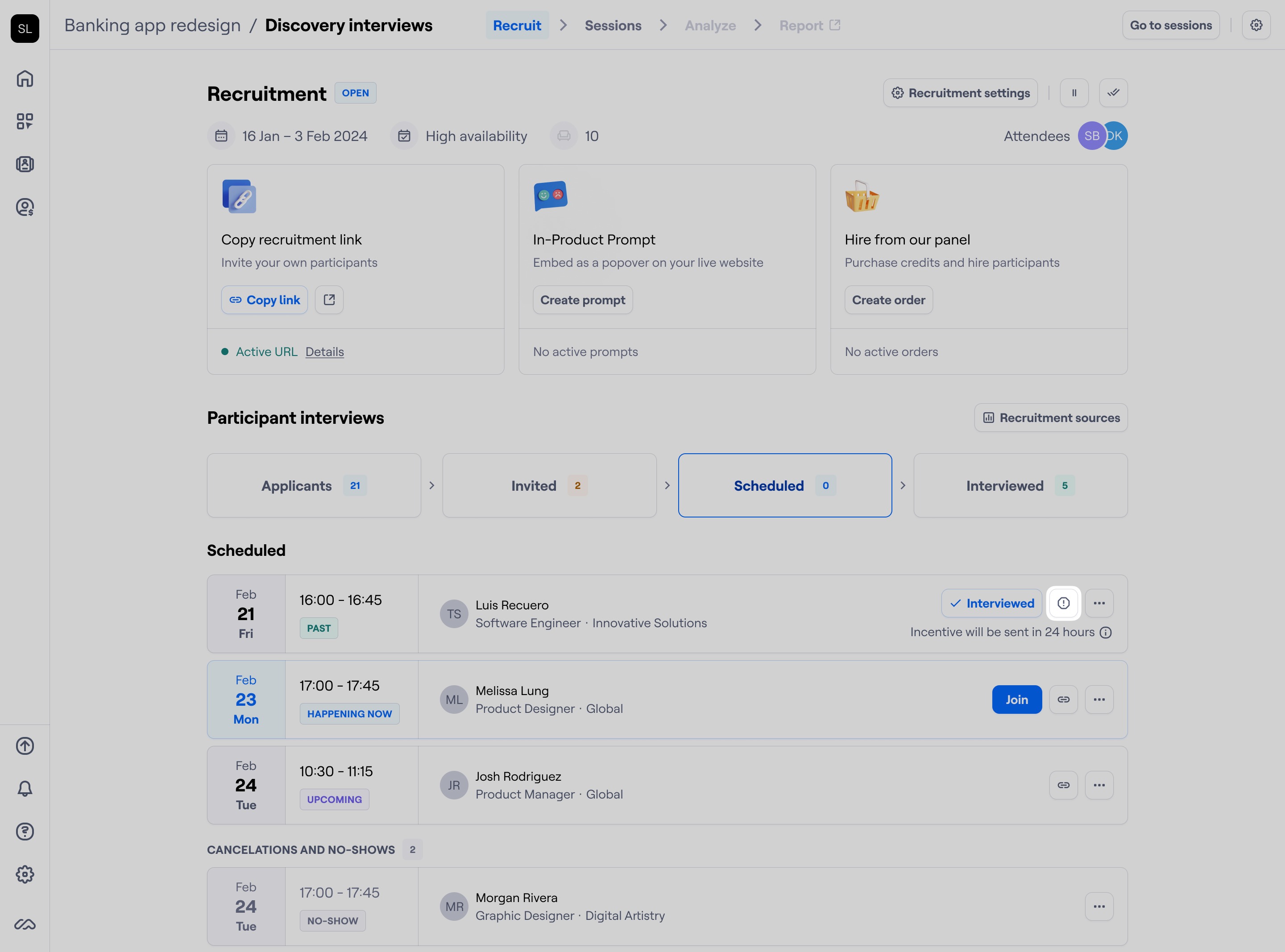
In the recruit page, click the Report button near the participant.
Select a reason to report, and click Report participant to submit the report.
What happens after I report a participant?
The results of reporting vary depending on the reason.
Reason for reporting | Implications |
|---|---|
No show |
|
Late join | All of the above, plus:
|
Inappropriate language or behavior | All of the above, plus:
|
Why can’t I report a participant?
You can only report moderated panel participants within 72 hours after the scheduled session ends, provided they haven’t been marked as ‘Interviewed.’
If these conditions aren’t met, the option to report the participant isn’t available.