Gather voice-based feedback with the AI Conversation block
Last updated: October 20, 2026
The AI Conversation block lets you add a short voice exchange led by an AI moderator inside an unmoderated study. Use it to ask follow-up questions, gather context, or capture richer, more natural responses than you'd get from text-based answers alone. You can also attach an image or a video to the block to collect reactions to a design, concept, prototype walkthrough, or ad.
The AI Conversation block is supported on desktop, tablet web and mobile web only. It is not possible to launch a study on the mobile app that contains an AI conversation block.
The AI Conversation block, including image and video stimuli, is available on Enterprise plans.
When to use the AI Conversation block
The AI Conversation block works well in a few specific situations:
As the first block in a study, to gather context before participants move on to other tasks.
After an action-based block, such as an opinion scale or prototype test, to follow up on what just happened. The AI moderator has context on the previous block, so it can reference the participant's answer directly (for example, "I noticed you gave a three. Can you tell me what upsets you about this experience?").
Inside a conditional path, to ask different follow-up questions based on how a participant responded earlier in the study. For example, you can route satisfied participants to one AI Conversation and dissatisfied participants to another.
To get reactions to a video, such as an ad, concept video, or prototype walkthrough. The video plays in full before the conversation starts, and the AI moderator follows up on what the participant says about it.
Adding an AI Conversation block
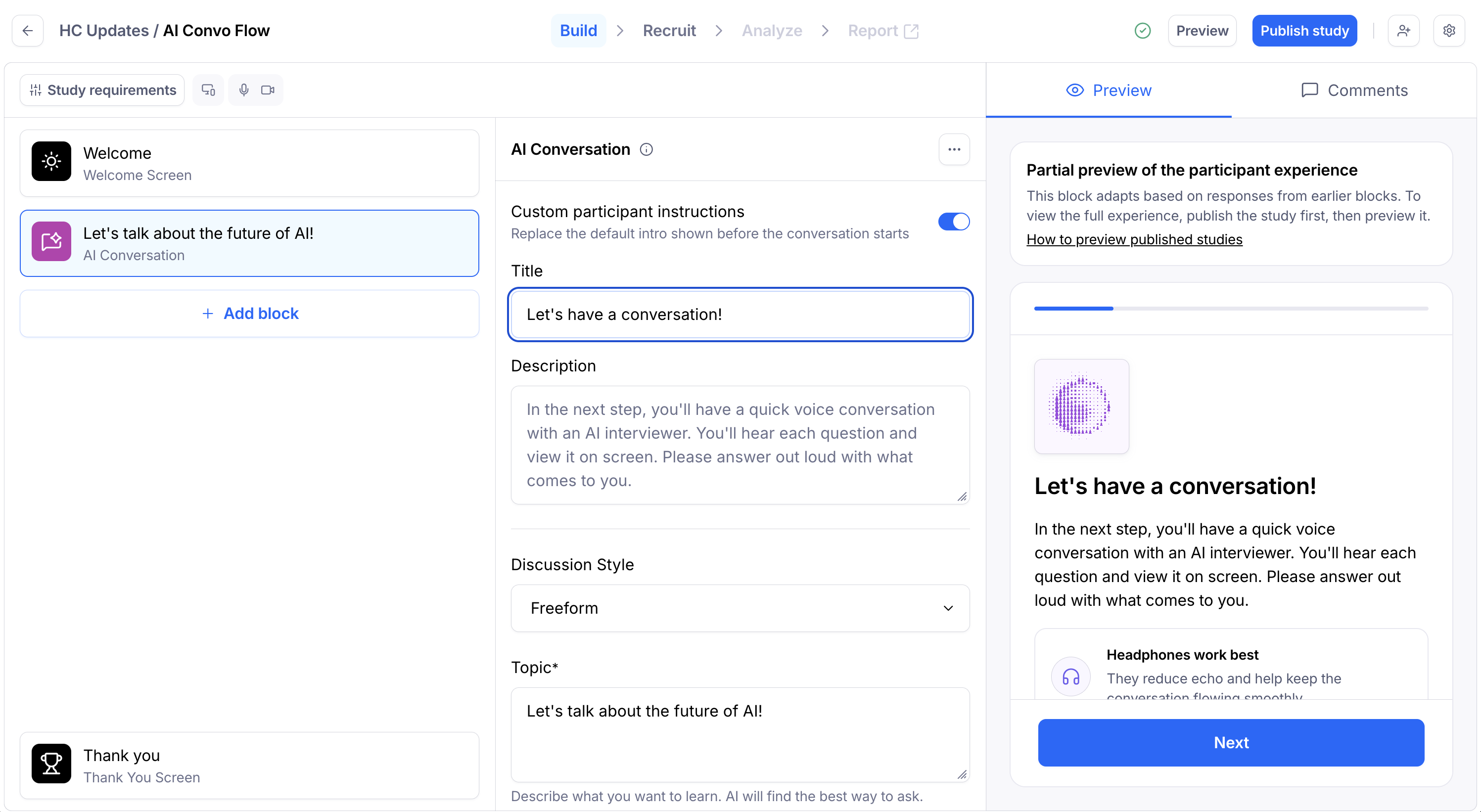
Open your draft study, or create a new one.
In the blocks list, click Add block.
Select AI Conversation from the dropdown.
Enter your question or prompt in the title field.
Give a bit more context in the description field.
Optionally, add an image or a video to the block.
Choosing a discussion style
Each AI Conversation block has two discussion styles. The style you choose changes how the AI moderator runs the conversation.
Exploratory
In Exploratory mode, you give the AI the topics you want to learn about. These are not exact questions. The AI organizes the conversation around these topics and adapts its phrasing based on what the participant says.
Use Exploratory when you want a natural, flowing conversation and you care more about the insights uncovered than the exact wording used.
Scripted
In Scripted mode, you give the AI a script of exact questions. The AI will ask those questions as written, in the order you've set.
Use Scripted when you need comparable results across participants, or when specific wording matters for your research. The AI can ask follow-up questions to dig deeper into a participant's answer. You can configure follow-up behavior in the block setting.
Adding an image or video to the block
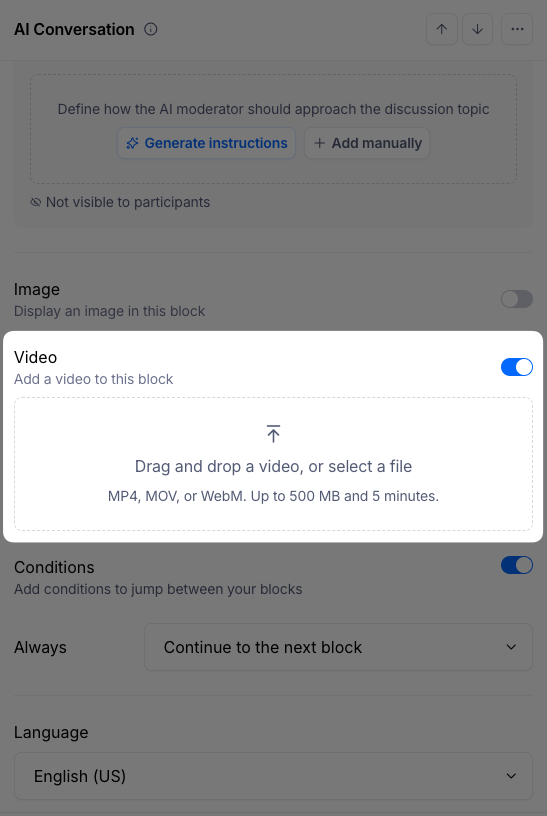
You can attach an image or a video to an AI Conversation block.
Images are useful for first impression tests, logo reactions, or any moment where you want the participant to react to something they see, using their voice. To add an image, click the image icon in the block editor and upload your file.
Videos are useful for testing ads, concept videos, or prototype walkthroughs. To add a video, upload your file in the block editor. Videos must be:
MP4, MOV, or WebM
Up to 5 minutes long
Up to 500 MB
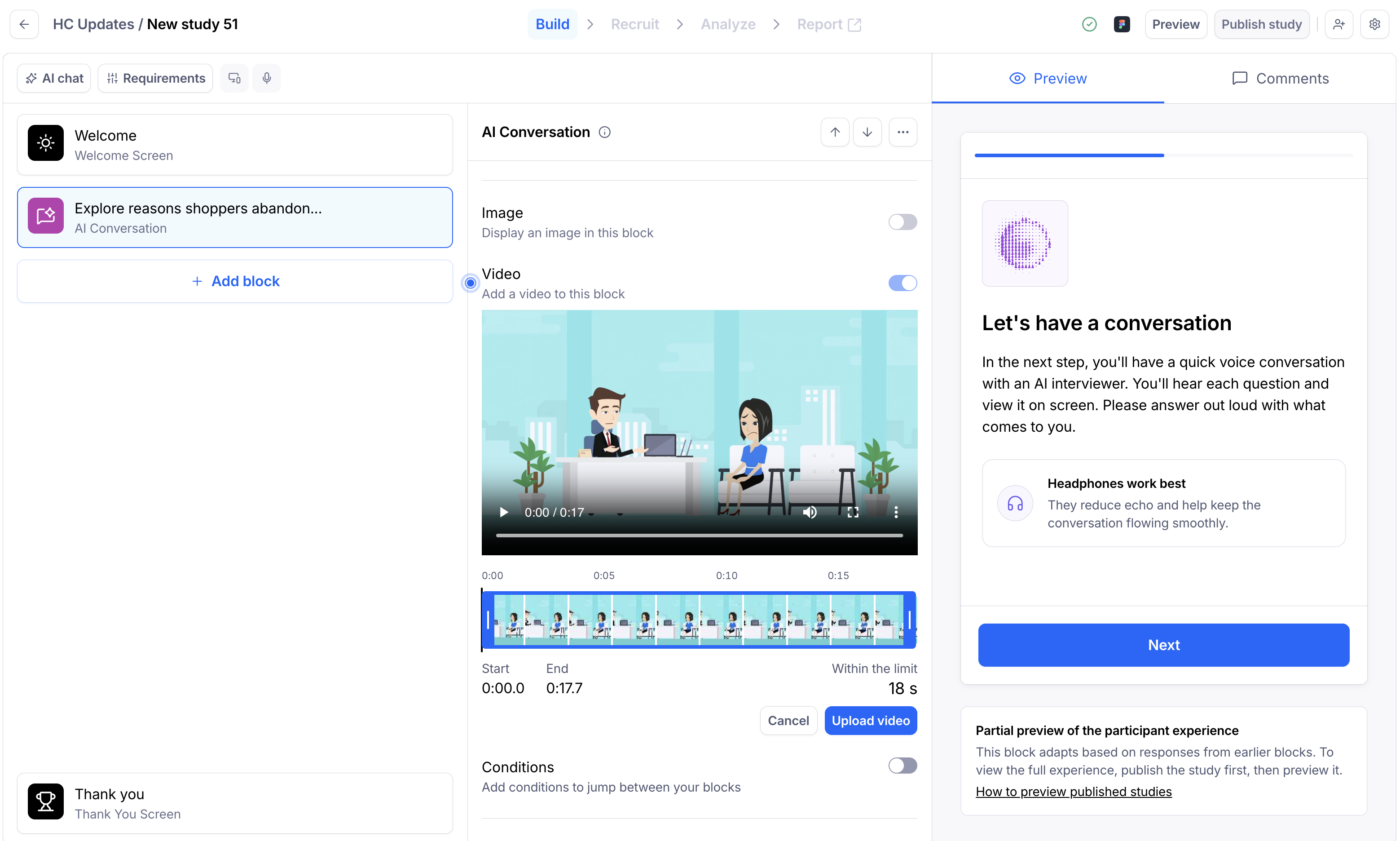
After uploading, you can trim the video so participants see only the part you need. Add a video description so the AI understands what’s in the video and asks relevant follow-up questions. To let participants watch the video again after the first viewing, turn on Allow replay. It’s off by default.
Discussion instructions
Discussion instructions are where you customize the behavior of the AI moderator. This is where you have the most flexibility to shape how the conversation runs. Templates are available to use, as needed.
You can use discussion instructions to:
Tell the AI to follow up when it hears a certain keyword or topic.
Tell the AI to avoid saying certain things, such as competitor names.
Set a specific tone or behavior for the conversation.
Discussion instructions are direction given to the AI. Like any other AI tool, they can't be guaranteed to be followed 100% of the time. If you need maximum control over what the AI asks, use the Scripted discussion style without follow-ups enabled. This way, the AI will ask your questions exactly as written and won't deviate.
Context awareness across blocks
The AI moderator has context on what happened earlier in the study. If you place an AI Conversation block after another block (such as an opinion scale or a prototype task), the AI can reference the participant's response in its questions rather than asking generic ones.
For example, instead of asking "Why did you give the score you just gave?", the AI might say "I noticed you gave a three. Can you tell me what upsets you in this experience?"
Note this behavior will not be the case for scripted questions, since the script is already defined.
What participants see
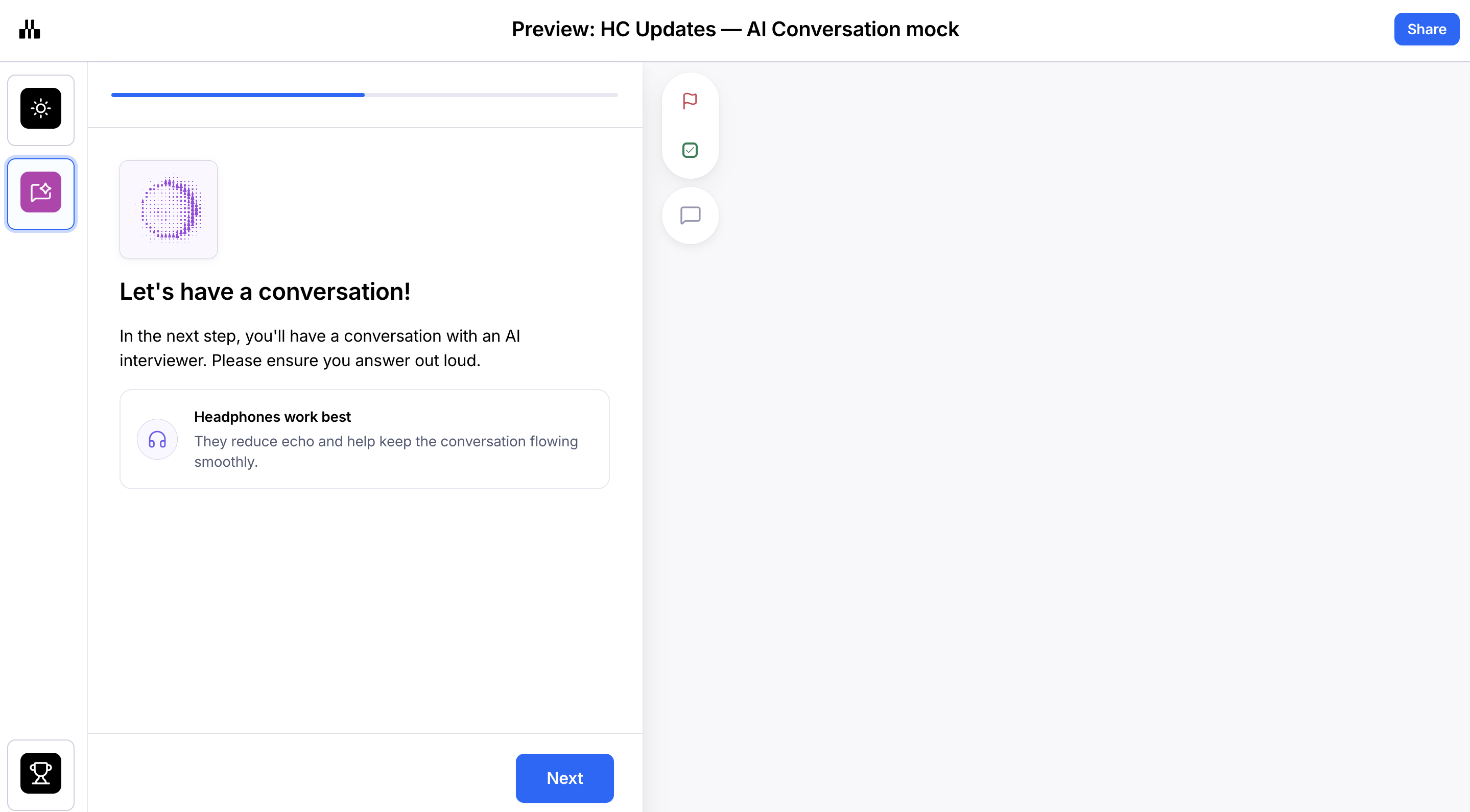
Before the AI Conversation starts, participants see a preparation screen that explains what's coming next and recommends they use headphones. Headphones improve the quality of the conversation because the block speaks to participants out loud.
If the block includes a video, it plays in full before the conversation starts, so every answer is grounded in what the participant just watched. On the first watch, participants can only play and pause. The AI moderator stays silent while the video plays, then begins the conversation.
If Allow replay is on, participants see Video watched and a Watch again button after the video ends. They can replay it as often as they like and seek anywhere during a replay. Pausing a replay, or selecting Done watching, hands the conversation back to the AI moderator. On desktop and tablet, the replay control is in the side panel. On mobile, it appears inline.
Once the participant clicks Next, the AI moderator begins speaking. The participant responds with their voice, and the AI follows up based on their answers. Participants can end the conversation any time. When moving out of the AI conversation, they are reminded to still think out loud for the rest of the study.
Because the AI adapts dynamically to each participant's responses, the conversation will look different for every session. Previewing the block as the study creator gives you a partial sense of the experience, but the real conversation in a live session will adapt more deeply to the participant's specific answers.
Known limitations
You can add up to 5 AI conversation blocks per study
You can add up to 5 questions with one scripted AI conversation block
The AI Conversation block is supported on desktop, tablet web, and mobile web only
Because of the device requirement, the AI Conversation block cannot be used in the same study as blocks that require a mobile app download, such as the App test block, or Website Task that requires recording on mobile; an error message will appear.
Participants need a working microphone to complete the block
Headphones are recommended for the best audio experience
Videos must be MP4, MOV, or WebM files, up to 5 minutes and 500 MB
Videos don’t currently appear in session replays, clips, or exports
A single block can't hold both an image and a video; you must select one or the other.
Does Maze use your conversation data to train AI?
No. Maze does not use the data from AI Conversation blocks to train AI models. Your participants' responses, recordings, and transcripts stay within your study and are not used for model training.
Still need help?
If you have any questions or concerns, please let our Support team know — we'll be happy to help!