Why do I see a “personal data” warning before starting a study?
Last updated: September 15, 2026
What’s Maze? If you see this screen, that means that someone has shared with you a survey or interview invite in Maze, a product research platform. For more information on Maze, visit maze.co or follow @mazedesignHQ.
Before starting a study (i.e. a survey created in Maze), you may occasionally see the following warning on the initial screen:
I understand that all personal data shown on-screen and data I enter will be viewable
by the study creator.
To start the survey, you must agree to that condition. To do so, click the I understand checkbox.
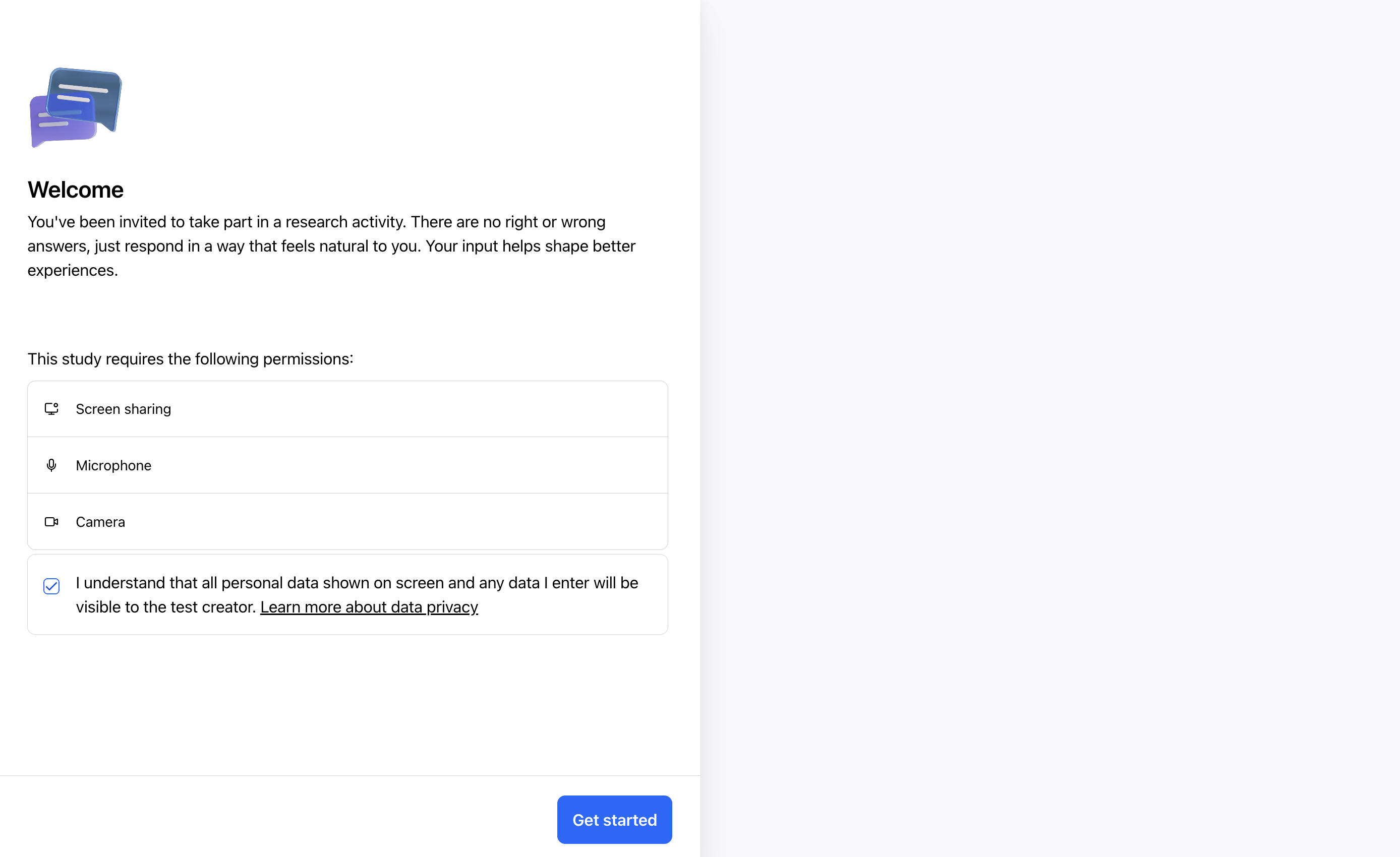
Why do I see this warning?
This warning appears to ensure that participants understand when personal information may be visible to researchers during testing as oftentimes a study creator will ask to capture your audio, camera, and screen, so they can follow along as you go through the study.
For example, if you log in to a personal area on that testing window (e.g. an account dashboard), the creator of the survey may see any information in it.
It is displayed in specific situations, based on the device and blocks included in your study:
Desktop users will always see this warning when screen recording is active, as everything displayed on your screen—including personal notifications, emails, or other apps—could be captured in the recording.
Mobile (phone) users using the Maze app will only encounter this warning when participating in studies that include testing blocks such as Prototype Tests or Live App Tests, where your interactions are being recorded per the study owner’s request. All mobile users in the Maze app will see the warning when screen recording is required.
This transparency ensures you can make an informed decision about proceeding with the study, knowing exactly when and how your personal data might be visible to researchers during broadcasting or screen recording.
Additionally, if you consent to screen, audio, and camera recordings, you’ll have the option to pause the recording anytime when completing a task.
Important: The information in this article only applies when sharing your screen for Live Website Tests on desktop or Prototype Test and Live App Tests with recording on mobile. Maze only records your activity during an active study session. Once you stop the study, all recording ends immediately - Maze doesn't track any other web/app activity or your visits outside of an active study.
Note about broadcasting: When using our broadcasting feature for studies that involve showing how you use third-party apps, please be aware that your entire screen will be recorded during the study session. This means any other apps or notifications visible on your screen will also be captured while the study is active. You can stop broadcasting at any time using the stop button or recording indicator, and no recording occurs before you start or after you stop the study.
How can I control which data is visible to the creator of the study?
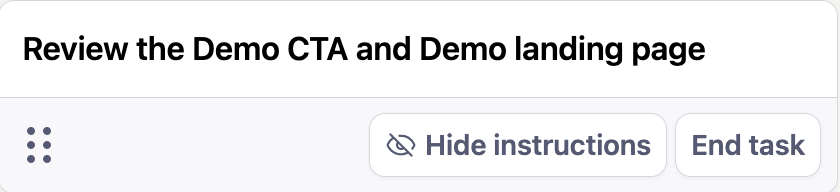
For desktop users, after starting a website test and sharing your screen, there’ll be an End task button at the bottom left corner of the screen. This is the button you’ll press to conclude the study.
You’re free to stop the study at any time.
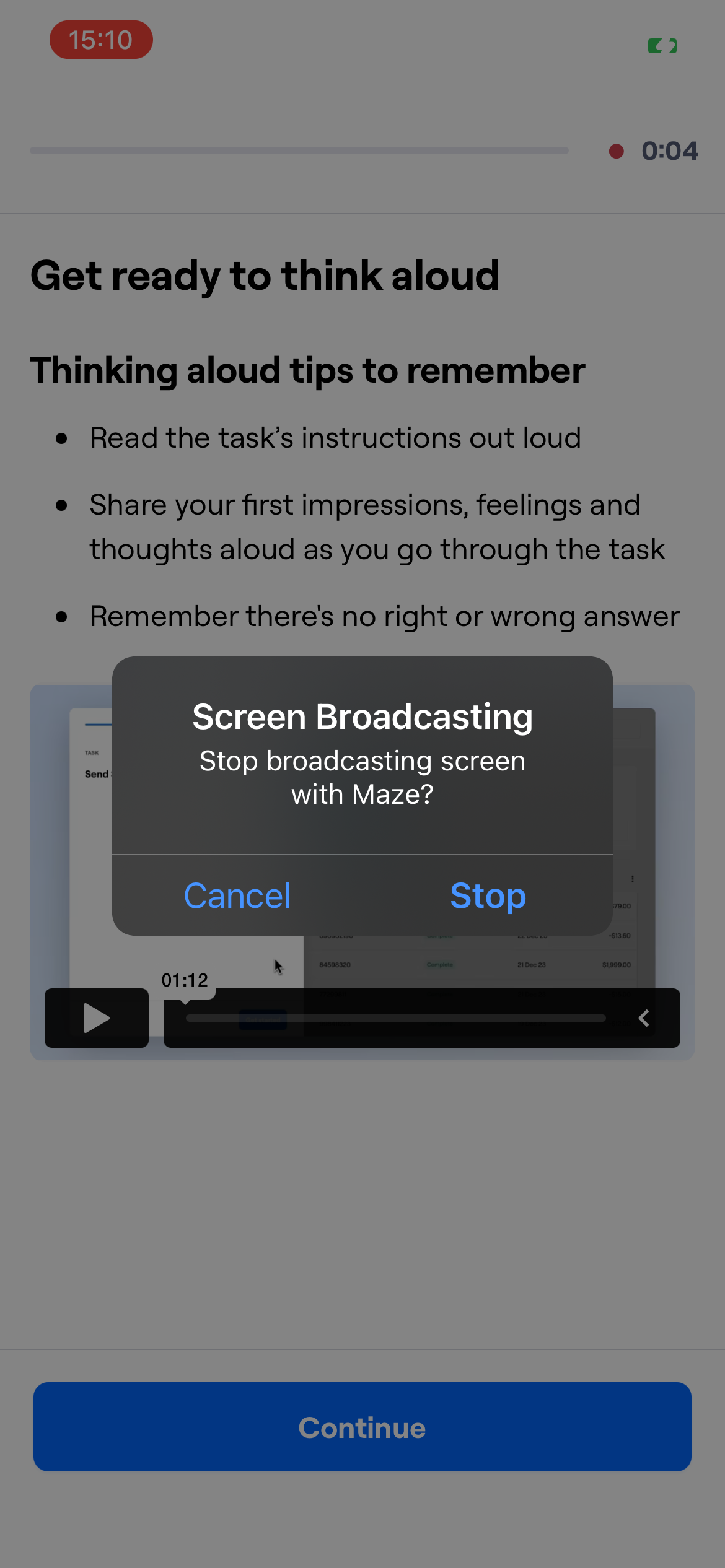
For mobile users, after you've started broadcasting your screen on a mobile device, you'll notice a red recording indicator displayed on your screen. To stop your study, simply tap the red recording indicator and the broadcast will end immediately, concluding your study session. Just like desktop users, you have full control to end the broadcast whenever you need to.
You can also get in touch with the creator of the maze and ask them to delete your testing session data if you believe you’ve shared sensitive information.
For more information on keeping your data private when testing using the Maze Participate mobile app, check out this guide: Privacy best practices for Maze mobile studies.
Additional information
You can find more information on our Privacy Policy.
Please note, if you as the participant are not comfortable with what was shared after completing a session, you can always submit a request to have your data deleted. While not guaranteed, Maze will work with the researcher to share and honor this request.
Still need help?
If you have any questions or concerns, please let our Support team know — we'll be happy to help!