Transfer ownership of your account to another team member
Last updated: September 14, 2026
Account owners can transfer ownership to another member of their team within Maze directly. This process ensures smooth transitions during organizational changes without disrupting ongoing operations.
Before you start
You can only transfer ownership to an existing member of your team. If the person you would like to transfer ownership to is not yet part of your team, you’ll need to invite them.
Learn more about adding and inviting users to a team.
Transfer ownership
Click on Settings (⛭) in the left sidebar of the Maze app and select Team Settings
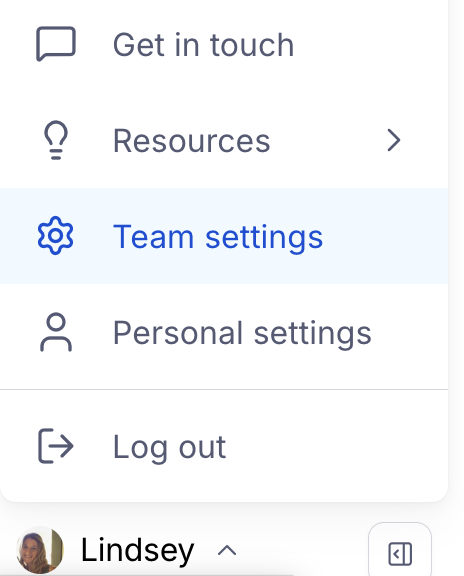
Ensure Team is selected in the left hand panel and scroll down to Transfer team ownership
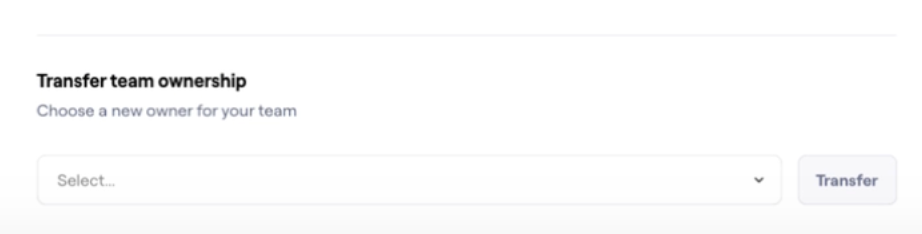
Select a member of your team from the dropdown and click Transfer
Type in the full name of your team to confirm you'd like to transfer ownership
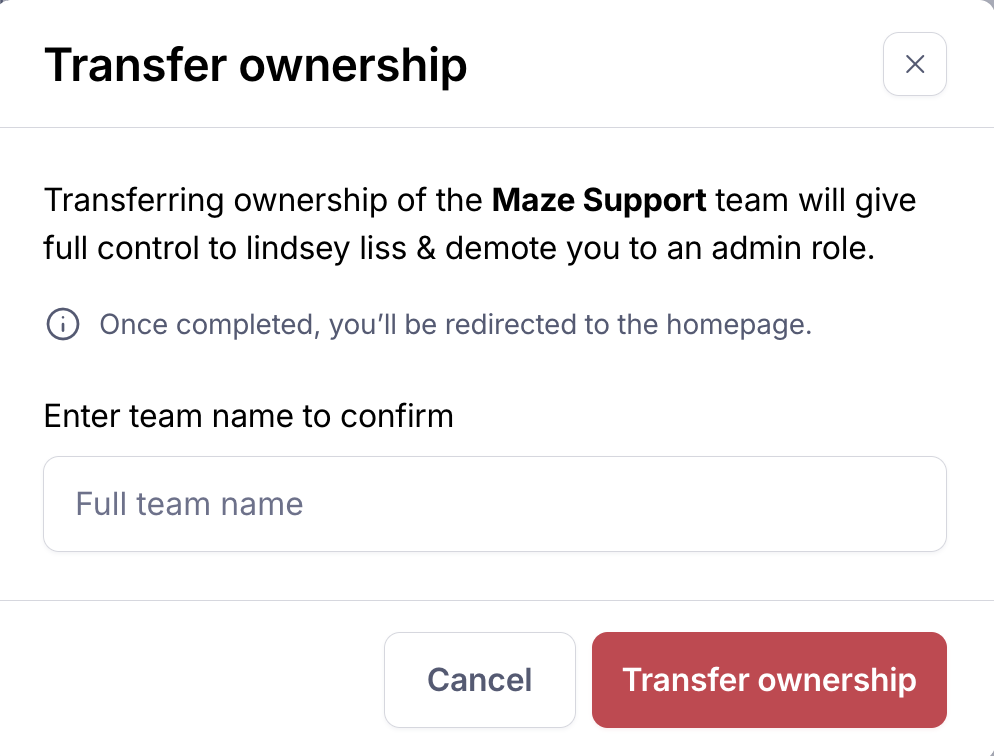
Once ownership is transferred, you and the new owner will receive confirmation emails.
What if I don’t have access to my account as the team owner?
If you do not have access to your account and need to transfer ownership, please reach out to our Support team for assistance!