Redirect participants between Prolific and Maze
Last updated: October 15, 2026
Prolific is a participant recruitment platform you can use to send participants to your Maze study.
This article covers how to connect a Maze study to a Prolific study, so participants are sent to Maze from Prolific and redirected back to Prolific once they complete your study (or are screened out).
Step 1: Build your Maze study
Before setting anything up in Prolific, build your entire study in Maze, including any screener questions you want participants to answer.
Keep the study open — you'll need its study link in Step 2.
Step 2: Add your Maze study link to Prolific
Tip: The steps below involve switching between Maze and Prolific a few times. We recommend keeping both tabs open to make this easier.
In Prolific, open your study and go to the Data collection section.
Under Recording Prolific IDs, select URL parameters.
Go to your Maze study and navigate to the Recruit tab.
Select Study link, then select Copy link.
Return to Prolific and paste the link into the What's the URL of your study? field.
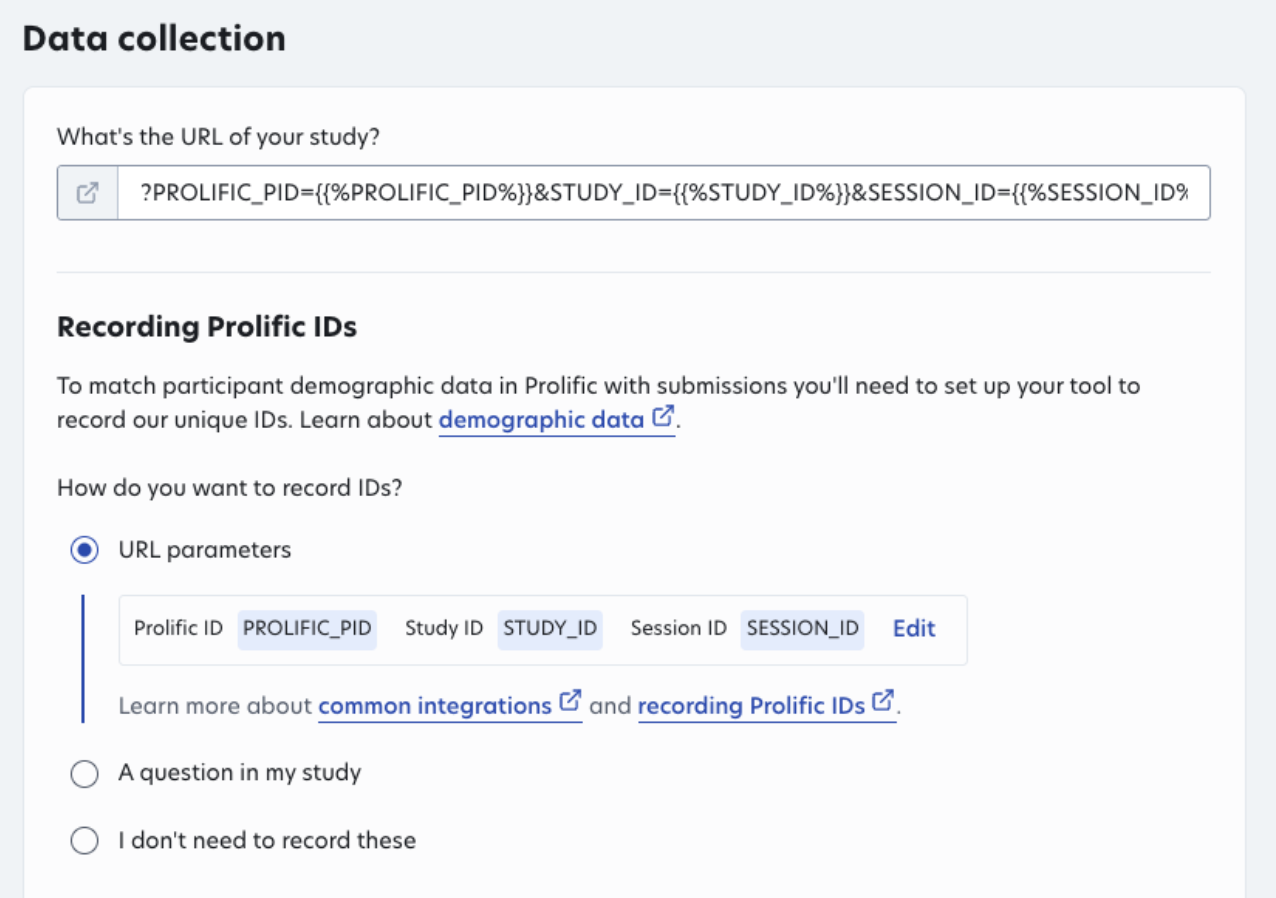
Prolific automatically adds participant ID parameters to the end of your study link, so you don't need to add them yourself.
Continue building out your Prolific study as normal until you reach the Custom screening section.
Step 3: Choose whether to screen participants in Maze
In the Custom screening section of your Prolific study:
Select Yes if participants will answer a screener in your Maze study.
Select No if your Maze study doesn't include a screener.
If you selected Yes, you'll also need to complete Step 5.
Step 4: Redirect participants to Prolific when they complete your study
In Prolific, go to the Completion paths section and copy the Redirect URL.
Return to your Maze study and go to the Build step.
Open the Thank you block and toggle on Add custom CTA.
Paste the redirect URL from Prolific into the Website URL field.
Enter the text for your button in the Button text field — for example, Click here to submit your response and return to Prolific.
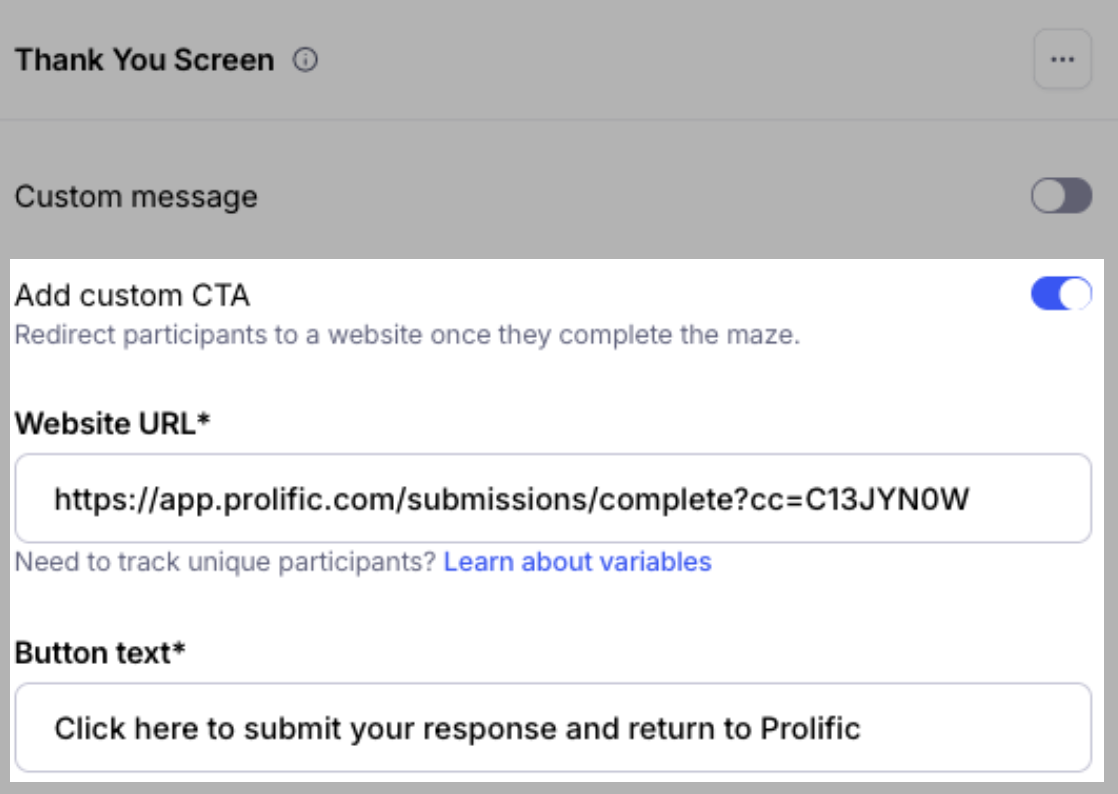
This redirect is what allows Prolific to recognize that a participant has completed your Maze study.
Step 5: Redirect screened-out participants to Prolific (optional)
Only complete this step if you selected Yes under Custom screening in Step 3.
In Prolific, go to the Completion paths section and copy the Redirect URL from the Screened out section.
Return to your Maze study and go to the Build step.
In your screener, open the Maybe next time block and toggle on Add custom CTA.
Paste the redirect URL from Prolific into the Website URL field.
Enter the text for your button in the Button text field — for example, Click here to return to Prolific.
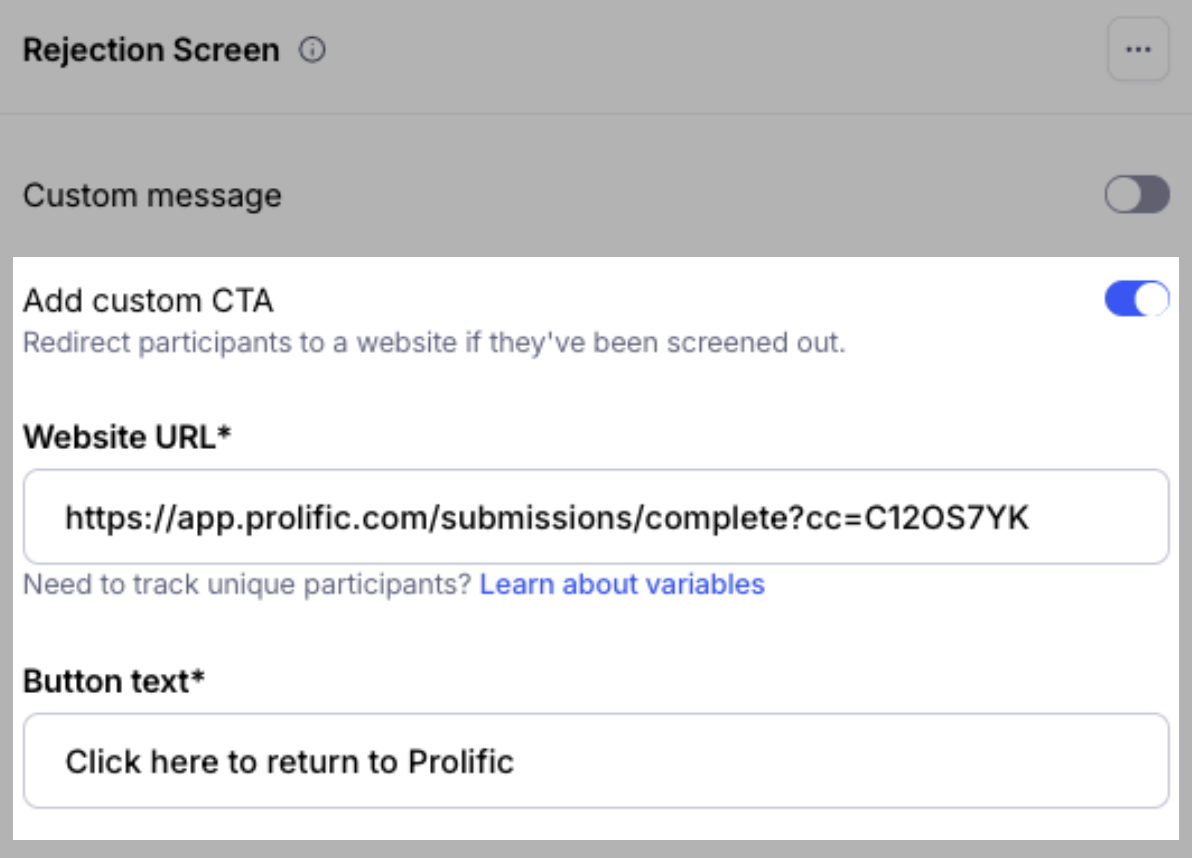
This lets Prolific know a participant didn't qualify for your study, rather than leaving their submission incomplete.
Step 6: Finish setting up your Prolific study
Once your redirects are in place, continue building your Prolific study as you usually would. Responses will be collected in Maze as usual.