Setting a transcription language
Last updated: September 14, 2026
Maze can automatically translate participant transcripts into a language of your choice — so your whole team can read and analyze sessions without switching tools or copying text into a translator.
You can set a translation language at two levels: as a team-wide default in Team Settings (applied to every new study), or per study in Study settings (useful when a researcher needs a different language for a specific study).
Who can use this feature
Transcript translation is available on paid plans.
Setting a team-level default requires admin access to Team Settings.
Set a team-level translation default
Setting a default in Team Settings means every new study your team creates will automatically inherit that language — no per-study configuration needed.
To set a team-level translation default:
Go to Team Settings.
In the left sidebar, click Transcripts.
Under Translate transcripts to, select your preferred language from the dropdown.
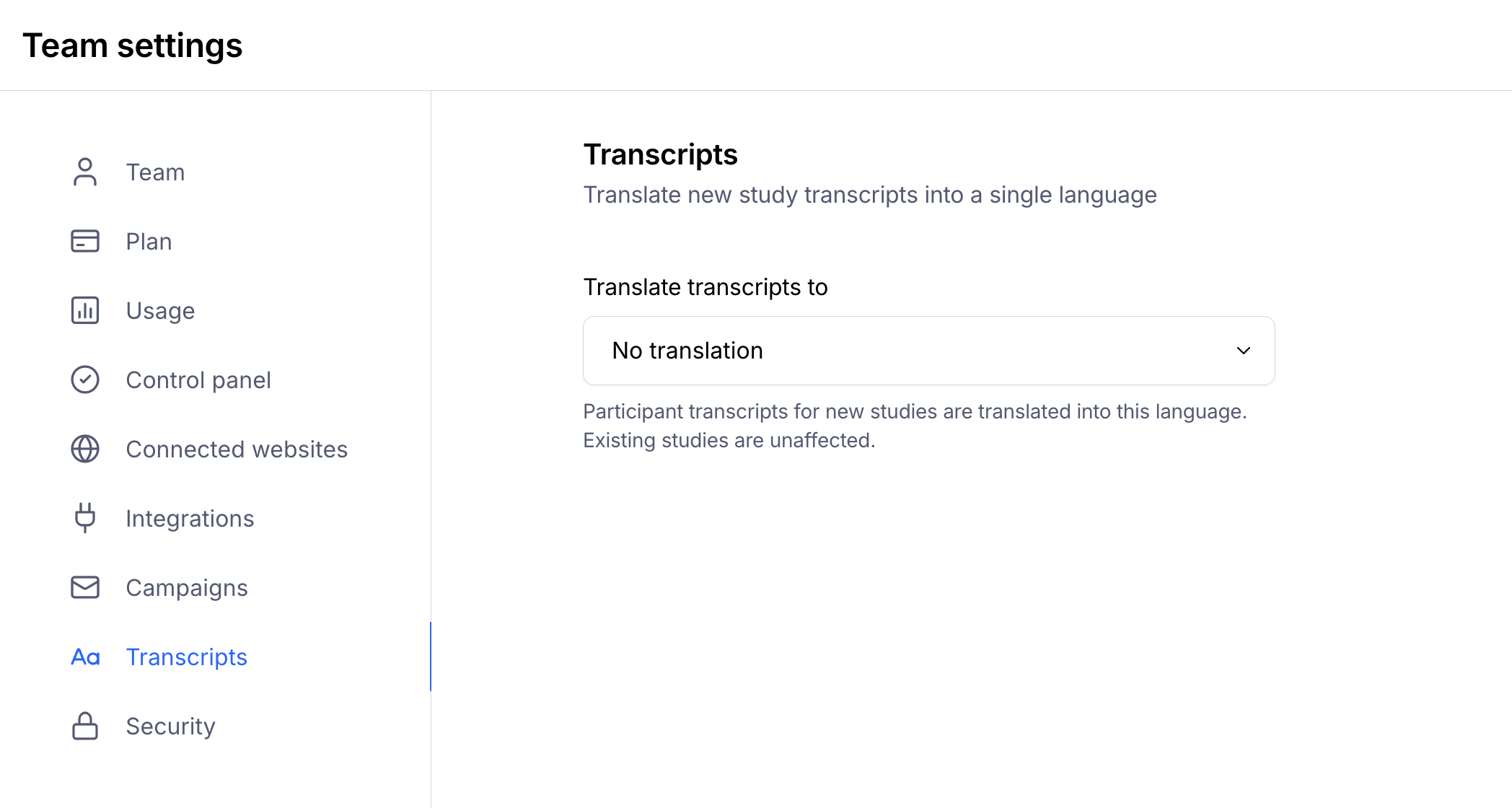
The selected language will apply to all new studies going forward. Existing studies are unaffected.
Set a translation language for a specific study
If a researcher needs to use a different language for one study, they can override the team default directly in the study's settings.
To change the translation language for a specific study:
Open the study.
Click the Settings icon to open Study settings.
Under the Transcripts section, select the desired language from the dropdown.
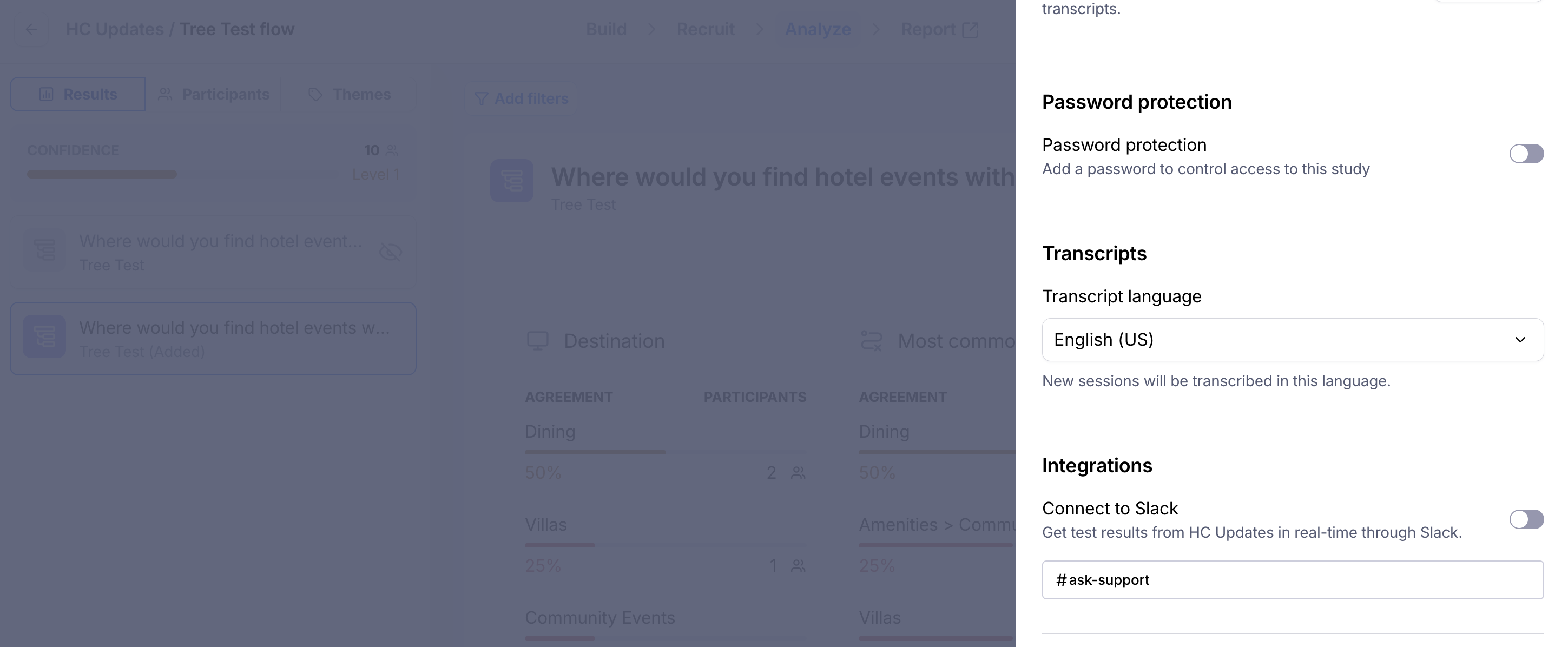
This only affects the current study — your team's default is unchanged.
If no team default has been set, the study-level dropdown will show No translation by default.
New study (no override) | Inherits team language | No translation |
New study (with override) | Uses study-level language | Uses study-level language |
Existing studies | Unaffected | Unaffected |
Limitations
Changing the team default does not retroactively update transcripts in existing studies.
Transcript translation is applied at the time of processing. If you change the language after sessions have been recorded, previously generated transcripts won't be re-translated.
Still need help?
If you have any questions or concerns, please let our Support team know — we'll be happy to help!