AI study builder: Home assistant
Last updated: September 2, 2026
With AI study builder: Home assistant, you can start a new study from a question, goal, or hypothesis — right from your Home screen. Instead of choosing a study type upfront, describe what you want to learn in plain language and Maze will help you decide the best way to research it.
The Home assistant asks follow-up questions, recommends the most relevant study type, explains why that method fits your goal, and carries your context into the right creation flow when you're ready to continue.
This is especially helpful if you know what you want to learn, but you're not sure whether to run an Unmoderated, AI Moderated, or Moderated study.
Start with a question from Home
From your Home screen, use the prompt at the top of the page to describe your research goal in your own words. You can start with a question, hypothesis, problem area, or decision you need to make.
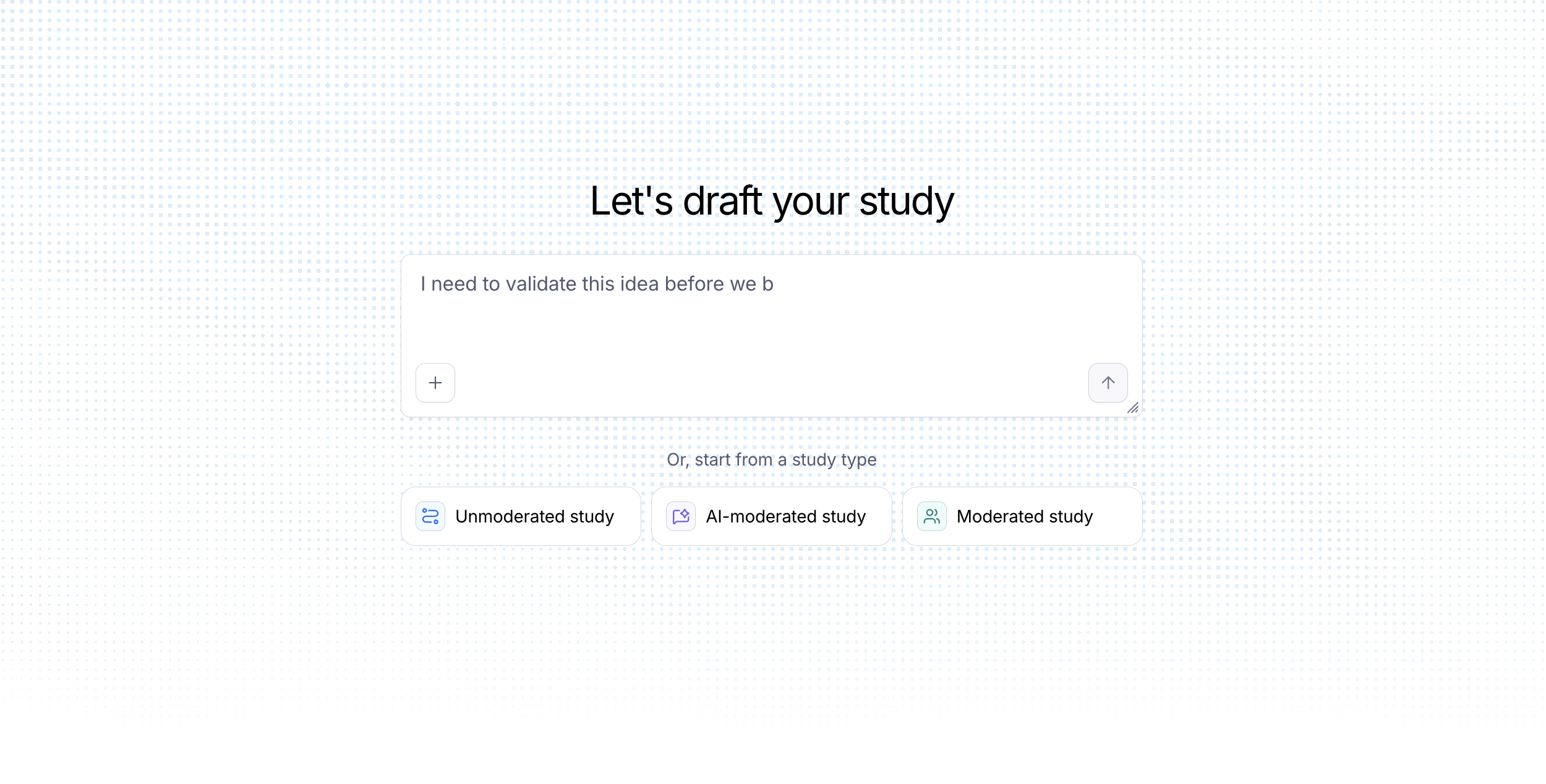
For example:
"I want to test if our new pricing page is clear enough for first-time visitors."
"I'd like to know which of two checkout flows people find easier to complete."
"I want to understand how senior engineers evaluate observability tools and what frustrates them."
"I need to do generative interviews with enterprise admins to understand their permissions setup."
You don't need to phrase your prompt like a researcher. Add as much context as you have — such as your audience, what you're testing, what decision the research will inform, or any time constraints.
Answer follow-up questions
After you submit your prompt, the Home assistant may ask a few follow-up questions to better understand your goal. These questions help Maze clarify what you're trying to learn before recommending a method.
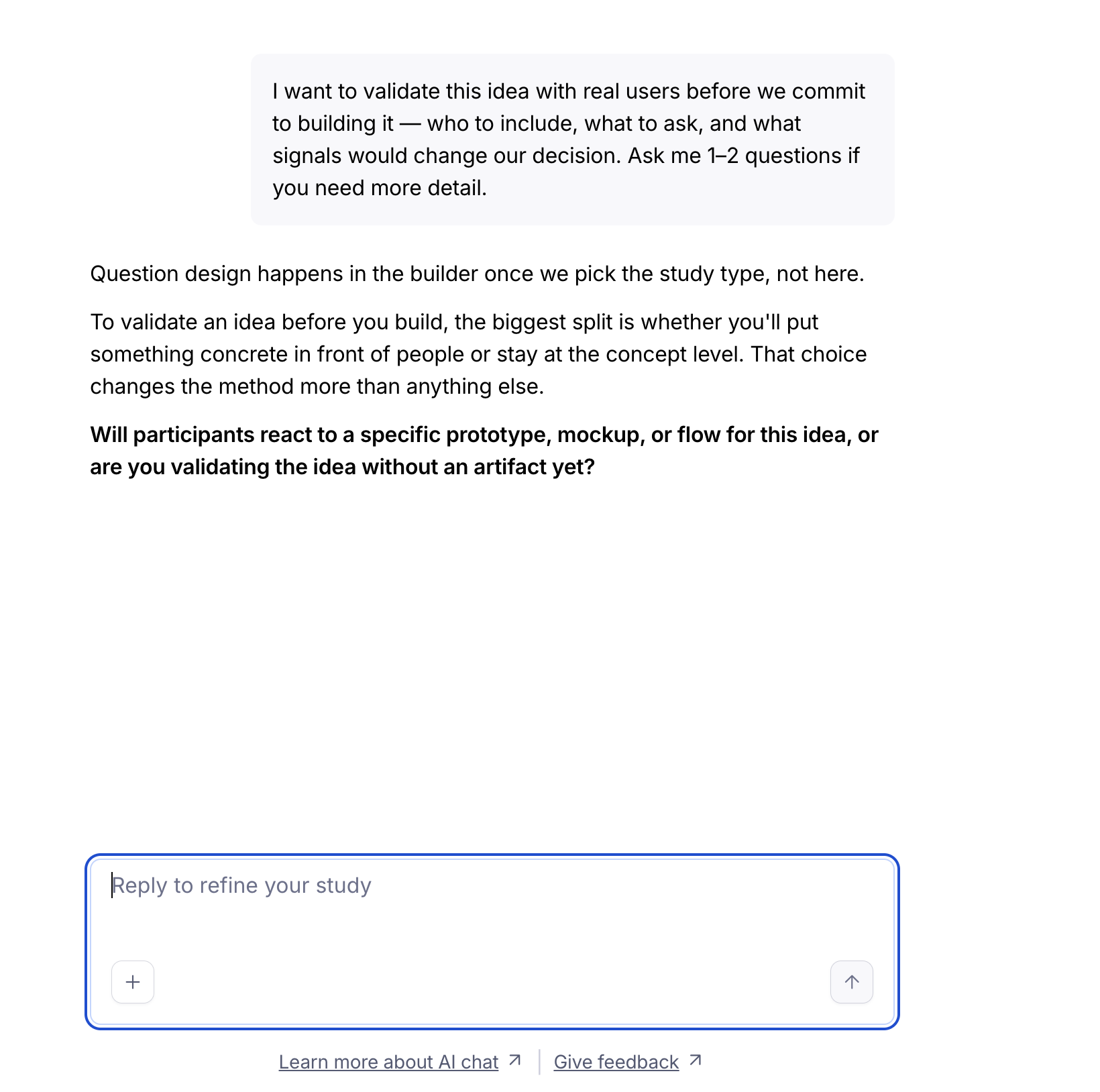
For example, the assistant might ask about:
The audience or participant profile you're targeting
Whether you're testing a specific design, prototype, website, or piece of content
Whether you need scalable feedback or deeper conversation
Any constraints, such as session length, sample size, or timing
You can keep adding detail throughout the conversation. The assistant keeps track of what you've shared and uses that context to shape its recommendation.
Add files for more context
You can attach a file to give the Home assistant more background before it recommends a study type. This can help reduce back-and-forth and make the recommendation more tailored.
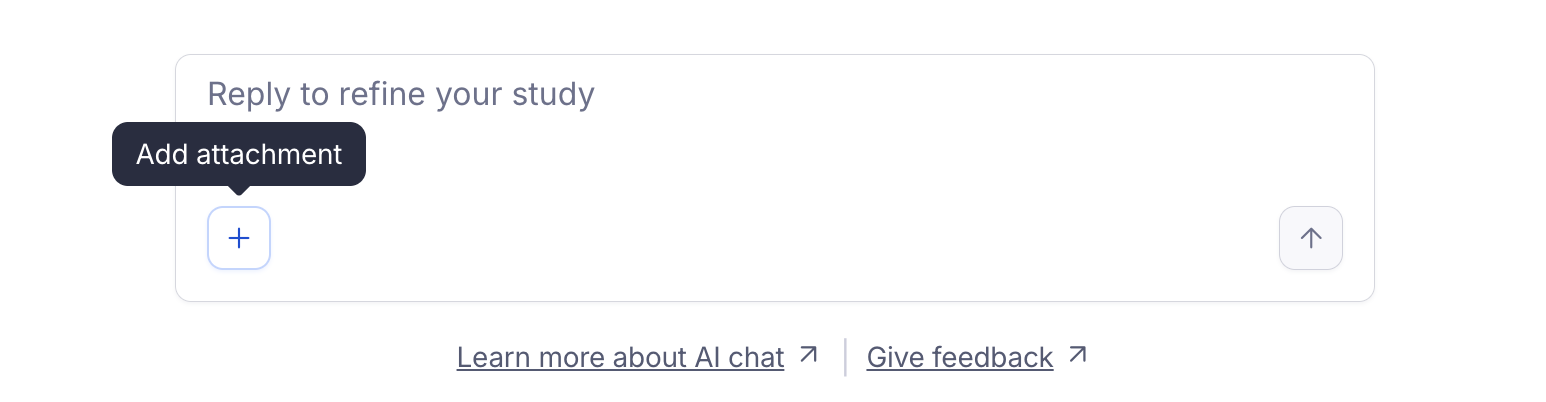
Useful files might include:
A research brief or research plan
A PRD, spec, or product one-pager
Notes from a previous round of research
You can attach a file with your first message, or add one later in the conversation. The assistant uses the file's content as context when asking follow-up questions, narrowing recommendations, and preparing the handoff into the builder.
Review the recommended study type
Once the assistant has enough context, it recommends one or more study types and explains the rationale. If multiple methods could work, the assistant can help you compare the trade-offs.
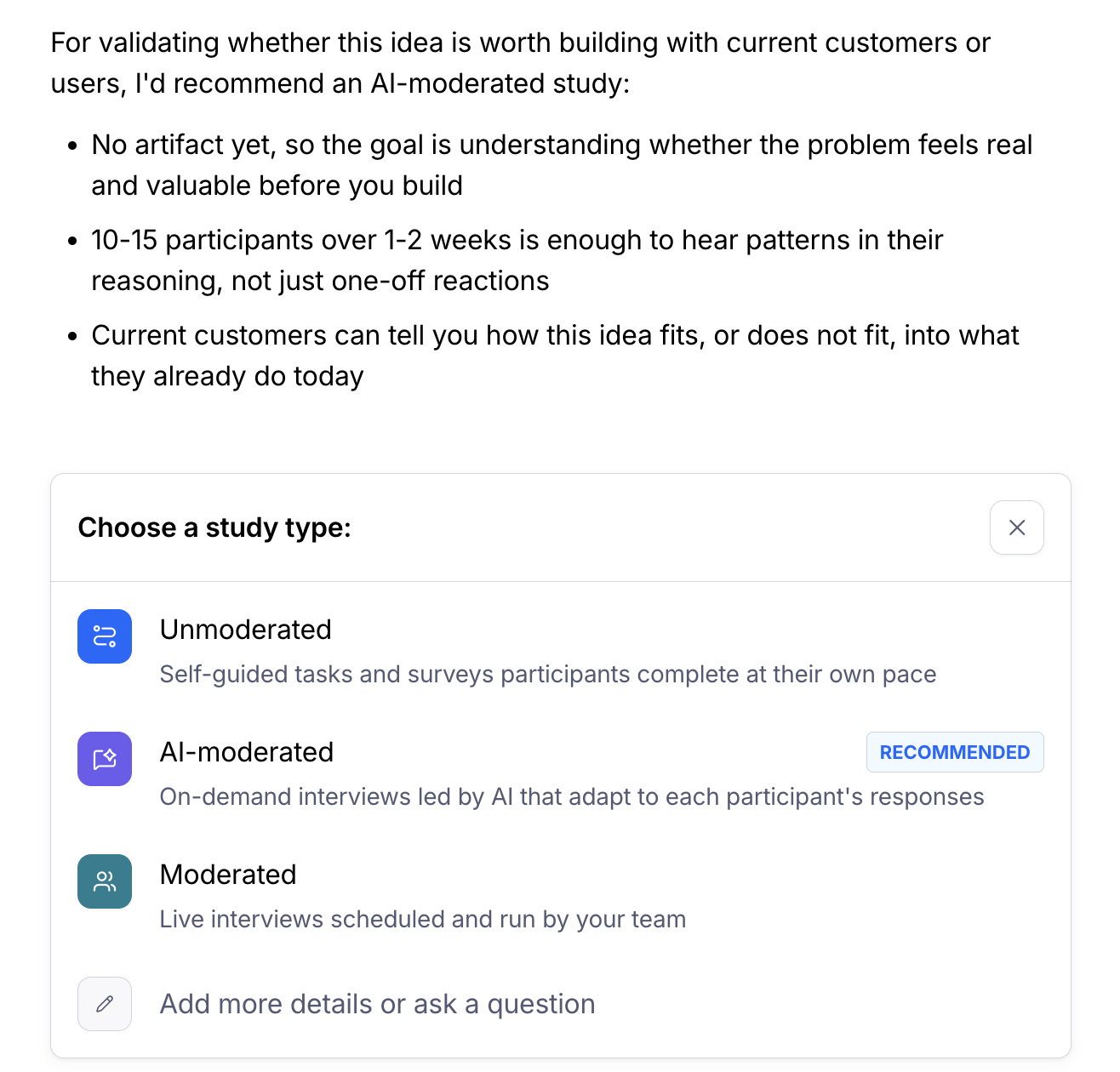
Maze can recommend:
Unmoderated — Best for self-guided tasks and surveys, such as testing a specific design, flow, prototype, or piece of content at scale.
AI Moderated — Best for scalable, AI-led conversations where you want follow-up questions based on each participant's responses.
Moderated — Best for live, human-led sessions, such as generative interviews, complex usability sessions, or research with high-touch participants.
Alongside the recommendation, you'll see a short preview of the context the assistant has gathered from your conversation. Review the rationale and context before deciding how to continue.
Continue into the right creation flow
When you're happy with a recommendation, confirm it to continue into the matching creation flow. Maze carries over your conversation context so you don't have to start from scratch.
Unmoderated → You'll continue into the AI Study Builder for unmoderated studies, pre-seeded with the context from your Home assistant conversation. From there, you can review and refine the suggested study structure before moving into the builder.
AI Moderated → Maze creates a draft AI Moderated study and opens the AI Moderated builder, where you can review and refine the generated learning goals, questions, follow-up depth, and stimulus.
Moderated → You'll continue into the moderated study setup flow, where you can configure the live, human-led session.
Before publishing or recruiting participants, review the generated study carefully and complete any fields that still need your input.
Keep chatting to refine the recommendation
You're not locked into the first recommendation. If the suggested study type doesn't feel right, choose Cancel / keep chatting and tell the assistant what you'd like to change.
For example, you can say:
"Actually, I'd rather do something more lightweight."
"What if I only have 30 minutes of participants' time?"
"I want deeper follow-up questions, not just task completion data."
The assistant will pick up the conversation from there, reconsider the context, and adjust its recommendation when needed.
Tips for getting the best recommendation
Lead with the goal, not the method. Describe what you want to learn and why — the Home assistant can help with how to study it.
Add the key context early. Mention your audience, what you're testing, and what decision the research should support.
Share constraints. Include anything that might affect the recommendation, like available participant time, sample size, deadline, or whether you need live conversation.
Attach a brief if you have one. A research plan, PRD, or previous notes can help the assistant ask better questions and recommend a better-fit study type.
Refine before you confirm. If the recommendation feels off, keep chatting before you move into the builder.
FAQ
Do I need to know which study type I want before I start?
No. With AI study builder: Home assistant, you can begin with your learning goal and let Maze recommend the study type that best fits what you're trying to learn.
Can I still choose a study type myself?
Yes. If you already know the method you want to use, you can start from a study type instead of asking the assistant for a recommendation.
What happens if I disagree with the recommendation?
You can keep chatting. Add more context, explain what's missing, or describe a constraint, and the assistant will revisit the recommendation.
Will my Home assistant conversation carry over into the builder?
Yes. When you confirm a recommendation, Maze carries the relevant context into the matching creation flow so setup feels like a continuation, not a restart.
Can I use files with the Home assistant?
Yes. You can attach files such as research briefs, PRDs, product specs, or previous research notes to help the assistant understand your context and recommend the right study type.
Still need help?
Our support team is ready to assist with any questions about creating studies in Maze. Please contact us — we're here to help.