Fixing transcription errors
Last updated: August 7, 2026
In some cases, our transcription engine misidentifies the language being spoken in the Clips recording, resulting in transcripts being displayed in the wrong language.
If you encounter this, you can fix it by setting the correct recording language:
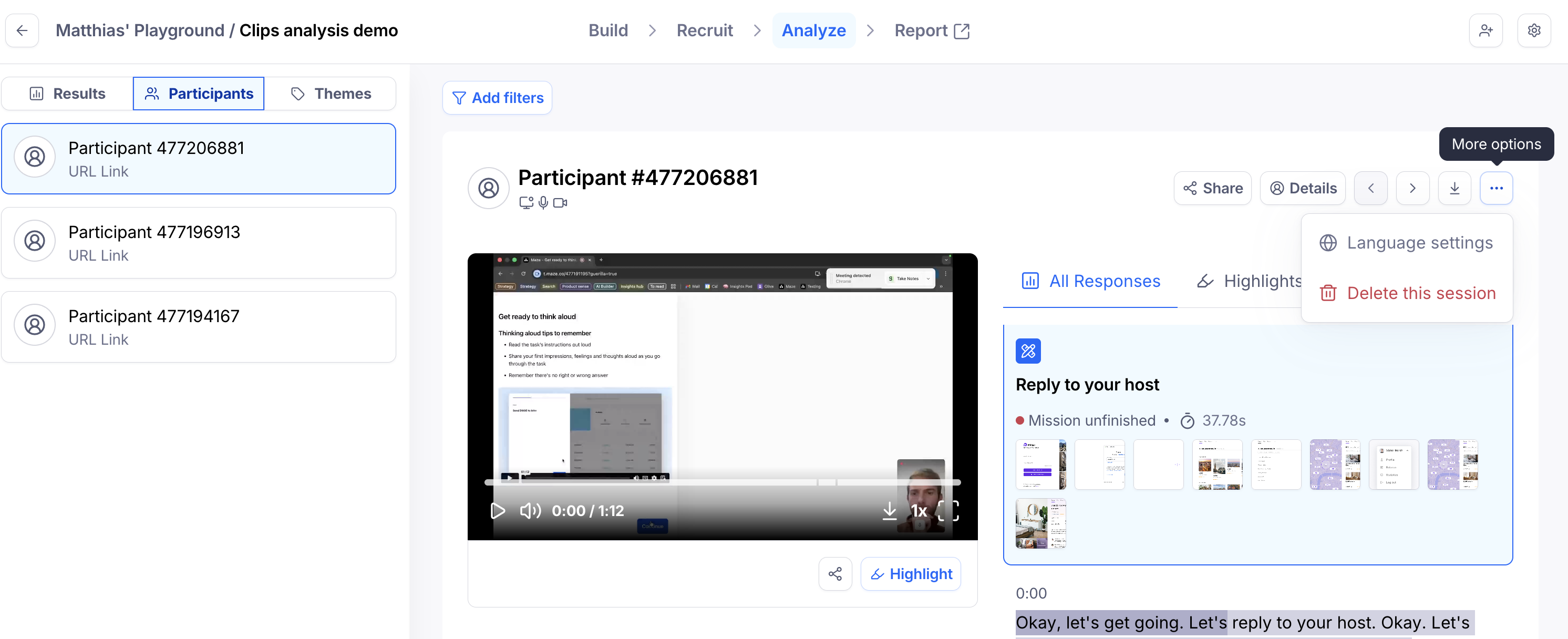
With your study open, navigate to the Analyze tab and select the Participants tab from the left hand panel
Select the participant with the incorrect transcript
Click ... to reveal “More options”
Click on “Language settings"
Select the desired recording language
Click “Retranscribe recording”
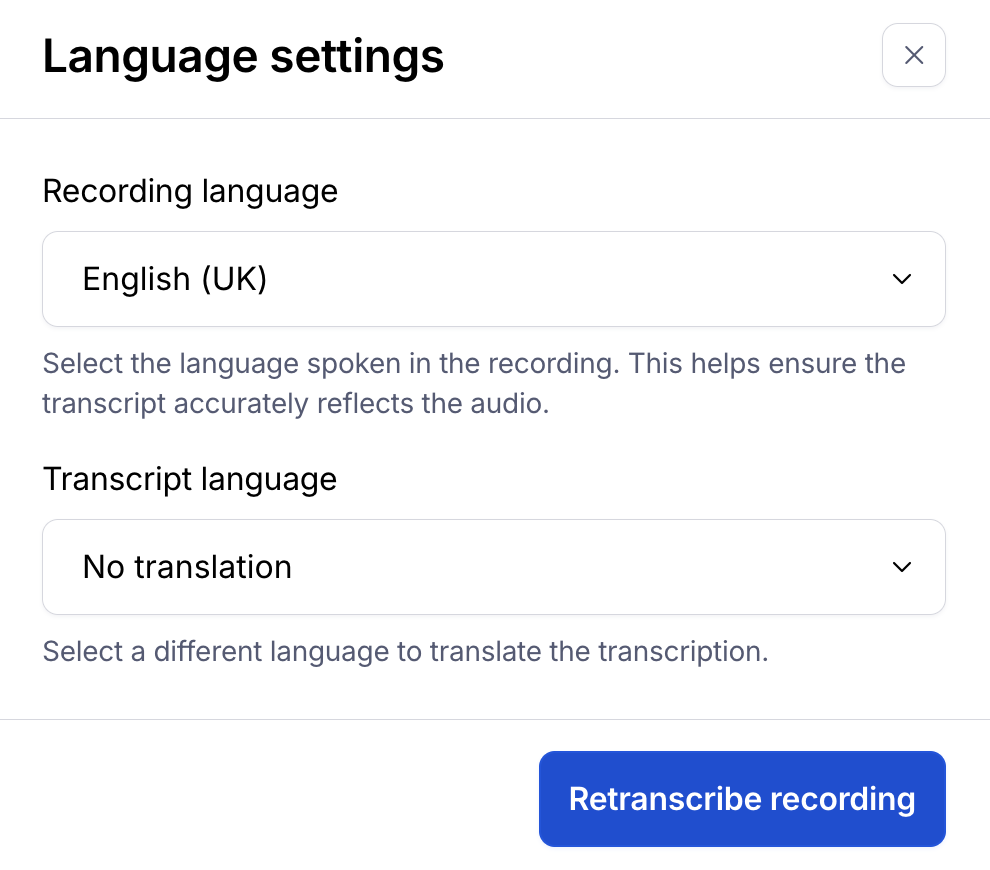
This will kick off the retranscription process which should complete within a few minutes.
Still need help?
If you have any questions or concerns, please let our Support team know — we'll be happy to help!