Publishing your unmoderated study
Last updated: September 11, 2026
Send your unmoderated study live to make it available to participants.
Start testing
When you’re ready to publish your study, click the Publish study button located in the top right corner of the screen. After reviewing your study settings in the modal, click Publish study to confirm.
Before publishing your study, make sure to test it thoroughly until you are completely satisfied with the content and performance. While you’ll be able to edit the study to some extent, many changes will be limited to avoid misleading results due to the modified variables.

Name your study (optional)
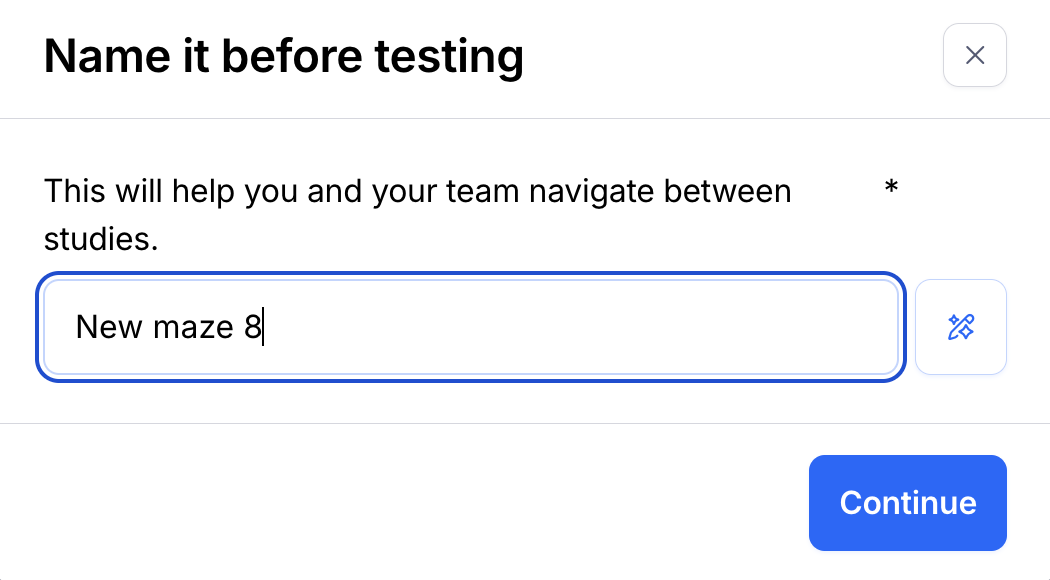
Giving clear and descriptive names to your studies helps your team quickly identify and locate what they’re looking for. If you haven’t named your study before sending it live, you’ll have the option to do so.
If you’re on a paid plan, you can create AI-generated study names with a single click.
Sharing your studies
Once your study is published, you can start testing it with people.
Learn more about sharing your studies
Troubleshooting
Occasionally, you might run into errors that prevent you from publishing your study. Learn more:
Why am I getting a "Duplicated pages" error when I try to launch my study live?
Why am I getting a "Missing page" error when I try to launch my study live?
Why am I getting an "Invalid blocks" error when I try to launch my study live?
Still need help?
If you have any questions or concerns, please let our Support team know — we'll be happy to help!