Viewing your study logic with the Flow map
Last updated: November 4, 2026
The Flow map gives you a visual overview of how participants move through your unmoderated study. It shows every block in your study and every path between them, so you can check your logic at a glance instead of tracing it block by block.
Alongside the Flow map, Maze now flags any block that no participant can reach, so you can catch logic gaps before you publish.
Who can use this feature?
The Flow map is available to all teams using unmoderated studies.
Open the Flow map
Open your unmoderated study in Build mode.
Select the Flow map tab, next to Preview.
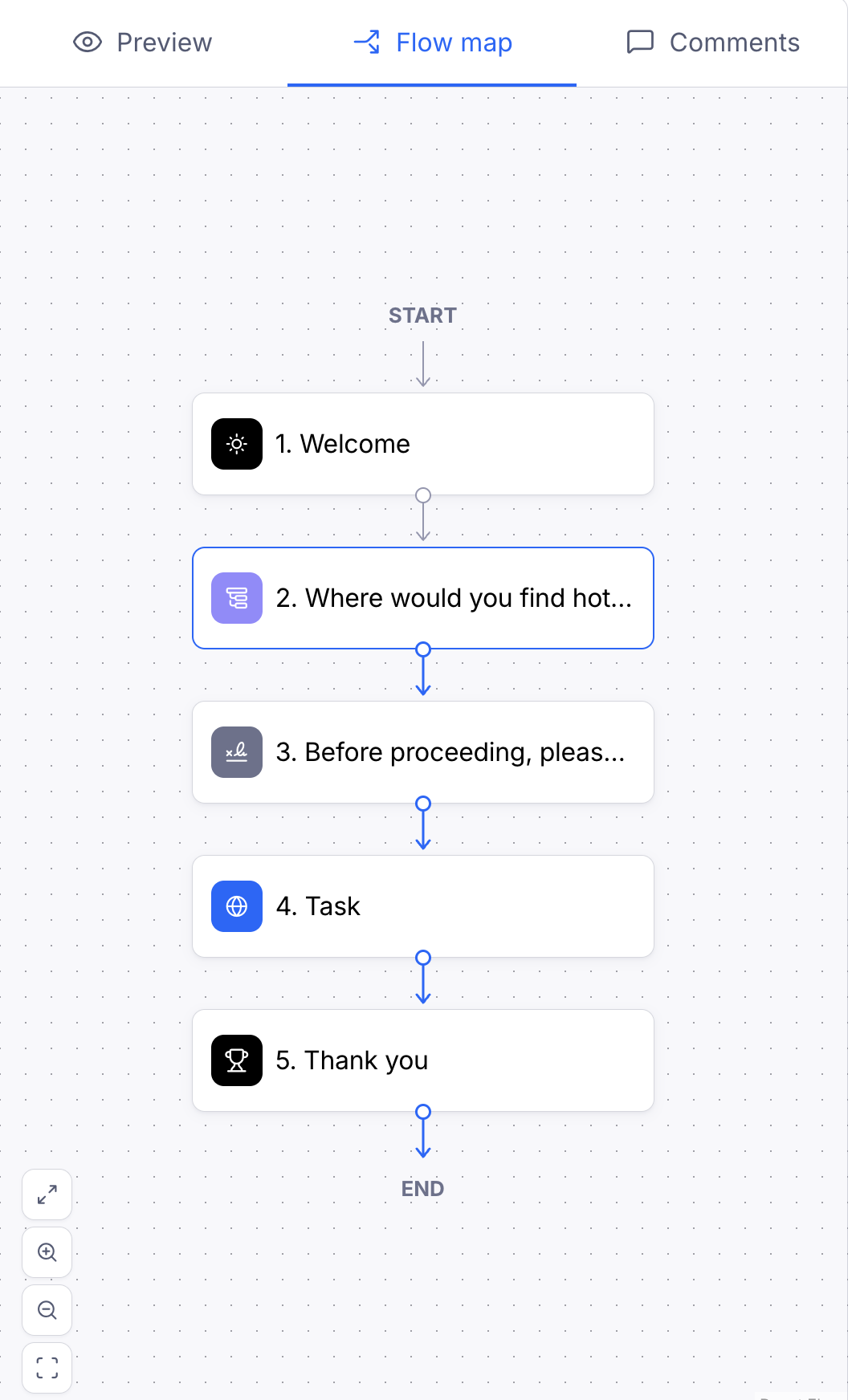
The map shows each block in your study and the paths that connect them, including:
Edit blocks from the Flow map
Click any block on the map to open it for editing. The map updates automatically as you change your logic, so you can adjust a condition and immediately see how it changes the paths through your study.
Find unreachable blocks
A block is unreachable when no participant can get to it — for example, when every path in your study jumps past it.
Maze flags these blocks in two places:
On the Flow map: the map shows how many blocks in your study are unreachable.
In the block list: unreachable blocks are marked with a warning. Hover over the warning to see which block jumps past it.
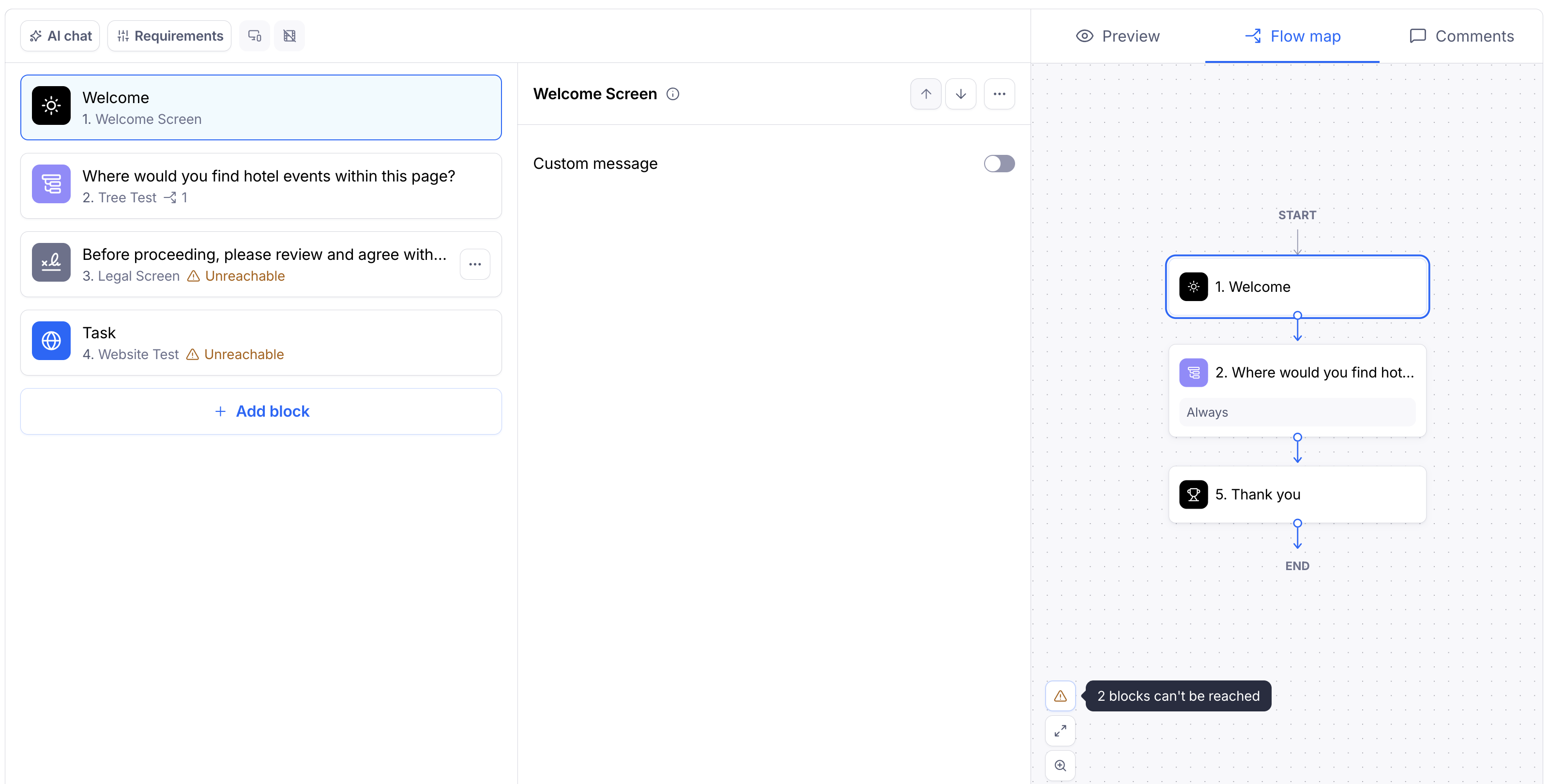
This is a warning only. You can still publish a study that contains unreachable blocks, but participants won't see those blocks or answer them.
Fixing an unreachable block
To make a block reachable again, review the conditions on the block named in the warning and make sure at least one path leads to the unreachable block. If you're using branching paths, check that your Always conditions route participants where you expect. Learn more about adding "Always" conditions in complex branching
If you no longer need the block, you can delete it.
Flow map in the AI study builder
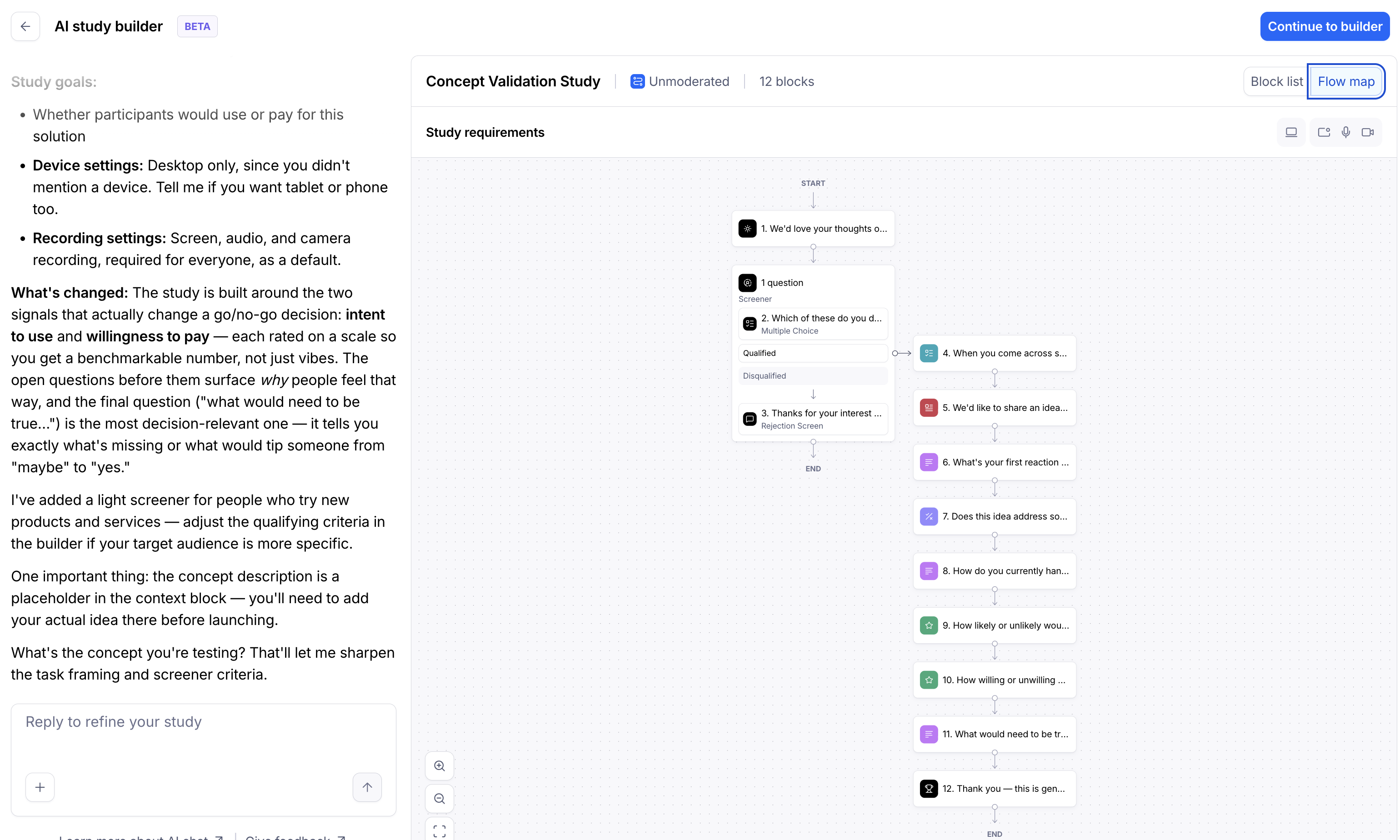
When you build a study with the AI study builder, the preview includes the Flow map. Blocks the AI has just changed are highlighted on the map, so you can quickly review its edits and how they affect your study's logic.
Still need help?
If you have any questions or concerns, please let our Support team know — we'll be happy to help!