Understanding your account usage
Last updated: September 18, 2026
The account usage page gives you insight into your team's activity in Maze — including studies run and panel credits spent, broken down by workspace and user. Admins on multi-workspace accounts can also allocate a shared credit pool across workspaces to control how it's spent.
The usage page is available for users on the Business and Enterprise plans. Credit allocation is available to admins on multi-workspace Enterprise accounts. It is not available on Legacy plans.
Where to see your account usage
To view your account usage:
Open the Team Settings.
Navigate to the Usage tab.
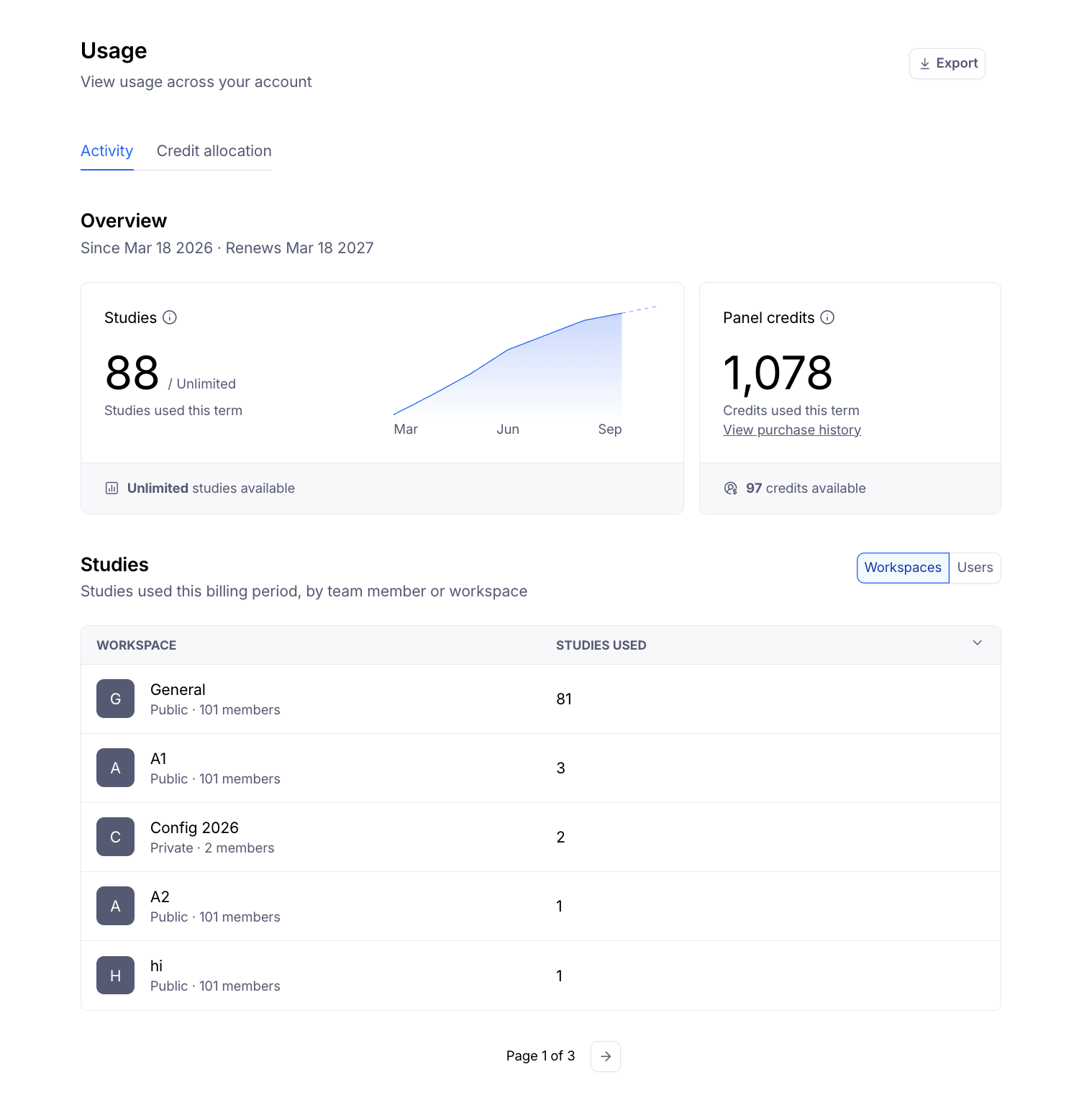
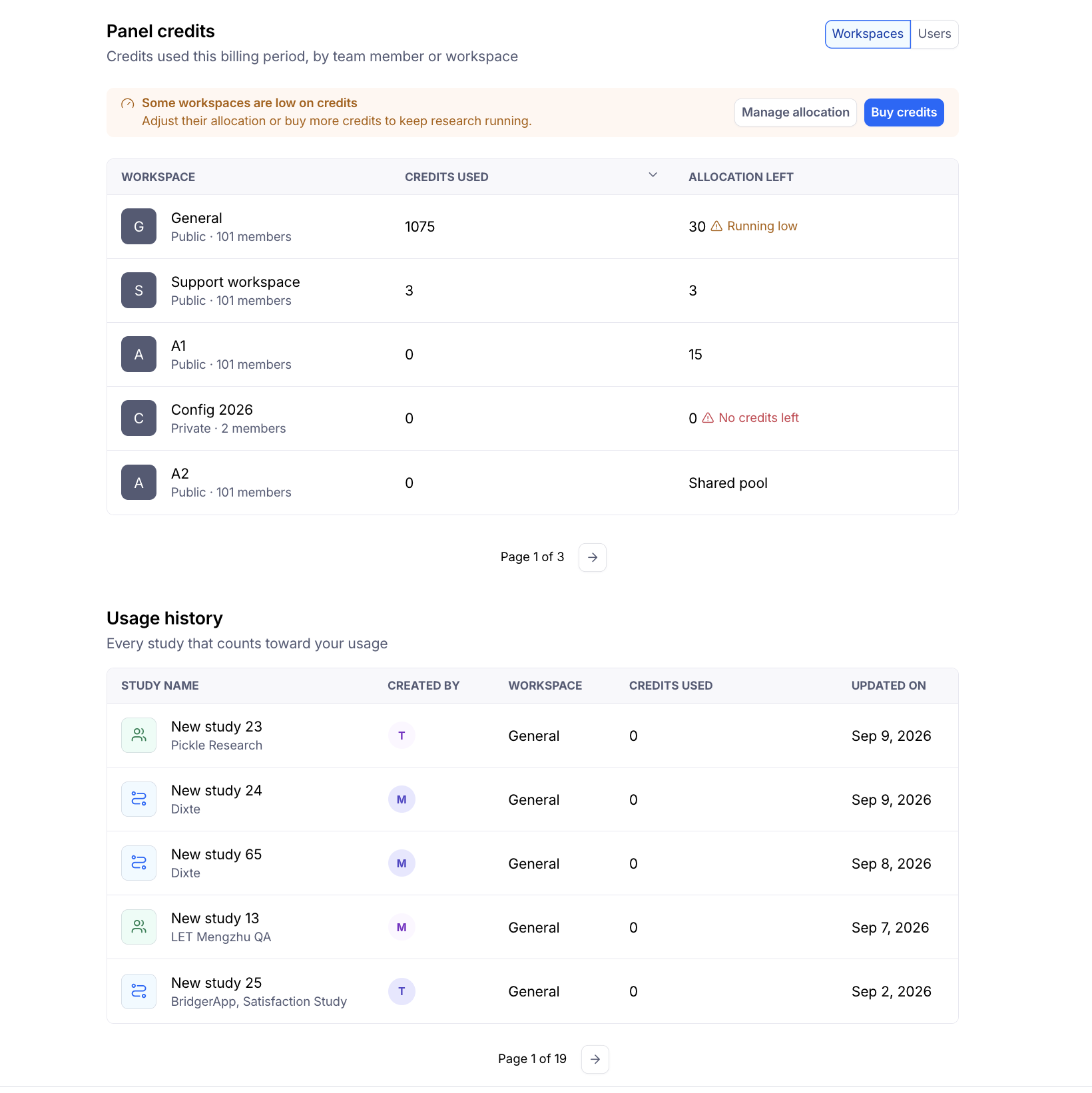
Here you'll find:
Overview cards for Studies and Panel Credits, each showing your remaining balance for the current period.
Breakdown tables for Studies and Panel Credits, filterable by workspace or by user.
A Usage History table listing every study that counts toward usage during your current period.
A Credits Allocated column showing any workspace-level limit an admin has set (see below).
All of the above is included in your usage exports, so you have a clear record of activity across the billing period.
If your account spans multiple workspaces, this gives admins one place to see how the team is spending a shared credit pool — instead of piecing it together study by study.
Setting credit allocations across workspaces
Admins on multi-workspace Enterprise accounts can divide their shared panel credit pool across workspaces, so one workspace can't use up credits before others get a turn.
To set an allocation:
Go to Team Settings > Usage.
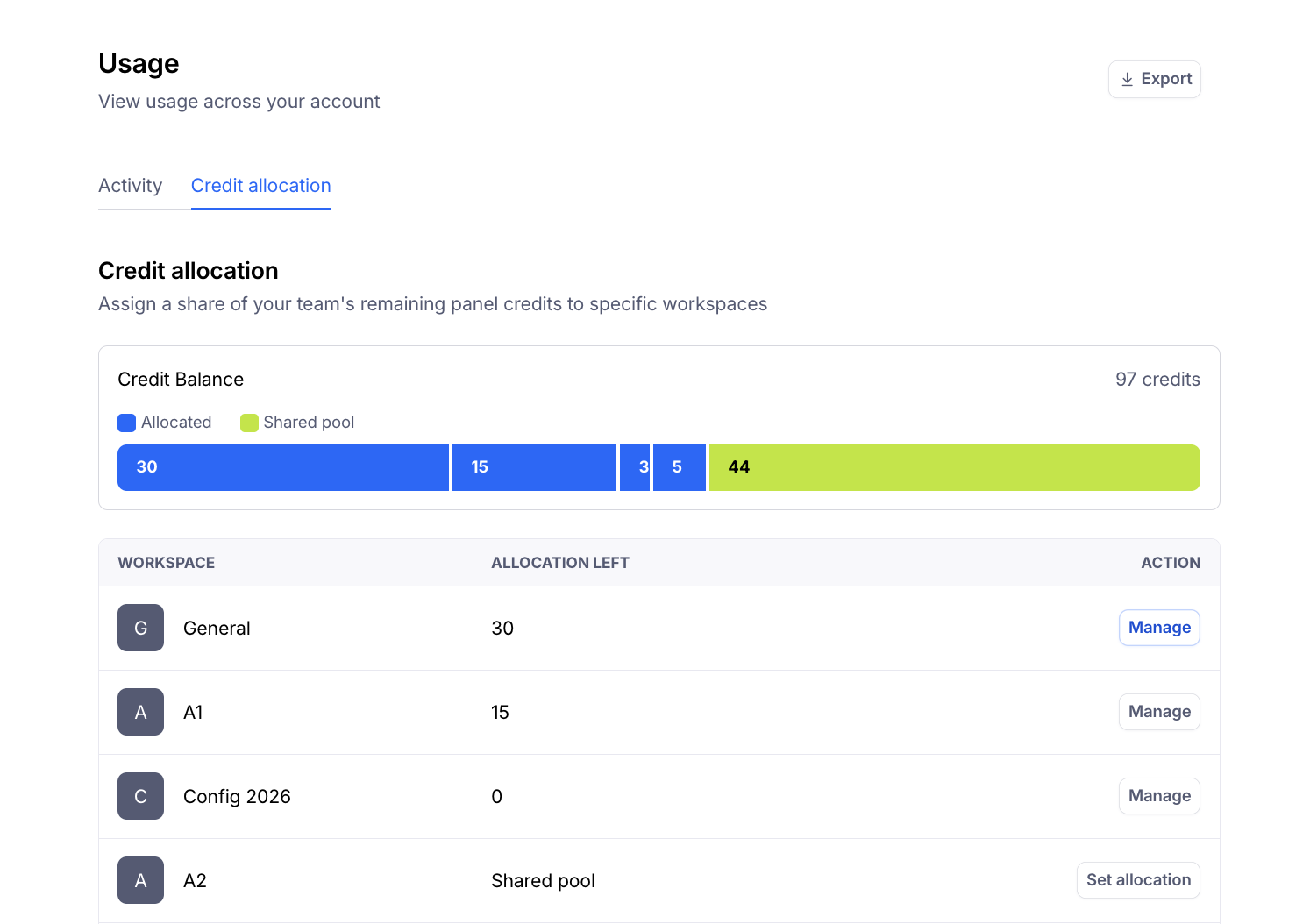
Open the Credit allocation tab.
Enter a credit amount for each workspace you want to limit.
A few things to know about how allocations work:
Allocations are set against remaining credits for your current period — not your full credit total for the billing cycle or term.
The shared pool updates in real time as you edit workspace amounts, and a warning appears if your allocations would exceed what's available.
Once an allocation is set, it's enforced at the point a workspace places a panel order: an order is blocked if it would exceed either the workspace's allocation or the shared pool's remaining balance. When this happens, admins see an error with a link to request more credits.
Workspaces without an allocation set continue drawing from the shared pool as they always have — setting allocations is opt-in per workspace and won't disrupt teams you haven't limited.
Admins get two low-balance warnings for any workspace with an allocation set: an in-app callout on the Activity tab, and an email once the workspace crosses 80% of its allocation. Each fires once per threshold crossing, not repeatedly.
Allocation settings are currently visible to admins only. Workspace owners and members don't see allocation details, except for the balance shown to them within the panel order purchase flow itself.
Not currently included: Credit allocation controls how many panel credits a workspace can spend. It does not limit the number of studies a workspace can run, and it does not control what actions a role can take (role-based access control). If you're looking for one of these, let your Customer Success Manager or our Support team know — we track this feedback.
How are studies counted?
Unmoderated studies are counted once they've received at least one response.
Moderated interview studies are counted after the first session is scheduled, or a recording is uploaded.
Learn more about moderated and unmoderated studies
What period is covered in the account overview?
The dates mentioned in the Account overview refer to the start and end of your current contract period.
For usage from before the current contract period, please reach out to your Customer Success Manager.
Why does the usage data for individual users have a different start date than the overall account activity?
If your team has activity prior to January 1, 2025, it won’t be reflected in the usage data for individual users.
Usage data for individual users starts from January 1, 2025.
Why am I seeing an unknown user?
When looking at the usage per member, you may see the term Unknown user listed under members in your account.
Maze introduced tracking usage by member on January 1, 2025 so studies created before that date cannot be reliably attributed to a specific user. These studies are collectively assigned to unknown users as the study may have been created before that date or the team member was deleted/removed from the account.
Still need help?
If you have any questions or concerns, please let our Support team know — we'll be happy to help!