Editing screeners in a panel order
Last updated: September 4, 2026
When placing a panel order, you can add or edit your screener questions directly from the order flow — without losing the audience configuration you've already set up. This means you can fine-tune your screening criteria as you go, and your panel order progress is preserved if you need to jump out and adjust your screener mid-flow.
New to screeners? Start with Setting up participant screening logic for the basics of how screeners work, and Best practices for screener questions for tips on writing screeners that recruit the right participants without over-constraining your audience.
How it works
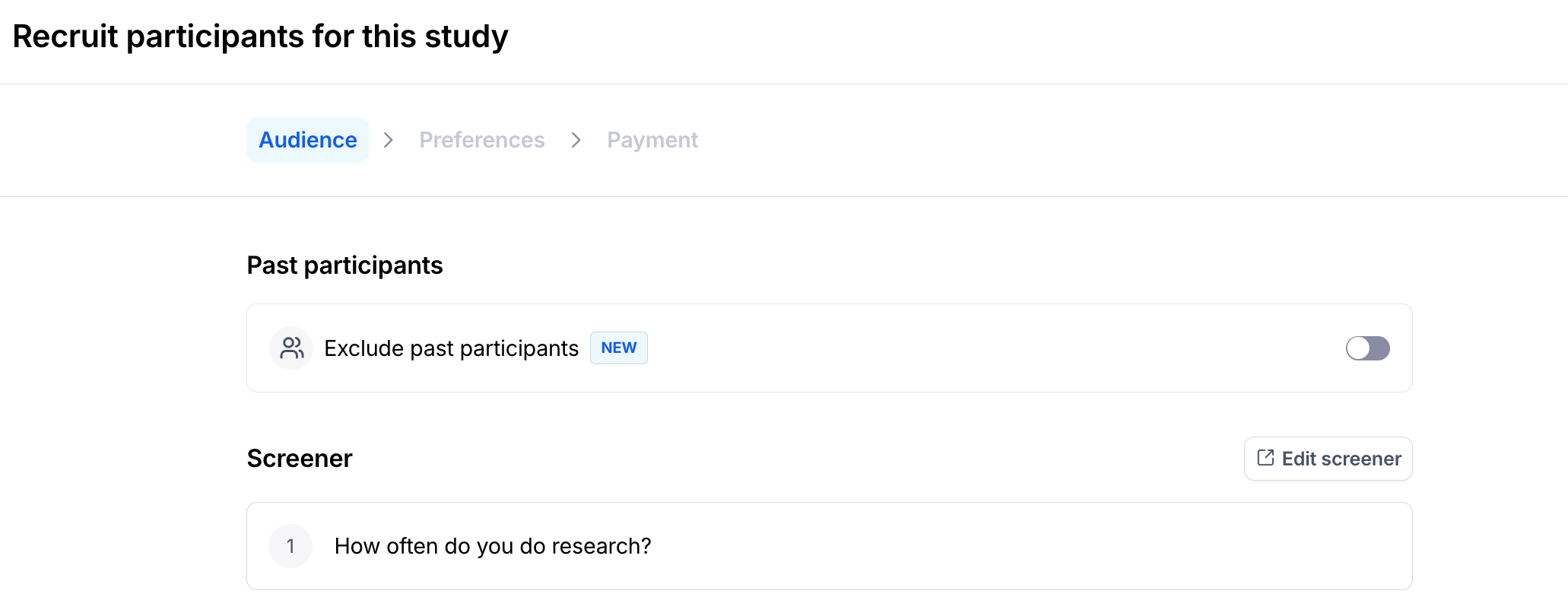
In the Panel Order modal, you'll see an Add screeners or Edit screeners button in the Screener section. Where this takes you depends on your study type:
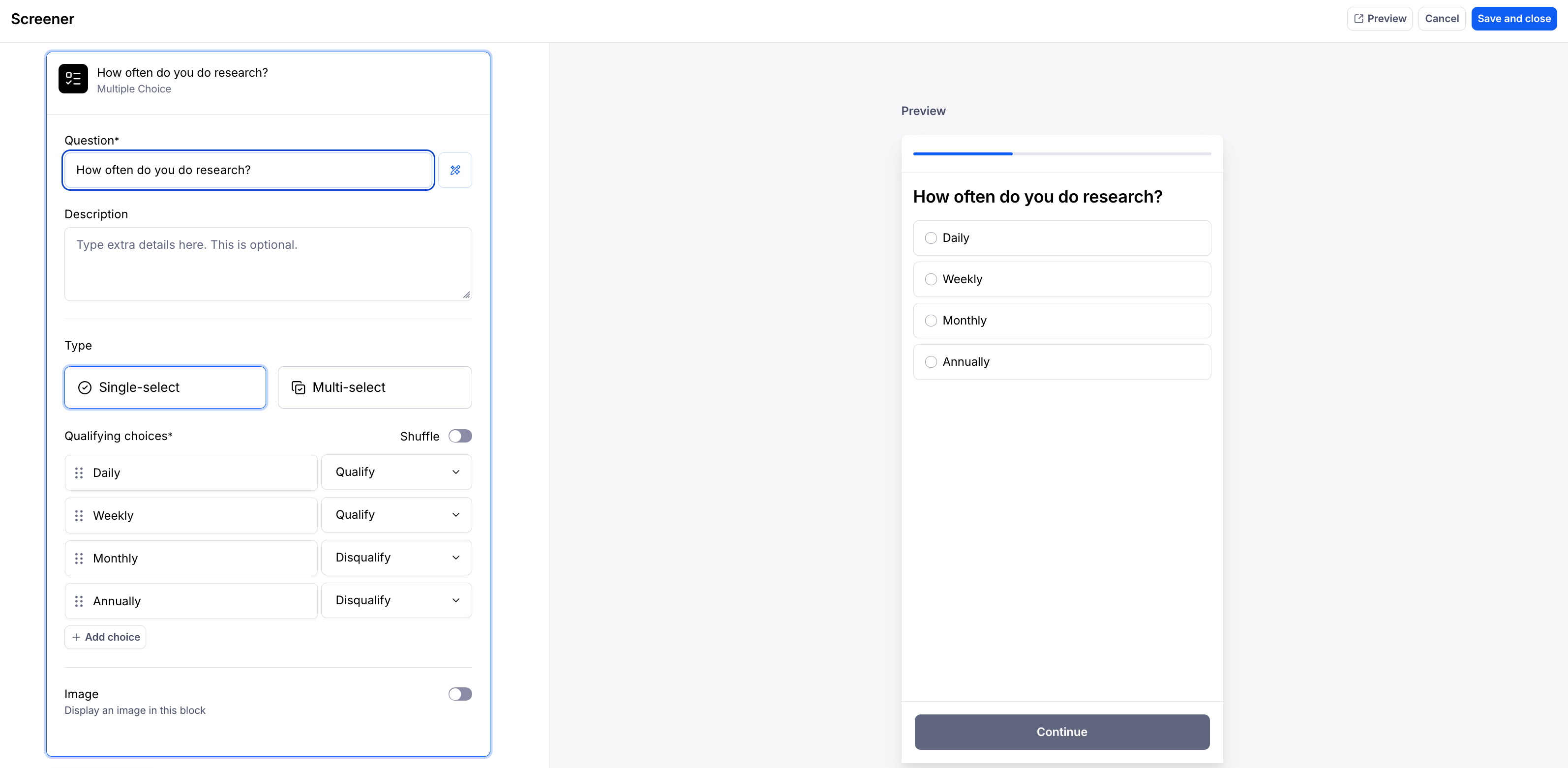
Moderated and AI Moderated studies open the screener editor inside the panel order flow. When you save or cancel, you return to the Panel participants modal with your audience configuration preserved.
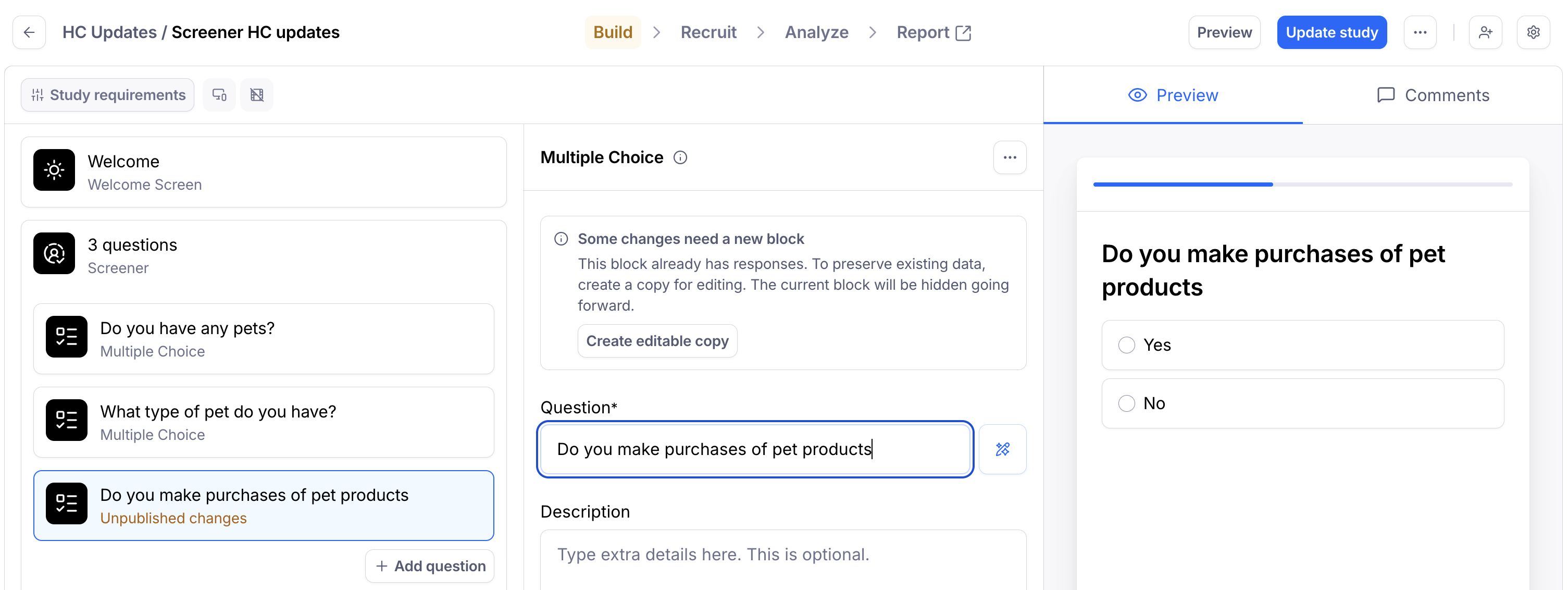
Unmoderated studies take you to the study builder, where you edit screeners alongside the rest of your live study. Once you've saved your changes and updated your live study, you'll return to your panel order with your audience configuration preserved.
In either case, your in-progress panel order is saved so you don't lose your work when jumping between screens.
What you can edit
You can always:
Add new screener questions
Add, edit, or remove answer options on questions you're adding
Mark answers as qualifying or disqualifying (learn more about screening logic)
For existing screener questions, what's possible depends on your study type:
Moderated and AI Moderated studies — you can edit existing screener questions directly, including the question wording and answer options.
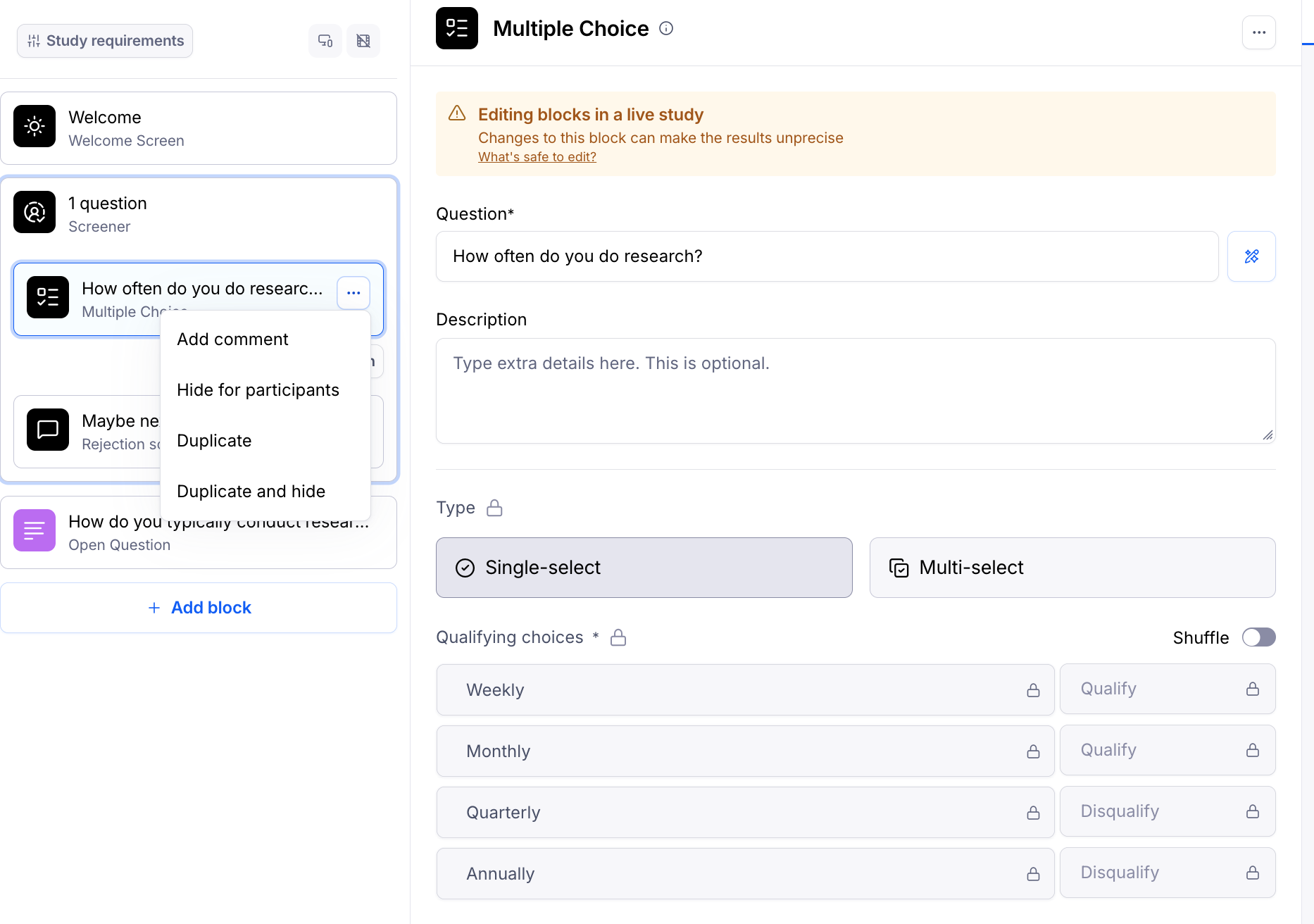
Unmoderated studies — because panel orders run on a live study, you can't change the values of an existing screener question directly. To edit, Duplicate and hide the existing question and edit the duplicated version in its place.
See What changes can I make when editing a live unmoderated study? for the full list of edits available on a live unmoderated study.
If you close the Panel order modal mid-flow, your in-progress order is saved automatically. When you reopen it, your selections will be restored so you can pick up where you left off.
Frequently asked questions
Are screeners shared across all participant sources in my study? Yes. Screeners are global at the study level — the same screener questions apply to every participant your study reaches, regardless of how they're recruited (panel, your own audience, etc.). Editing a screener from the panel order flow updates it for the whole study.
Will editing screeners affect my Feasibility Estimate? Yes. Adding more screener questions, or making your qualifying criteria more specific, can reduce the pool of participants who match your study. The Feasibility Estimate will update automatically as you adjust your screeners so you can see the impact before placing your order. For tips on writing screeners that target the right participants without over-constraining your audience, see Best practices for screener questions.
Can I edit screeners if I have an active panel order? No. Once a panel order is active, screeners are locked to protect the integrity of your in-flight recruitment. If you need to make a change, you'll need to wait until the order is complete (including the 72 hour participant payment hold) or by pausing the study—which will cancel your active order— to make your updates and then place a new panel order .
Do I need a minimum number of answer options on a screener? Yes — each screener question needs at least 2 answer options. If you have fewer, you'll see an error message and won't be able to save until it's resolved.
What happens to my panel order if I close the modal while editing screeners? Your in-progress order is saved automatically. When you come back to the same study and reopen the Panel order modal, your filters, response count, and other configuration will be restored. Once you place the order, the saved draft is cleared.
Can I save screener templates to reuse later? Not yet. Screener templates within the panel order flow are not currently supported, but it's something we're considering for a future update.
Does this work for all study types? Yes — editing screeners from the panel order flow is available across Moderated, AI Moderated, and Unmoderated studies.
Still need help?
If you have any questions or concerns, please let our Support team know — we'll be happy to help!