Closed card sorting results
Last updated: August 31, 2026
In a closed card sorting block, participants group cards into categories you've predefined. This method works well at later stages of a project, as it allows you to evaluate whether already established terminology and structures are intuitive to your users. Learn more about closed card sort tests
This article shows you how to interact with your closed card sort results. To learn more about card sort results, check out this article: Understanding your card sorting results
Categories
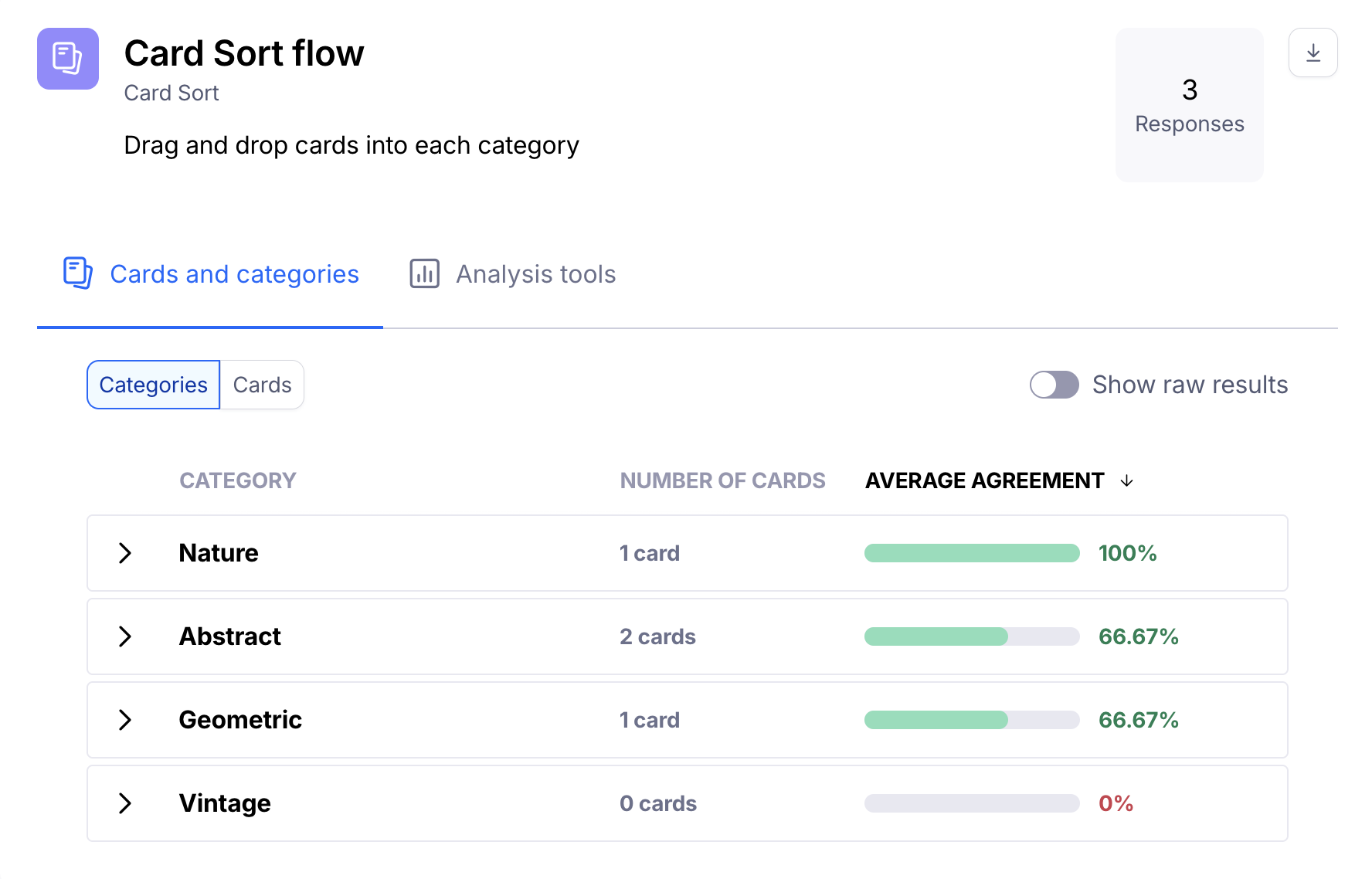
When viewing your results, you will see the average agreement for each of the categories.
To identify at a glance the categories with the highest and lowest average agreement rates, sort by average agreement.
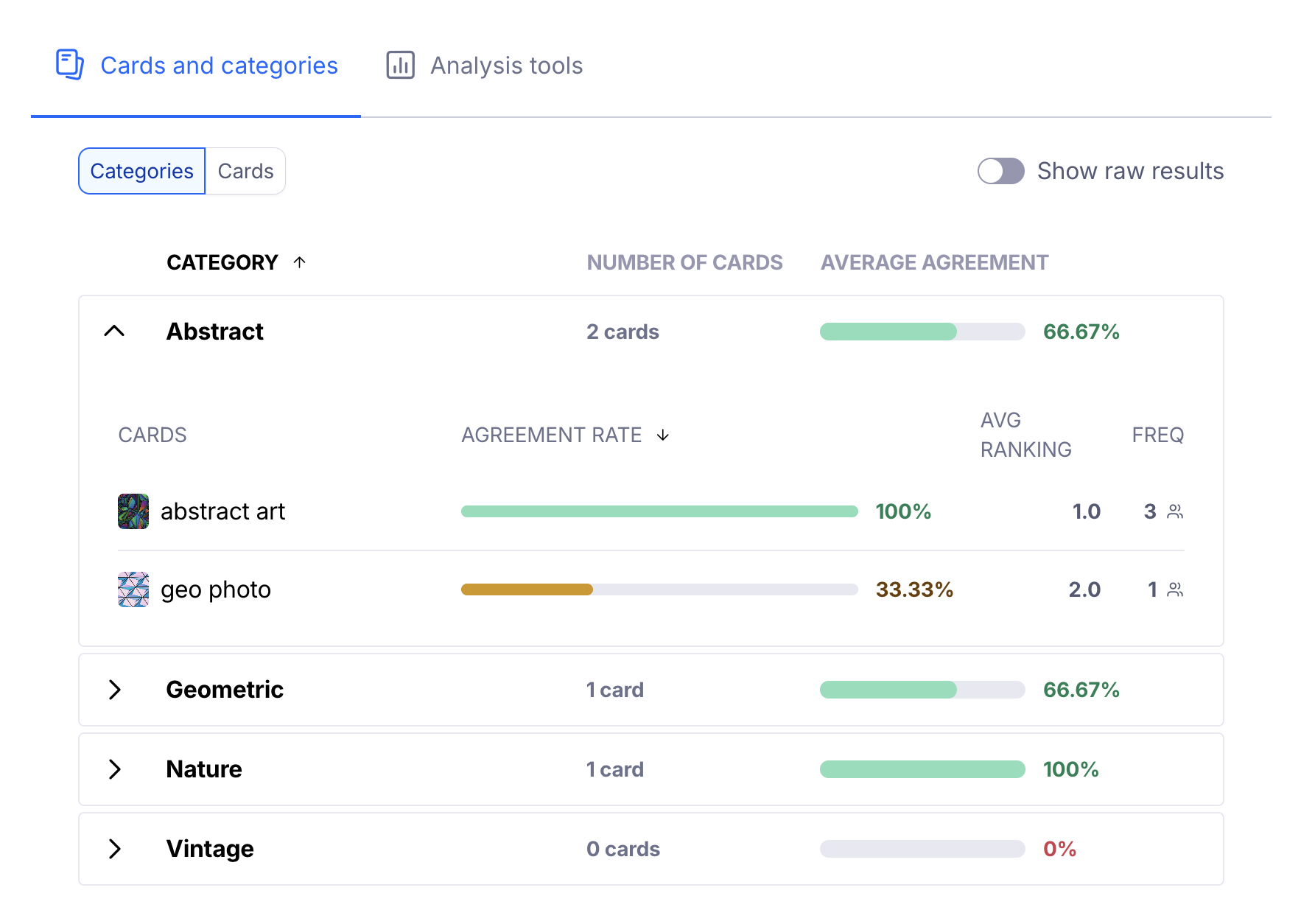
If you expand the category, you'll see which cards have been sorted into that category, the single card agreement rate for each of those cards, and how many people sorted each card into that category (frequency).
This can be a powerful insight into how your participants think. In the example screenshot below, we can easily see that all participants identified "abstract art" as an abstract category. On the other hand, only 1 participant put "geo photo" in that category. Seeing an agreement rate with mixed results may suggest a need for further research.
Category display options

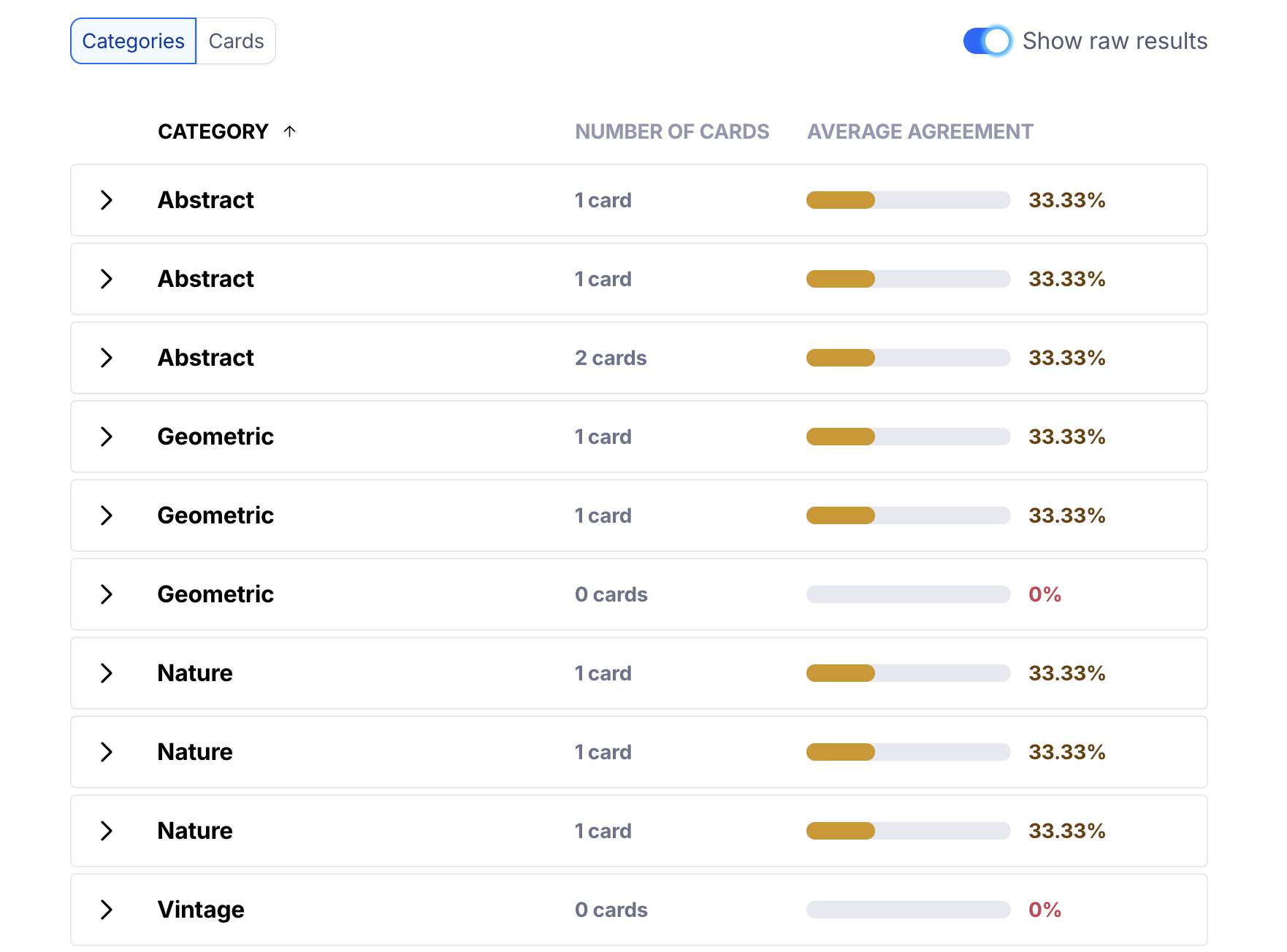
Show raw results: Displays the original results collected from the participants, without automatic grouping. For instance, if 3 participants sorted cards into the "Nature" category, this category will appear 3 times, each displaying the cards for each participant.
Cards
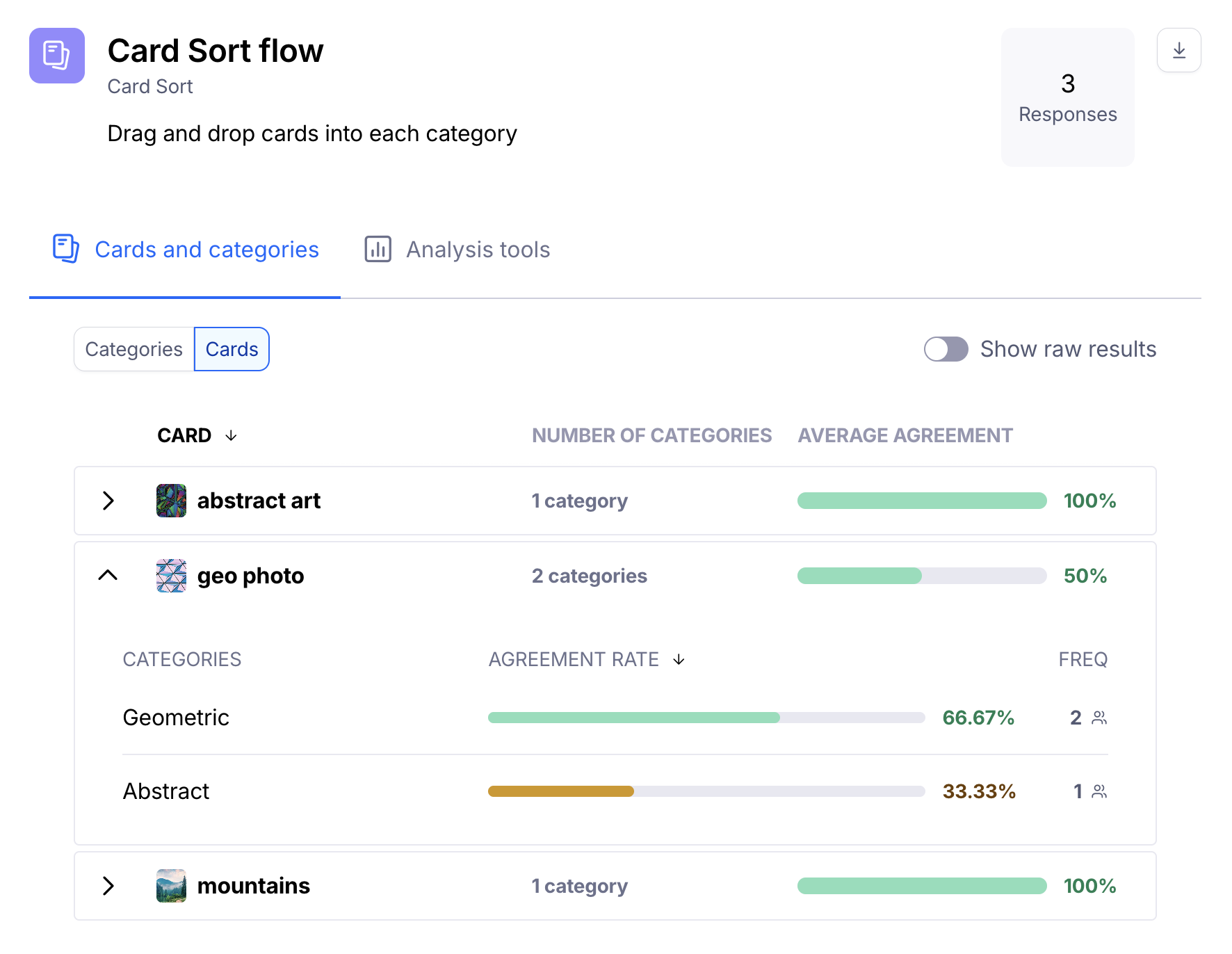
The Cards tab lists all cards used in the card sort block and their respective average agreement.
To identify the cards with the most and least consensus, sort by the number of categories. Cards that have been placed in only a few categories indicate stronger consensus. On the other hand, cards that have been scattered across many categories may suggest you need to research further — for instance, to understand whether the wording is ambiguous, or the card is too generic.
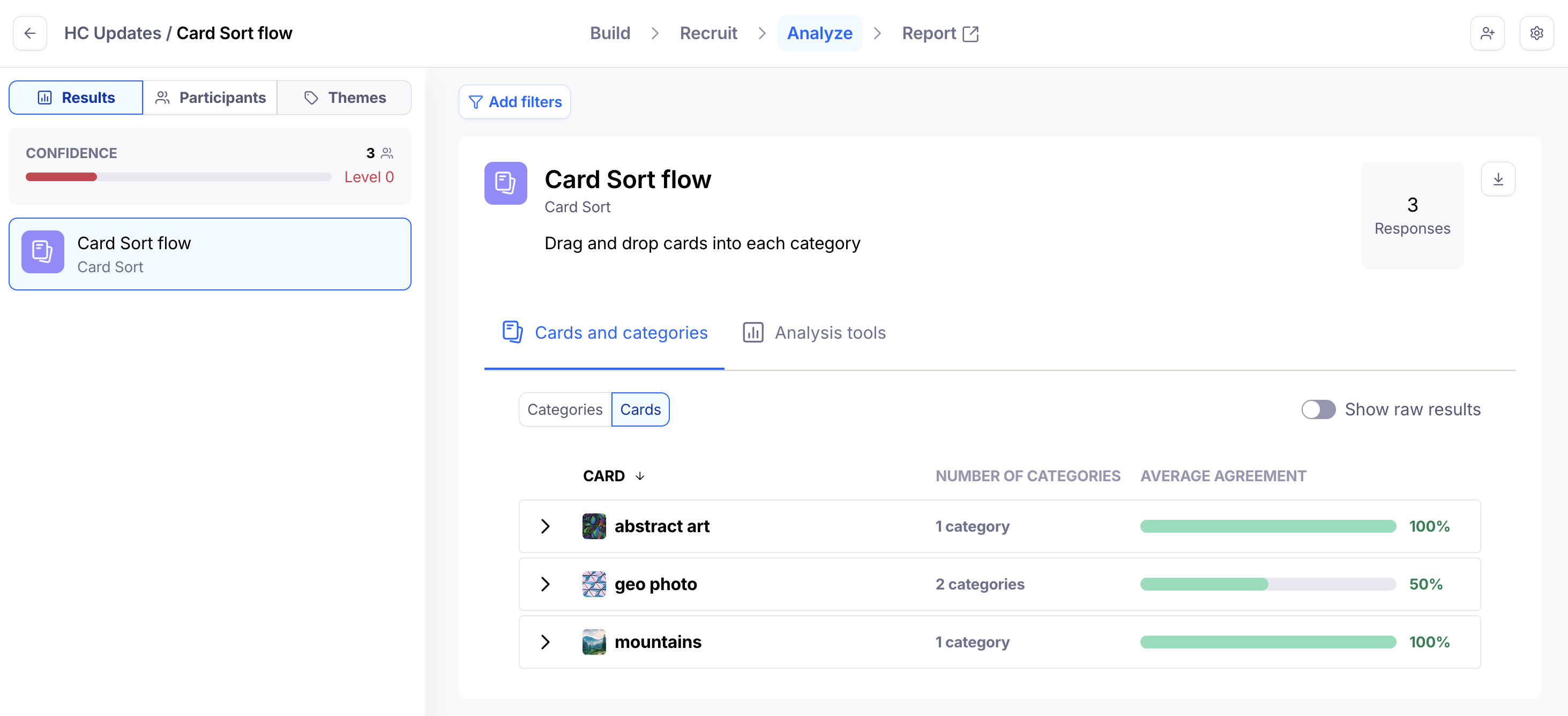
If you expand each card, you'll see the categories it has been sorted into, the agreement rate for each of those categories, and how many people sorted the card into that category.
This can help you make informed decisions. In the example screenshot below, we see that "geo photo" has, on the surface, a lower agreement rate. However, more than half of the participants identified that card as "Geometric".
Analysis tools
Agreement matrix
The agreement matrix groups cards under each category based on their highest agreement rates. It gives you a visual representation of how often cards appeared in each category. Learn more
Similarity matrix
The similarity matrix evaluates the relationship between pairs of cards. It gives you insight into which cards were most frequently grouped together. Learn more