What is the agreement matrix?
Last updated: August 31, 2026
The agreement matrix clusters cards under each category based on their highest agreement rates. The agreement rate is the percentage of users who placed a card in a certain category in a card sort. Learn more about the agreement rate
The rows in the matrix correspond to the cards on a card sorting block. The columns correspond to each category. Each cell indicates the agreement rate for each card across every category.
The most popular results appear at the top, and agreement rates drop as you navigate toward the bottom.
The darker the cell color, the higher the agreement rate for the card in the category.
How to use the agreement matrix
The agreement matrix gives your team a visual representation of how often users agree that a card belongs in each category.
For instance, consider the example screenshot below:
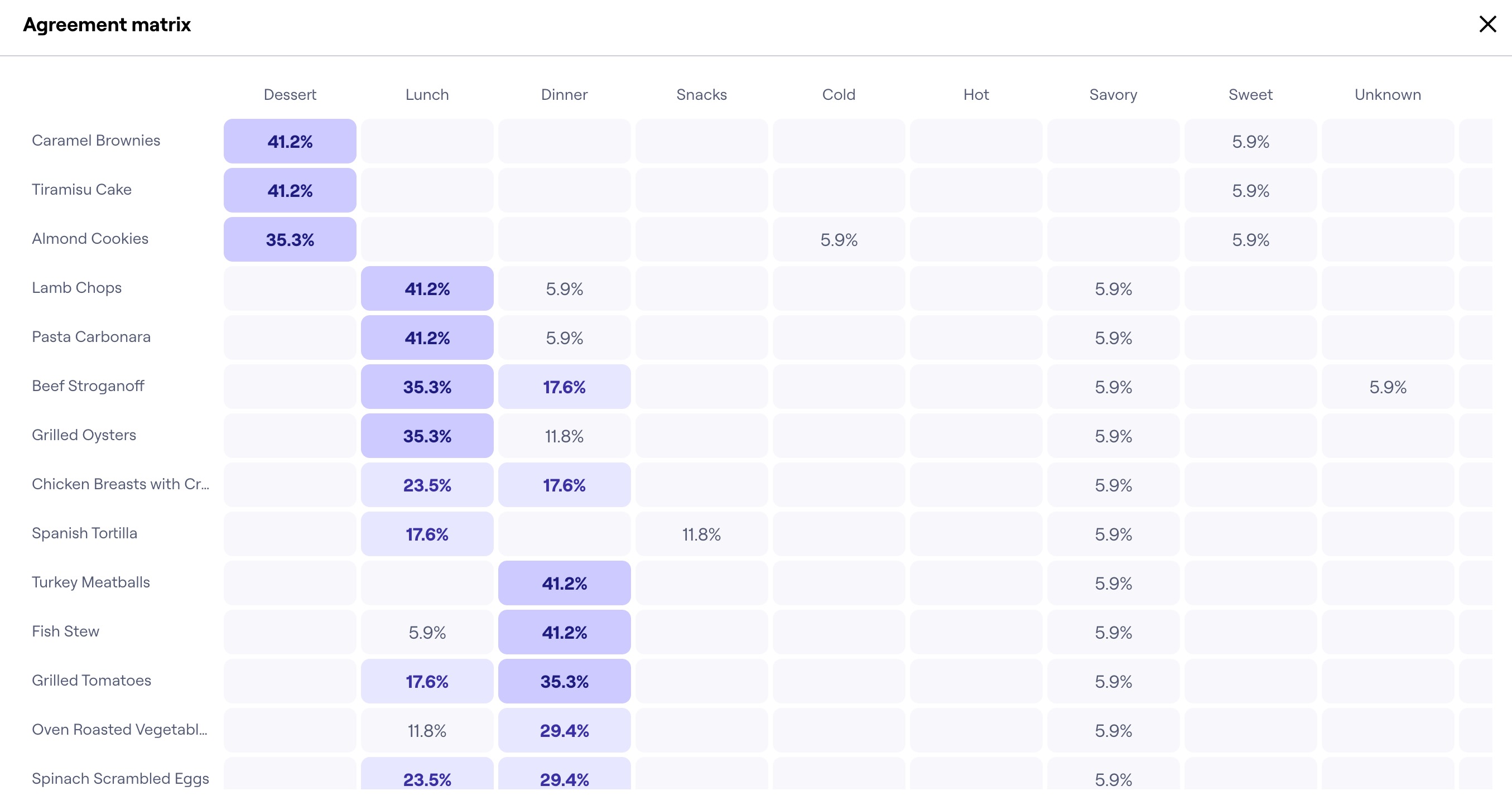
We can see at a glance four clusters with higher agreement rates: one for cards under “Desserts”, another for cards under “Snacks”, another for cards under “Lunch”, and the last one for “Dinner”.
This tells us the specific cards most participants agree to belong to those categories — e.g. most users agree that “Fish Stew” belongs to “Dinner”.
It also gives us a clue about those participants’ preferred categorization (e.g. “Lunch” vs. “Dinner” vs. “Snacks” are more popular categories than “Meat” vs. “Vegan & Vegetarian”).
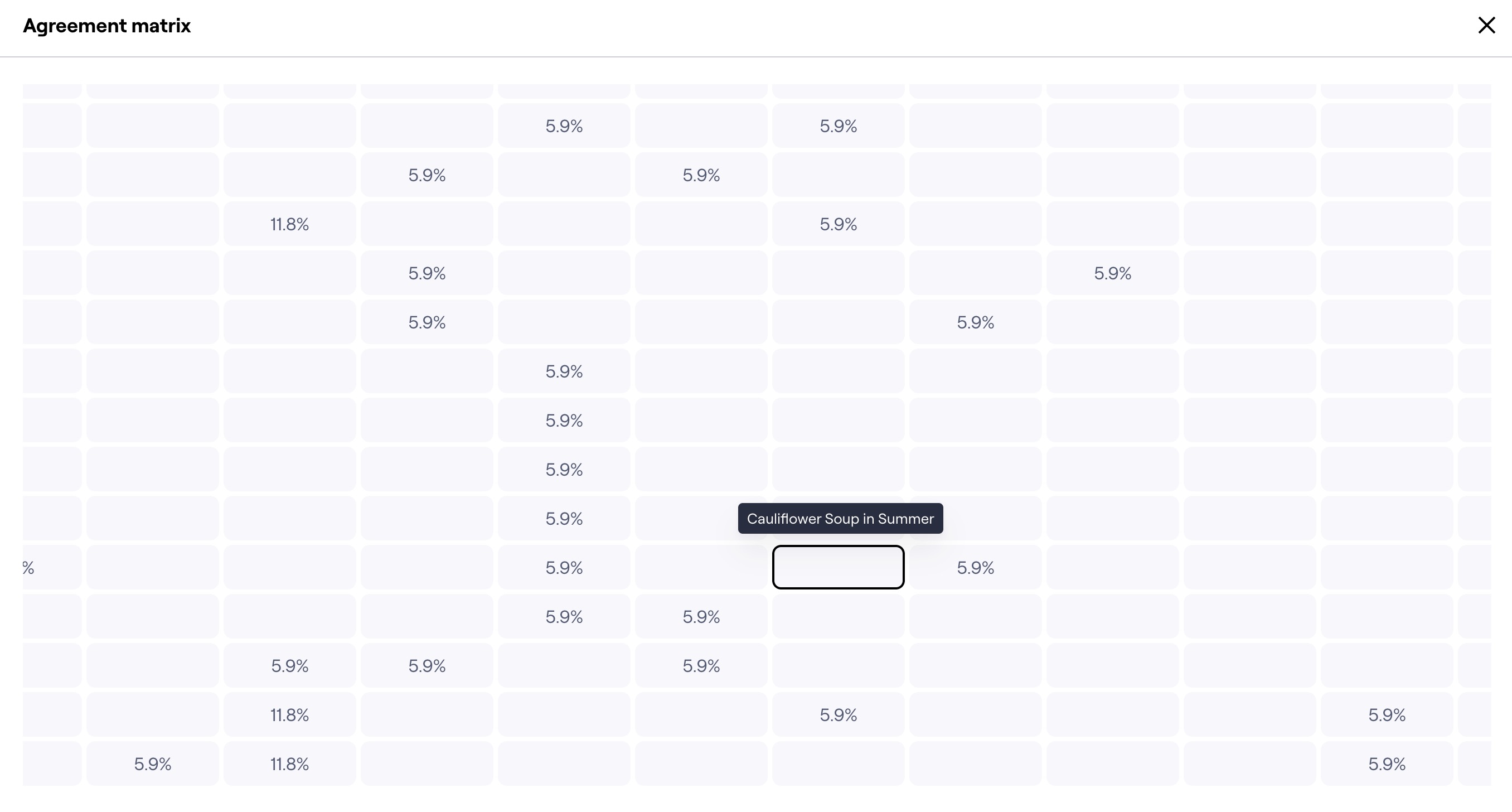
As we pan through the matrix, we see more scattered results, corresponding to the cards and categories with the lowest agreement rates.
These are also significant. For example, we see that categorizing along seasons (i.e. “Spring”, “Summer”...) doesn’t seem particularly meaningful to most participants. This suggests that these categories are subjective and should be avoided, since they would mean something different to each user.
Categories created in open card sorting are only automatically combined if they have the exact same name. Typos or spelling variations will appear as separate categories (e.g. “Dessert” and “Desserts”). To clean up your data and analyze those categories together, you can manually merge those categories. Learn more
Access the agreement matrix
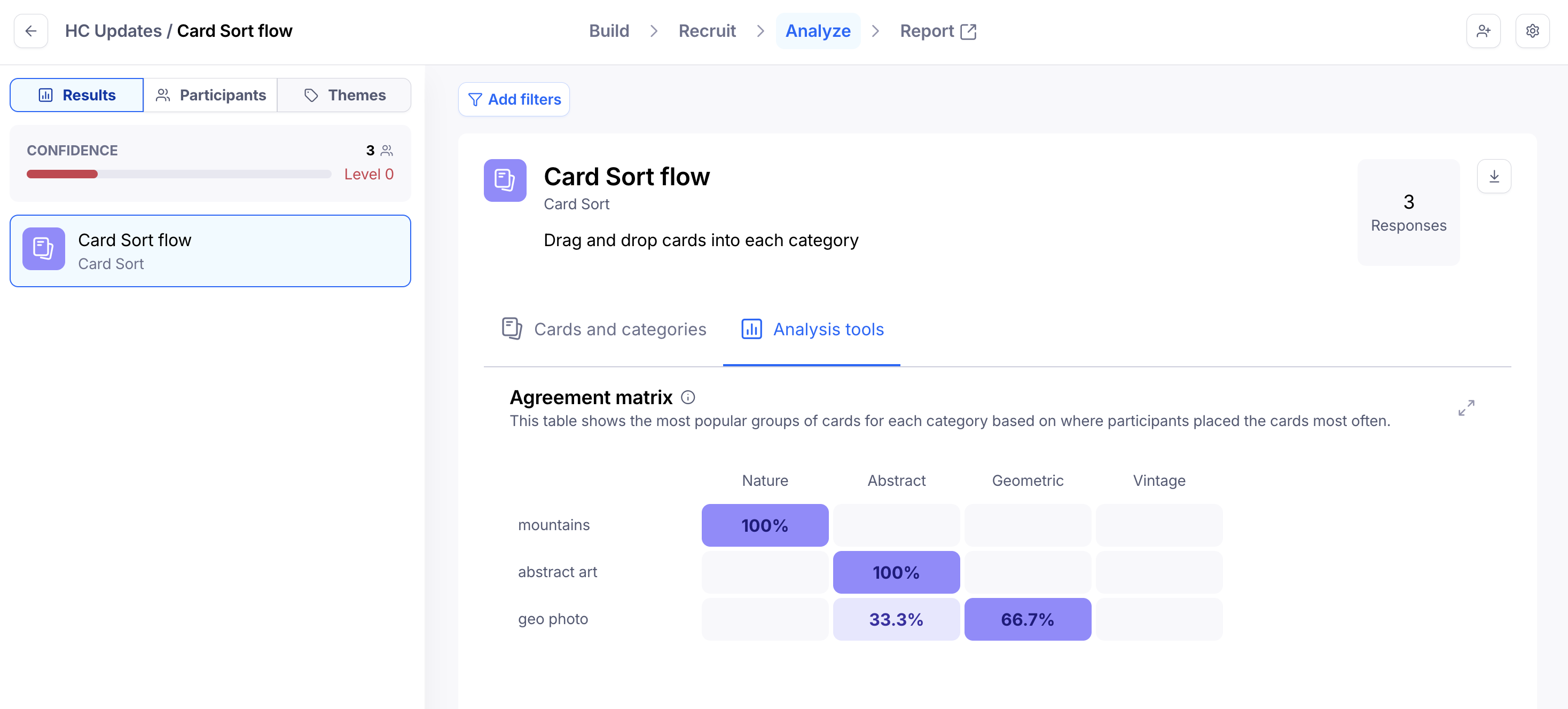
To see the agreement matrix:
Open the Results tab for your live study.
Select a Card Sorting block.
Navigate to the Analysis tools tab.
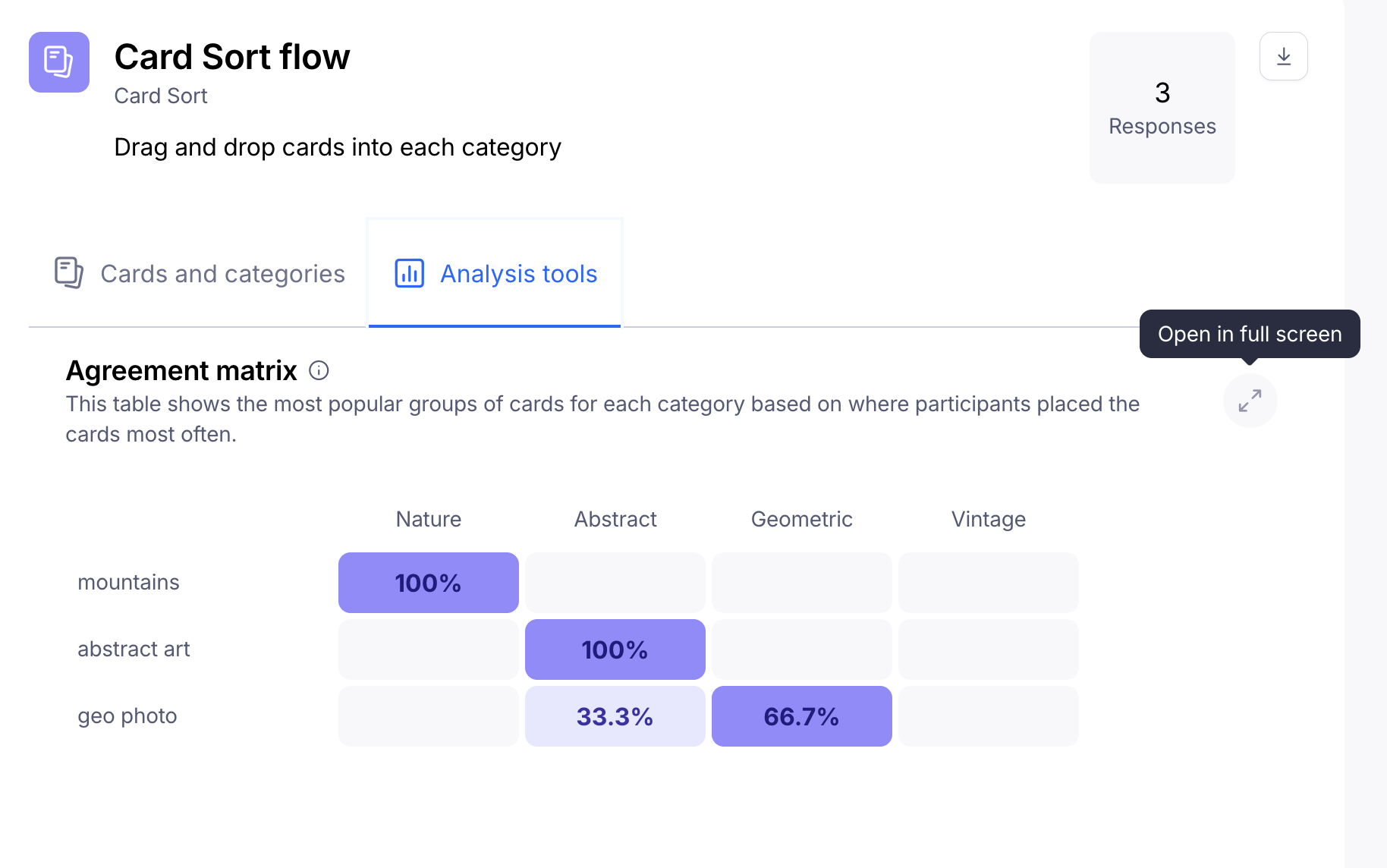
Click Open in full screen to pan through all the data.
Show/hide the matrix in your maze report
You can also include the agreement matrix in your report. Learn more
Card sorting results
To learn more about your card sorting results, check out this article: Understanding your card sorting results