Transferring studies between projects
Last updated: September 15, 2026
You can move individual studies from one project to another while preserving all study settings and participant responses. This allows you to fix accidental placements, reorganize your workspace, and efficiently reuse study templates across different projects.
Before you start
Ensure you have access to both the source project (containing the study you want to move) and the destination project
Consider informing team members who may be collaborating on the study about the move
Note that while the study URL within the Maze app will change, participant-facing testing links and report links remain unchanged
Who can use this feature
The ability to move studies is available on all plans.
Both Admins and Members can move studies between projects they have access to.
How to use the feature
You can move studies from multiple locations:
Home page
All studies list
Project overview
Study settings
To move a study:
Navigate to any of the locations above containing the study you want to move
Find the study you want to move
Click on the study options menu (three dots) or go to Study settings
Select Move from the dropdown
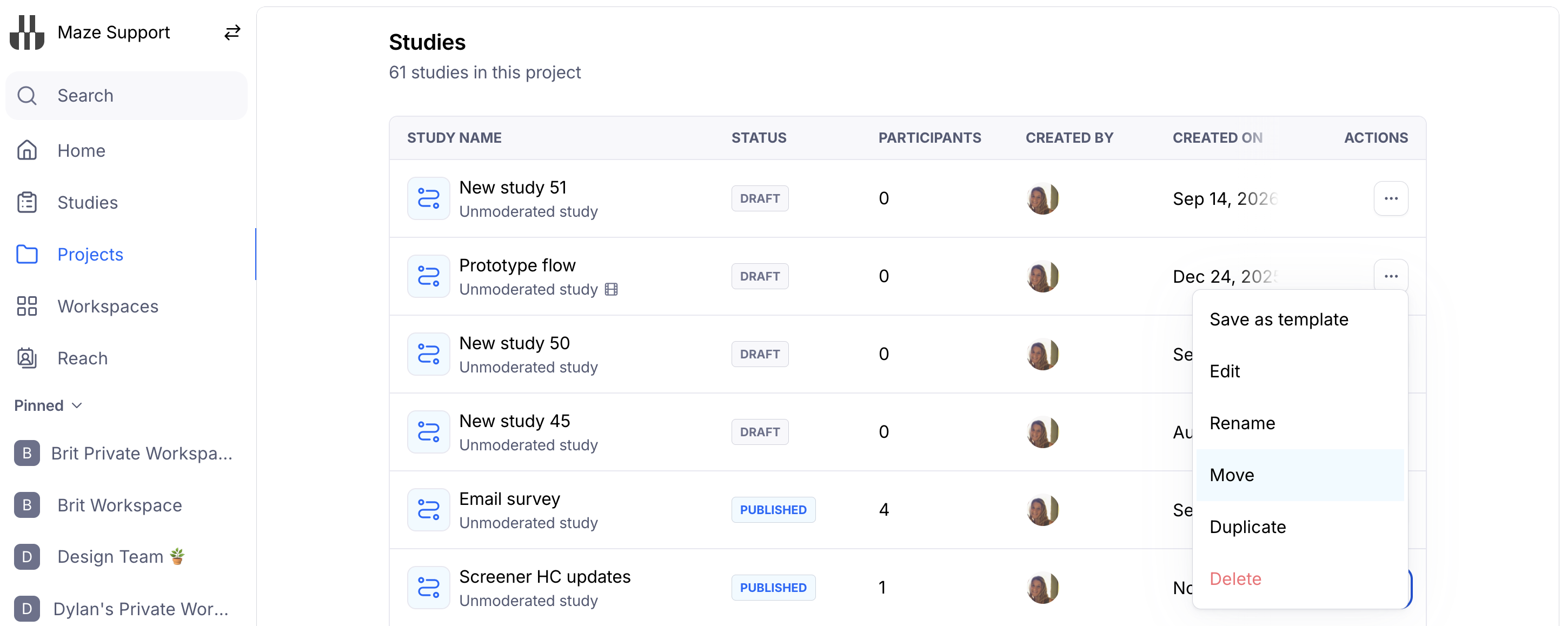
5. In the move dialog, search for and select your destination project
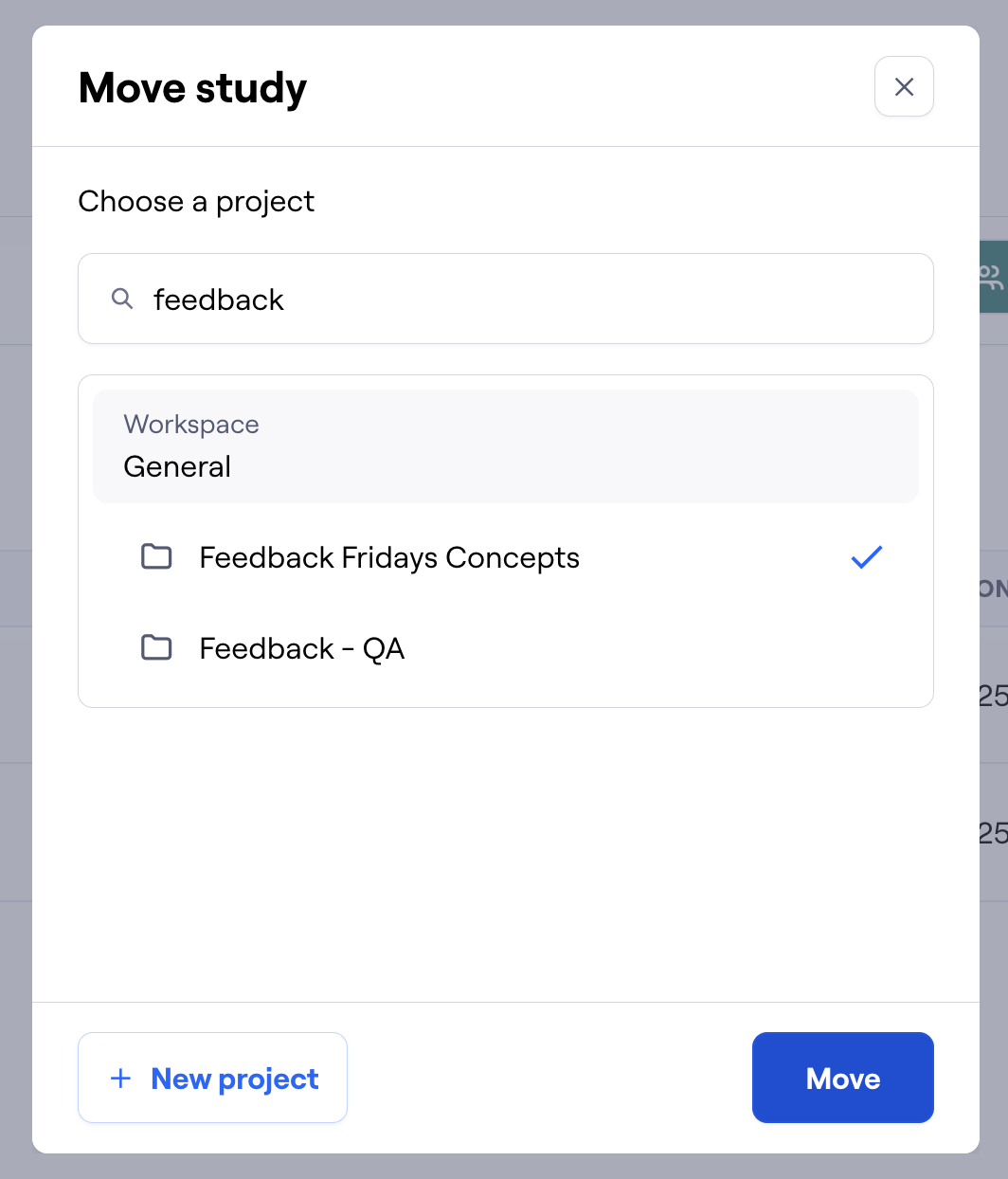
Click Move to confirm
The study will now appear in the destination project
FAQ
What happens to study data when I move it? All study settings, participant responses, analyses, and reports are preserved during the move.
What happens to study collaborators? Collaborators will lose access to the study unless they have access to the destination project.
What happens to study links and embeds?
Participant-facing testing links, report links, and embedded artifacts remain unchanged and will continue to work normally. Only the study URL within the Maze app changes to reflect the new project location.
What if I don't have access to the destination project? You can only move studies to projects where you have access. If you need to move a study to a restricted project, contact your workspace admin.
What if someone is currently taking the study?
The study can be moved while live. Participants won't be affected and can continue completing the study normally since testing links remain unchanged.
Can I undo a move? Yes, you can move the study back to its original project or to any other project you have access to using the same process.
Known Limitations
No bulk moving: You can only move one study at a time
Project access required: You must have access to both source and destination projects
Still need help?
If you have any questions or concerns, please let our Support team know — we'll be happy to help!