Migrating a project to your paid team
Last updated: June 24, 2026
If you are a member of a paid Maze team, you can transfer your personal projects to the team workspace.
Before you start
You must be the project creator to migrate a project.
This process doesn't currently support transfers between teams. To transfer a project from one team to the other, please contact our Support team.
Project migration
Transfer from your personal space
To transfer a project from your personal space to a paid team:
Log in to your Maze account and ensure that your personal workspace is selected.
Open the project you'd like to migrate.
Click the Settings icon in the top right

Under the 'Migration' section, select the team you want to transfer the project to, and select if you'd like the project to be active or archived upon migration.
To confirm, click Migrate.
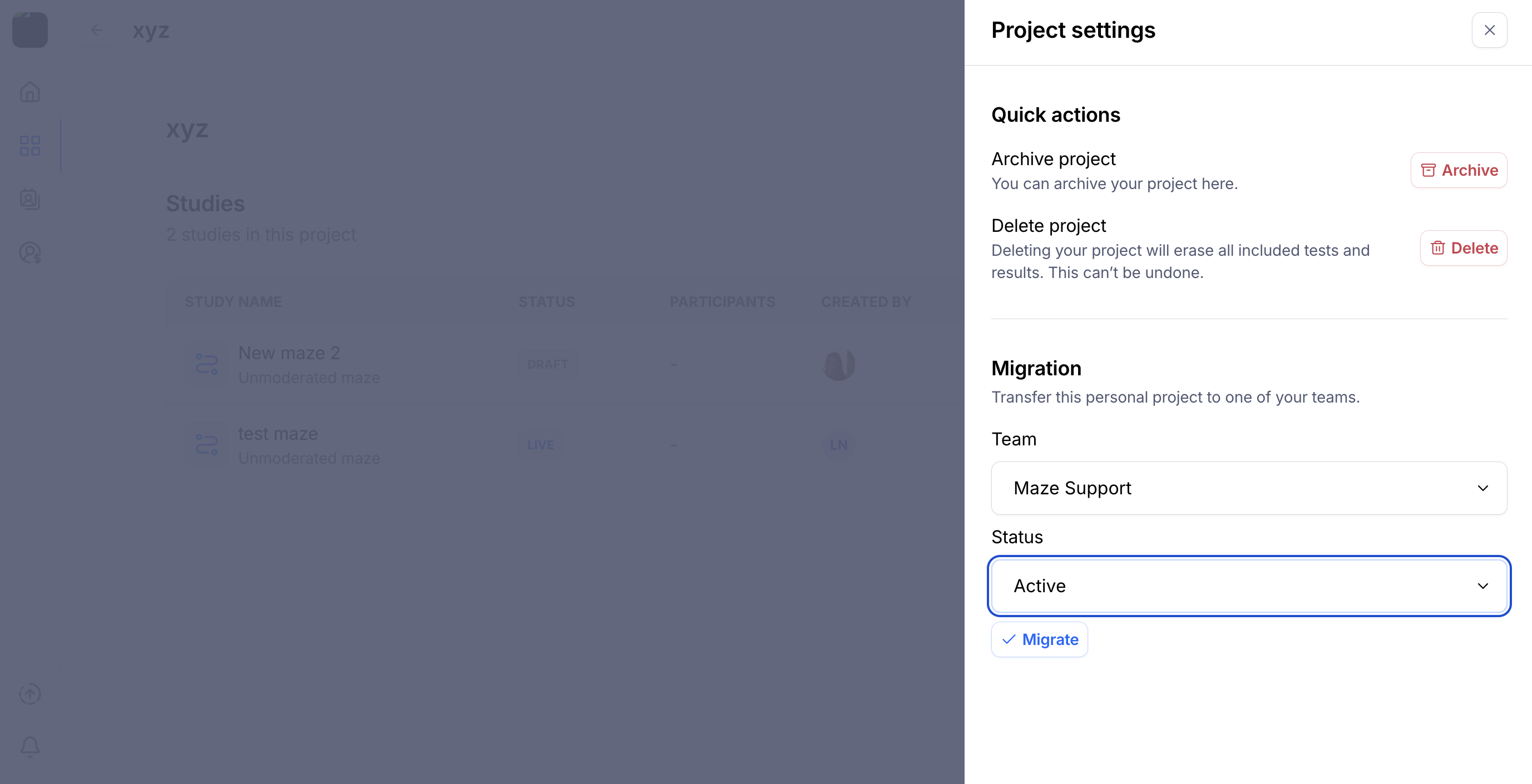
You'll see a success message. Switch teams to see the project in your team workspace.
Transfer between teams
To transfer a project from one team to the other, please contact our Support team.
Still need help?
If you have any questions or concerns, please let our Support team know — we'll be happy to help!