Buying credit bundles for recruiting participants
Last updated: September 10, 2026
Credits are the currency used on Maze to recruit panel participants. Each panel response has a credit value, which varies depending on the study type and the targeting criteria.
You can buy credits from a bundle on the credits page or directly when placing a panel order from each study's page.
This article covers buying credit bundles to hire panel participants across different projects. Learn how to purchase fewer credits (between 1 and 250) for individual studies
Purchasing credits
Who can purchase credits?
Only the team owner or an admin can purchase credit bundles to be used across the entire team.
Editors can recruit participants for individual studies.
Pricing
You can order between 1 and 250 participants for individual studies.
It’s also possible to purchase credit bundles on the credits page in your team settings:
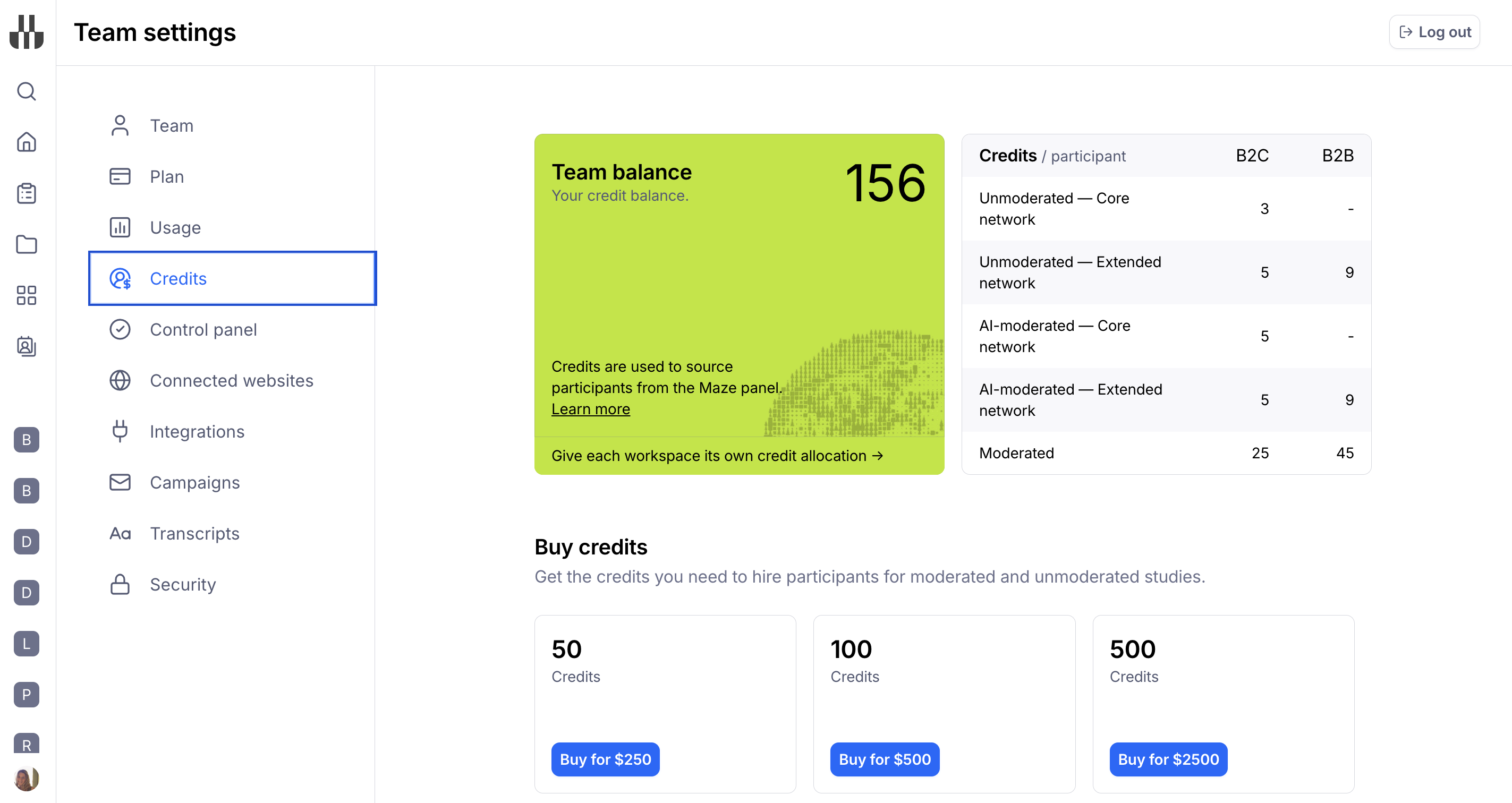
50 credits: USD$250
100 credits: USD$500
500 credits: USD$2500
Unmoderated studies
For unmoderated studies, we charge 3 credits per response from our Core Network. For participants Recruited through our Extended Network, we charge 5 credits per response for B2C audiences and 9 credits per response for our B2B audiences.
Credits aren’t dependent on the number of blocks in the study—i.e. the cost is the same if your study has 5 or 10 blocks.
It’s only possible to hire panel participants for unmoderated studies with a maximum estimated length of 45 minutes. This limitation is in place to guarantee that participants are compensated fairly for their time. Learn more about the study length limits for panel orders
How do I buy credits?
To purchase participant credits:
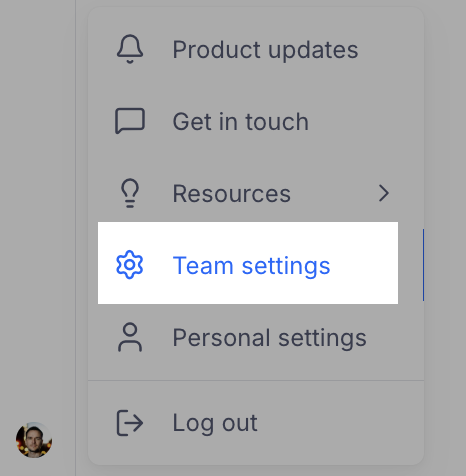
Access your 'Team settings' by clicking your profile icon on the bottom left corner
Select the 'Credits' tab. On the credits page, select the credit package you want and click the Buy button.
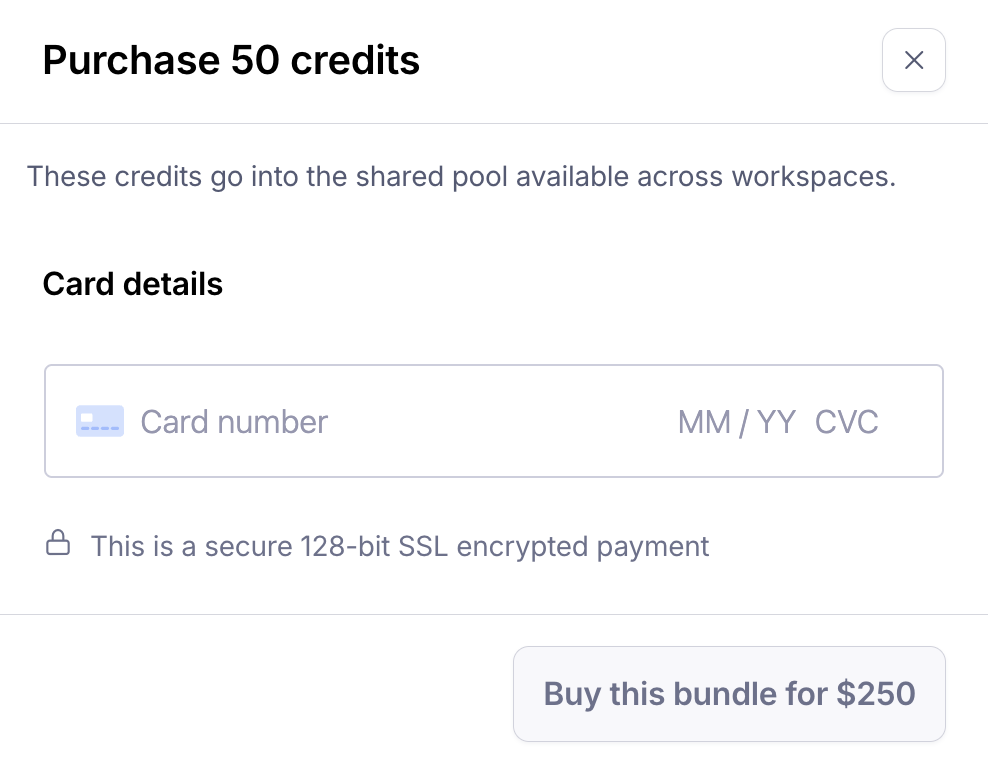
Enter your card details and click Buy this bundle to confirm your purchase.
The purchased credits will be added to your credit balance. You can then use them any time to order participants across all your projects and studies.
The credits you purchase are valid for a full year from the date of purchase, after which they expire.
What payment options do you accept?
We accept all major debit/credit cards.
How can I get an invoice for my credit purchase?
If you need an invoice for a credit purchase, please reach out to our Support team.
Credit balance
If you have credits in your credit balance, they'll be automatically deducted when placing a participant order.
To check your credit balance:
Access your 'Team settings' by clicking your profile icon on the bottom left corner
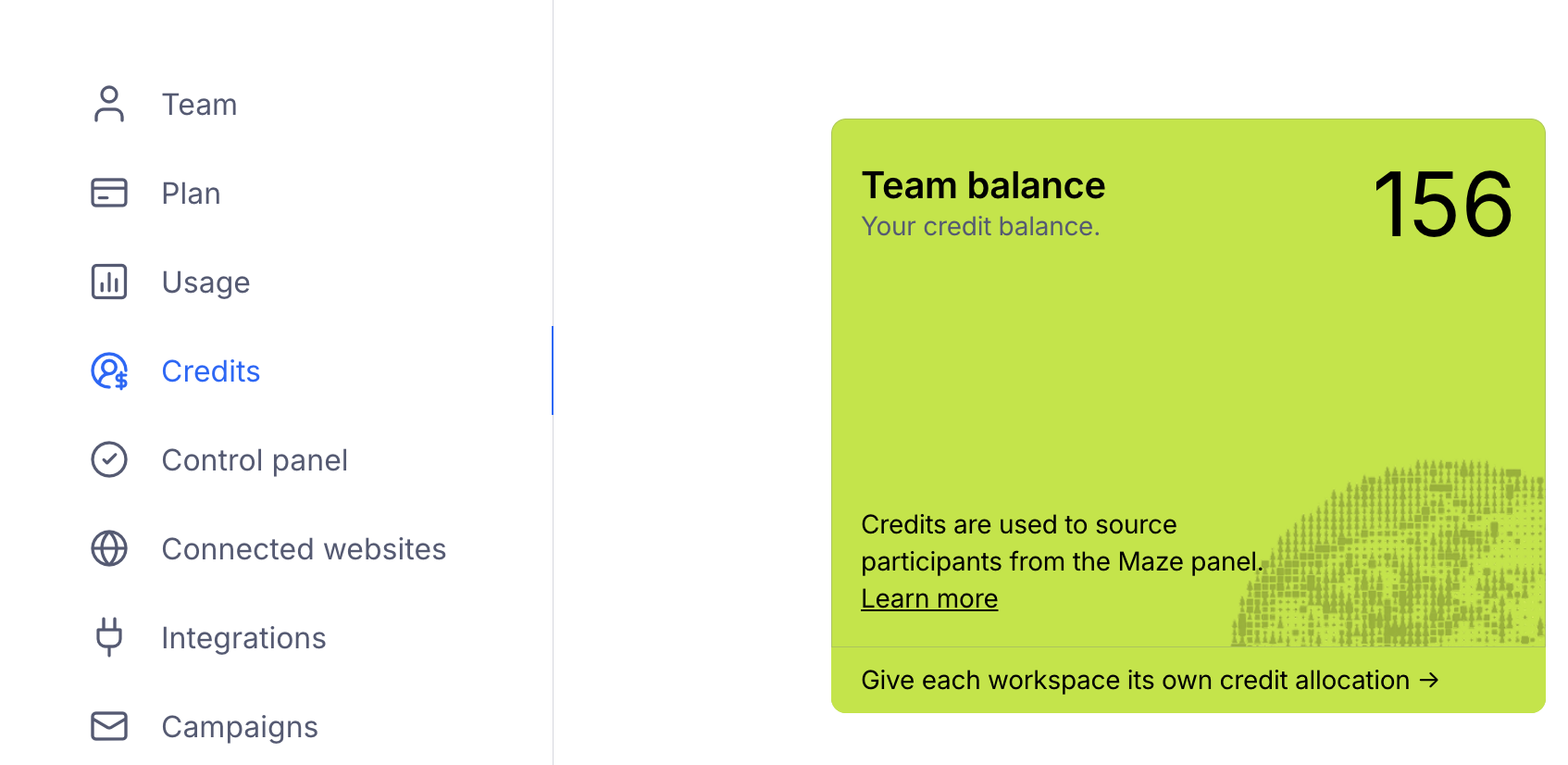
Select the 'Credits' tab. On the credits page, you'll see a number indicating your 'Team balance'
Troubleshooting payment issues
Can I use a card with SCA or 3DS to purchase hired participant credits?
Still need help?
If you have any questions or concerns, please let our Support team know — we'll be happy to help!