Stopping a panel order
Last updated: September 10, 2026
Panel orders don’t stop automatically. They stay active until the number of participants you’ve selected has completed your study.
In some cases, you might want to stop a panel order before it runs its course. For example, if you need to change the targeting filters (since you can’t edit them on active orders).
How you stop a panel order depends on the type of study you're running. Moderated studies can be stopped directly from the order. For unmoderated and AI-moderated studies, you'll stop the order indirectly by stopping the study from collecting new results.
What happens when an order is stopped?
After stopping the study, any unused credits will be available in your credit balance. Archiving the project or deleting the study will also stop any active orders and return unused credits to your credit balance.
Stop an order on an unmoderated study
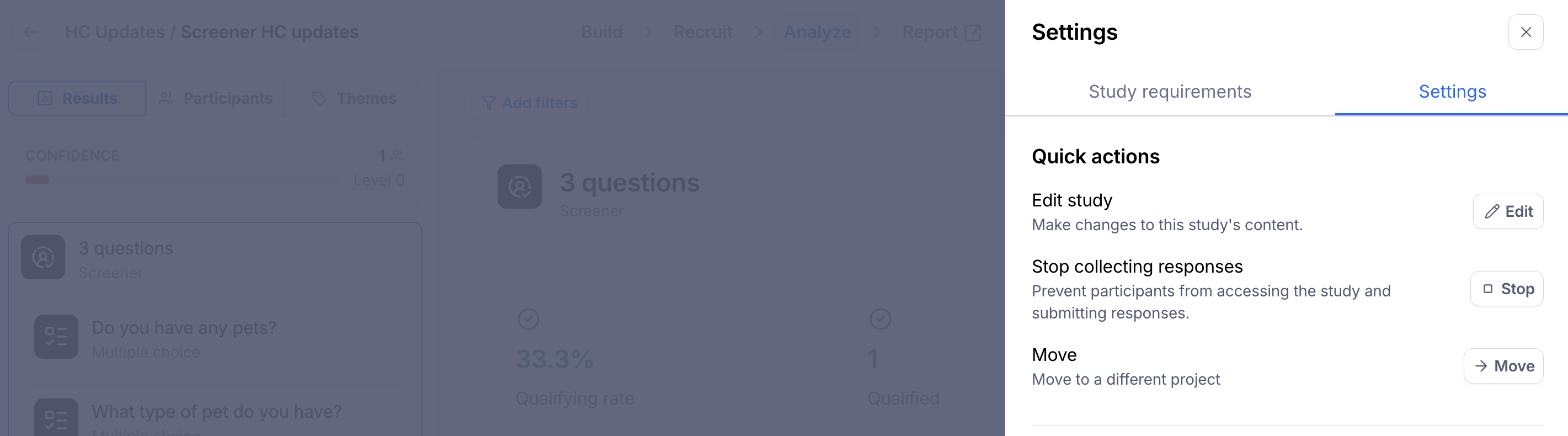
There isn't a way to stop a panel order directly on an unmoderated study. As a workaround, stop your study from collecting new results. You can do this in the study settings.
Once your study stops collecting new results, the panel order will end and any unused credits will be returned to your credit balance.
Stop an order on an AI-moderated study
AI-moderated studies follow the same flow as unmoderated studies — there isn't a way to stop the panel order directly. As a workaround, stop your study from collecting new results from the study settings.
Once the study stops collecting new results, the panel order will end and any unused credits will be returned to your credit balance.
Stop an order on a moderated study
Moderated studies have a direct option to stop the panel order. Open the order from the Recruit tab and choose Stop order.
Stopping a panel order on a moderated study will:
Cancel your panel order
Cancel any scheduled sessions
Prevent new participants from scheduling
Refund any unused credits to your credit balance
Still need help?
If you have any questions or concerns, please let our Support team know — we'd be happy to help!