Deleting participants from your Reach database
Last updated: September 11, 2026
Note: Deleting a participant from your Reach database will permanently remove their profile and their study results data from all studies they've participated in. Deleting Reach participants can not be reversed.
To restore deleted participants, you'll need to add them again. However, any deleted participant data will be lost. If you'd like to hide the participant instead, you'll want to utilize filters to create a segment.
Mass deletion
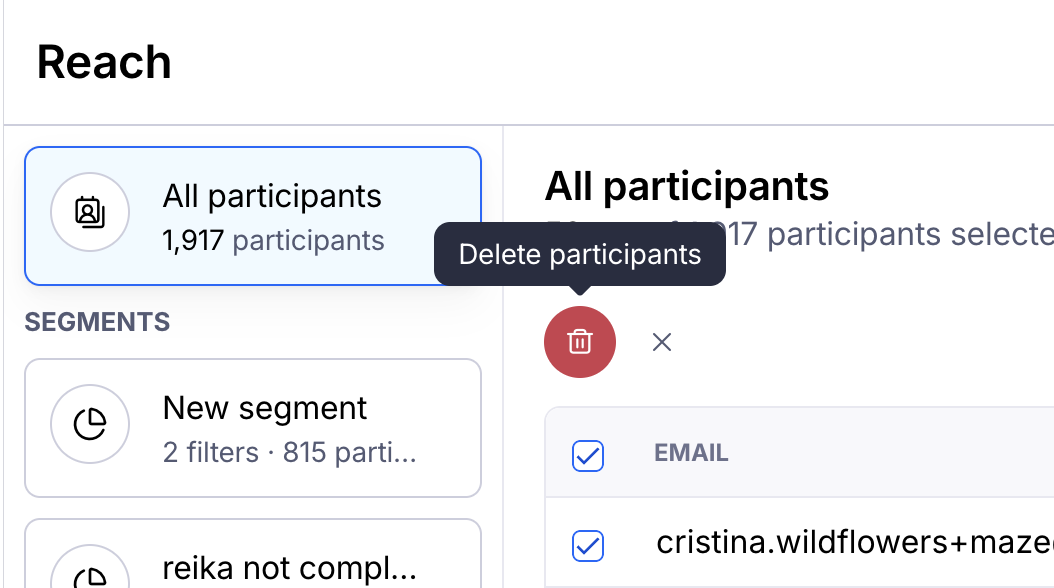
To delete participants in bulk:
Use the checkbox to select each participant.
On the bulk menu, click the Delete icon.
In the confirmation modal, click the Delete button.
Delete all participants
To delete all participants from the database, select at least one participant, click Delete all database participants, and click the Delete button to confirm.

One-off deletion
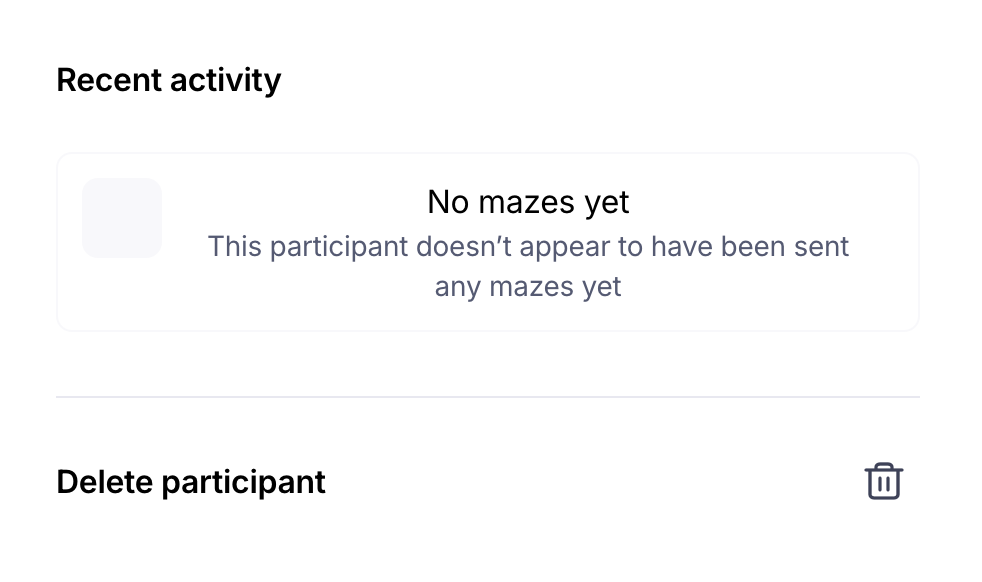
To delete an individual participant:
Use the checkbox to select the participant and then click the Delete icon at the top of the list. Alternatively, click the participant's corresponding row in the database to open the 'Participant profile' modal.
Scroll to the bottom and click Delete participant.
Click the Delete button to confirm.