Assigning and changing roles
Last updated: September 14, 2026
If you're on a paid Maze subscription, you can assign roles and permissions based on team member responsibilities.
Currently, there are 4 available roles for users in a paid Maze team:
Owner: The sole person who’s responsible for the overall team and can request sensitive actions like upgrading, downgrading, or deleting the team.
Admin: Users who can help with billing, manage user roles, and use Maze to build studies. Admins also have access to additional Team Settings not available to Editors, including the Control panel, Usage metrics, Plan management, and Security settings.
Editor: Users who can use Maze to build and launch tests. Editors can access Team Settings for connected websites, integrations, and campaigns, but cannot manage billing, members, workspaces, or account-level settings.
Collaborator (Enterprise plan only): Users who are invited to view individual projects but otherwise don’t consume a seat in the team.
Learn more about the available roles and permissions
Changing the role of a user
To change a team member's role:
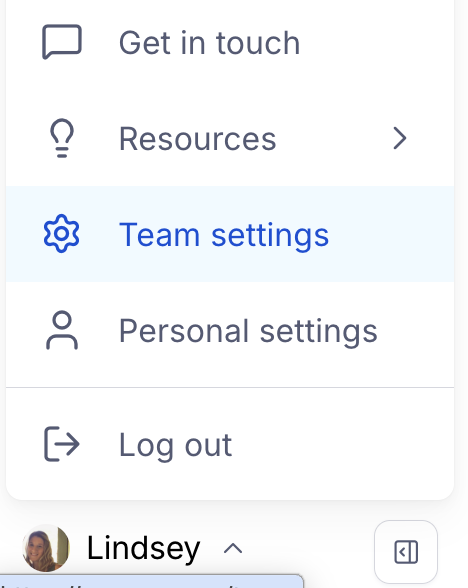
Click your avatar at the bottom left corner of the side navigation, and click Team Settings.
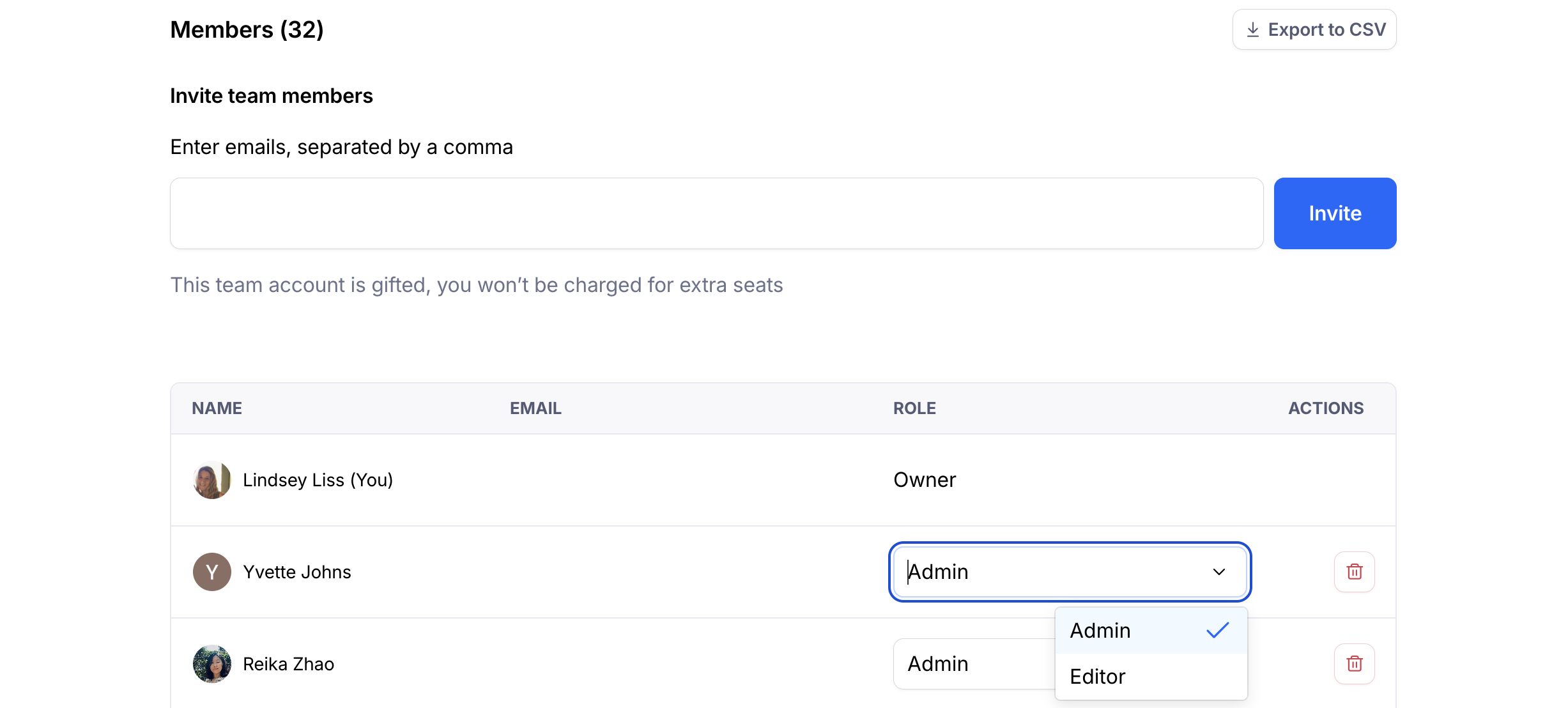
In the 'Team' tab, scroll down to the Members section.
To the right of the user's name and email, click the Role dropdown and select the new role.
Changing the owner
A team owner may transfer ownership as needed under the Team settings. Learn more here: Transfer ownership of your account to another team member. If the team owner has left the company associated with the Maze team, please reach out to our Support team for assistance in getting account ownership transferred.