How to delete a study
Last updated: April 22, 2026
This article describes how to delete a specific study within a project.
Before you start
Deleting a live study permanently deletes all sessions and data associated with it. To keep the results but hide the study from participants, stop recording interactions instead.
Any active panel orders are stopped upon study deletion. Unused credits are returned to your credit balance.
Deleting a study is irreversible. It isn’t possible to recover a deleted study.
Deleting a study
To delete a study:
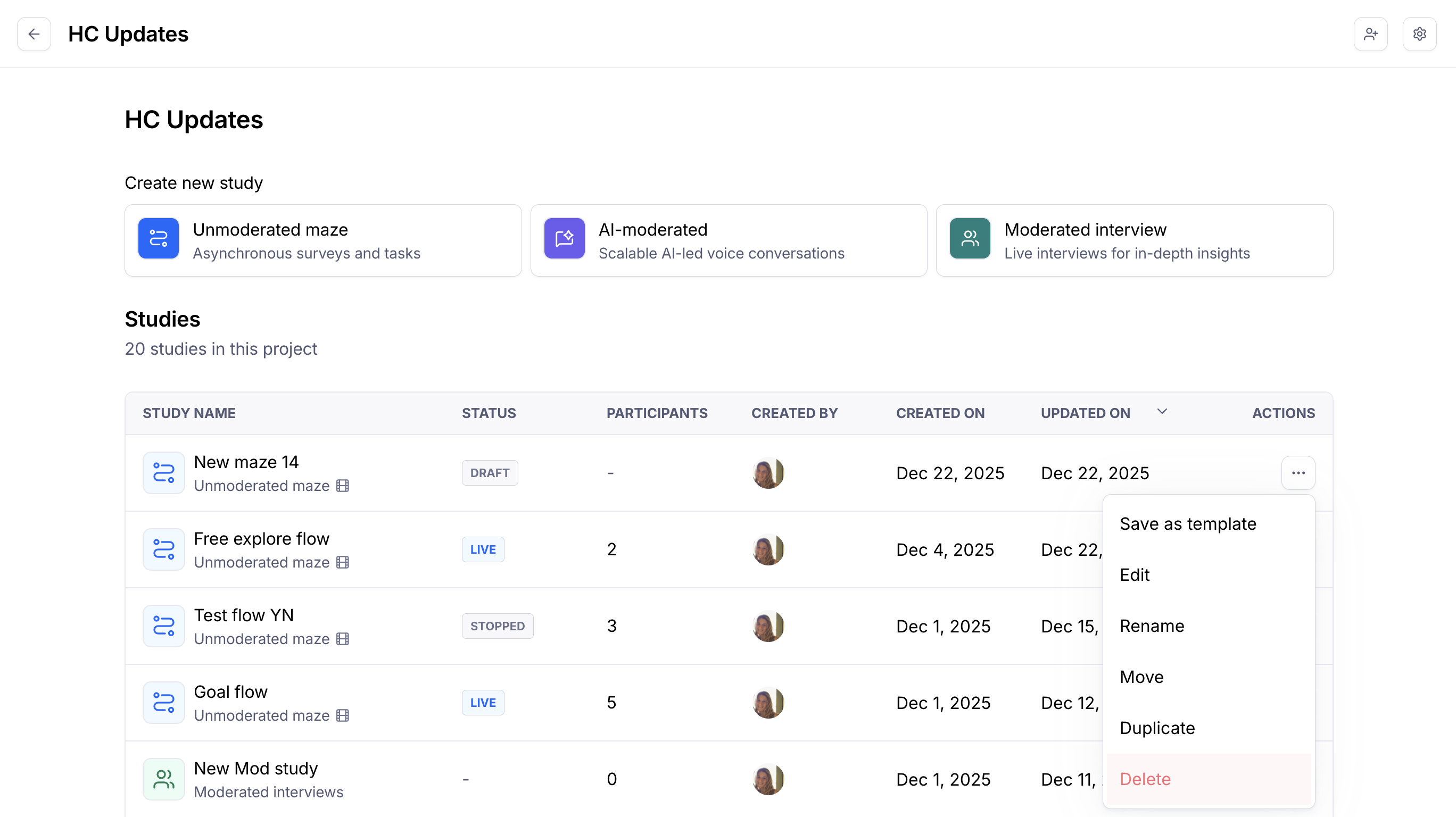
Next to the study you want to delete, click the More menu (•••) and click Delete from the drop-down. You can also find this option in the study settings.
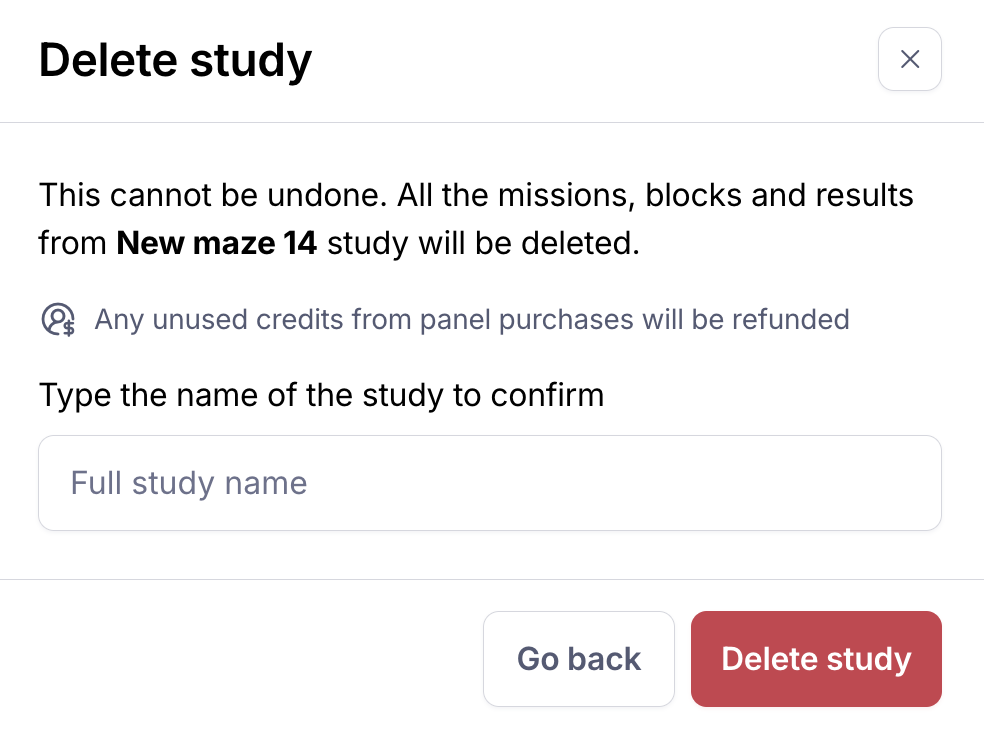
To proceed with deleting your study, you'll need to type the name of the study to confirm and click Delete study.
More about deletion
Still need help?
If you have any questions or concerns, please let our Support team know — we'll be happy to help!