Why do my participants get stuck on my prototype with interactive components?
Last updated: August 6, 2026
For a mission to be successful, the end state of the screen must be exactly matched with what you defined when setting up the success paths. This includes the state of any interactive components present on the frame.
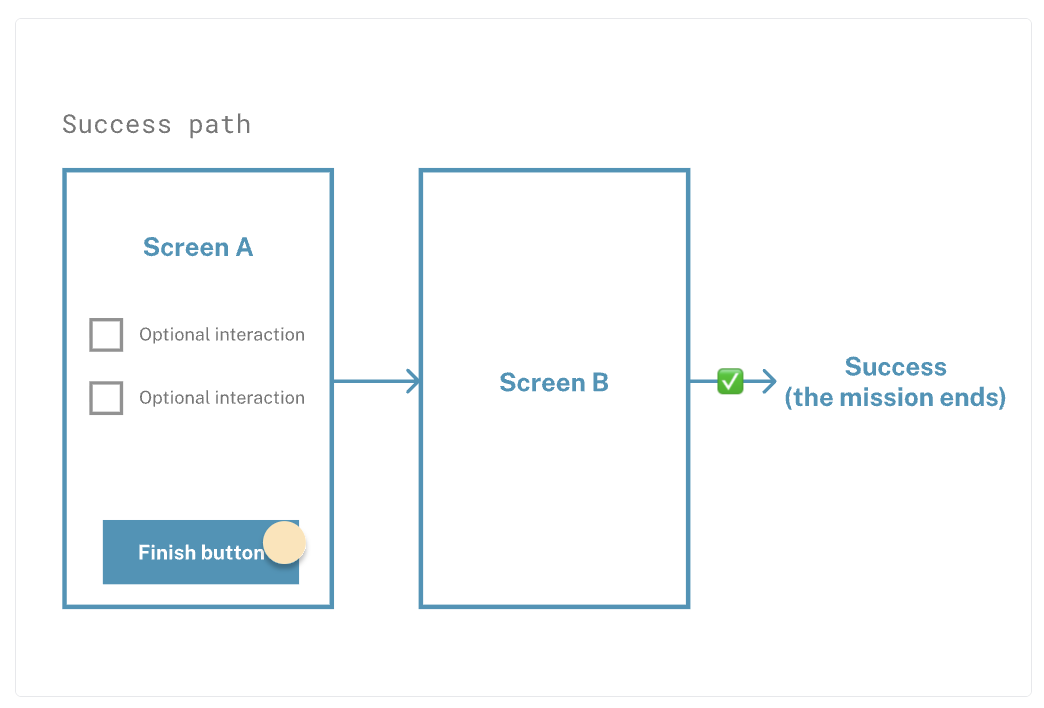
If a participant changes the state of a component in a way that isn't predicted in the paths, that doesn’t count as a success. As a result, the mission doesn't end, resulting in participants getting stuck, even after clicking the intended component.
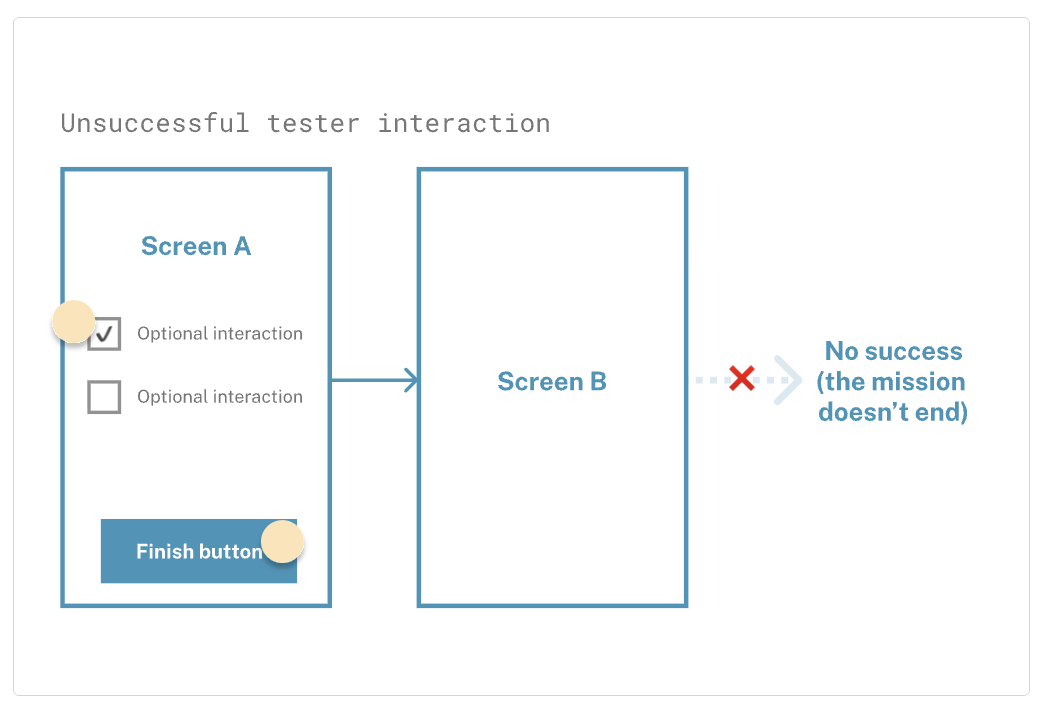
At the moment, it’s not possible to specify which components are relevant for completing the task, and which aren’t.
Workaround
For the time being, the only workaround would be to create multiple paths. Each would cover the state of each interactive component the participant may select.
Still need help?
If you have any questions or concerns, please let our Support team know — we'll be happy to help!