Why do I see a "Your prototype needs at least two frames" error when importing my Figma prototype?
Last updated: August 6, 2026
For the prototypes in your tests to be functional, the starting screen needs to have at least one interaction/hotspot leading to a different screen. Otherwise, your participants wouldn't have a way of navigating the prototype.
If you import a prototype where the starting frame doesn't have at least one interaction leading to another frame, you will see the following error:
Your prototype needs at least two frames linked by an interaction to be tested. Make sure they are present in the file and that you copied the link to the correct Figma page.
Solution
If you're seeing this error:
Ensure you've copied the correct link
If your file has multiple pages, confirm that you've copied the link to the page containing the prototype — not a cover page, for instance.

Review your screens and interactions
Your prototype must have at least two screens with a flow starting point, and that the starting screen is linked to the other screen by an interaction.
To double-check, confirm that you can see interactions in the Prototype tab in Figma.
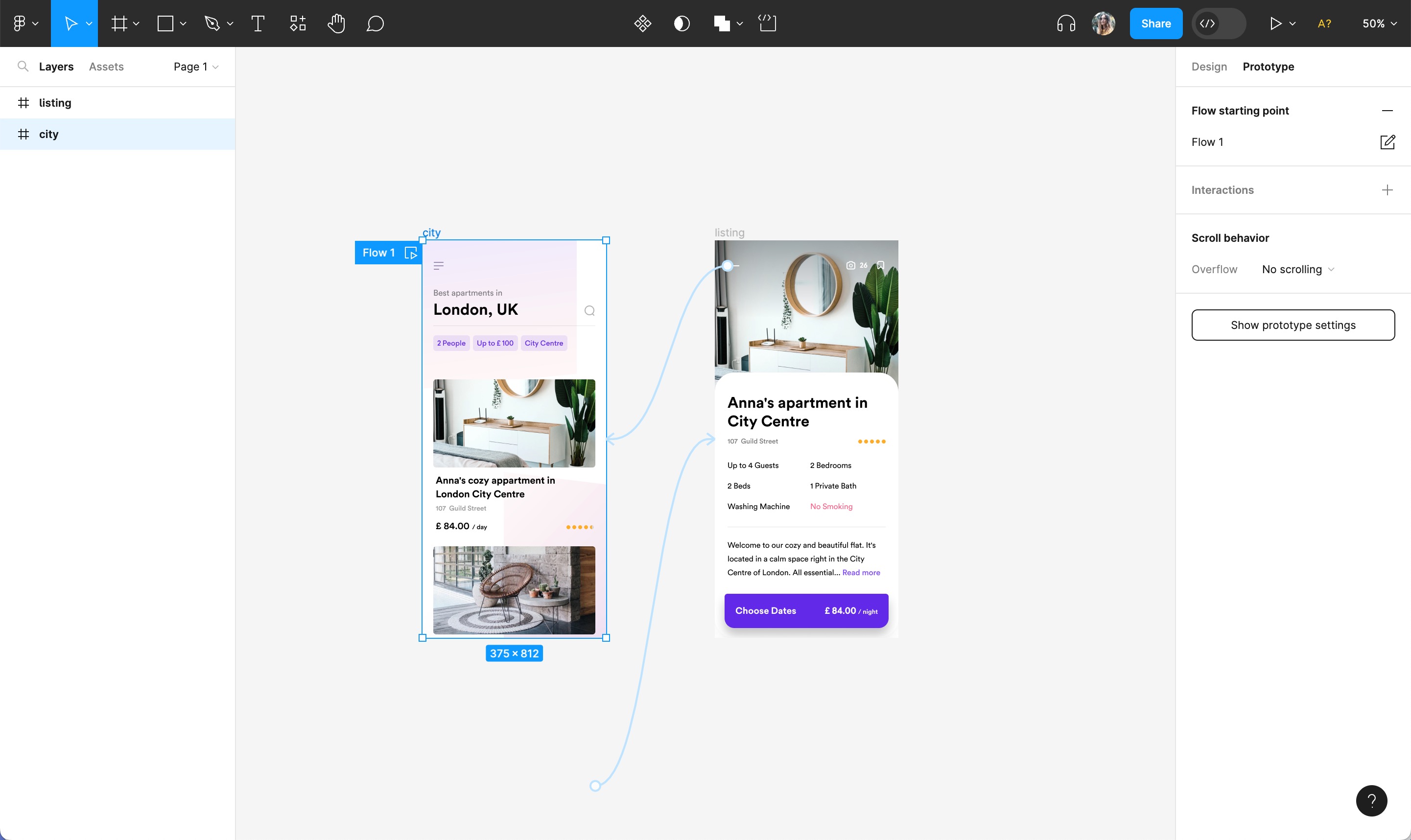
While we don't currently support single-page prototypes, there's a workaround that you can explore. Learn more
Review your frames
Ensure that your screens are contained within top-level frames, and that those frames are not themselves components.
If you’re using a single component to contain the entire screen, ensure it's wrapped in a normal frame, since components are not handled as screens in Maze.
Additional information
To learn more about creating a prototype in Figma, check out this guide.
Still need help?
If you have any questions or concerns, please let our Support team know — we'll be happy to help!