Hiring panel participants for moderated interview studies
Last updated: September 10, 2026
You can hire panel participants for your moderated interview studies.
Maze's moderated testing panel is powered by Respondent, which gives you access to a vast and diverse pool of research participants.
This article describes how to hire participants for moderated user interviews. To hire participants for unmoderated studies, please see this article.
Before you start
Interview Studies and the moderated panel are Enterprise plan features.
How much do moderated participant credits cost?
For interview studies, credits aren’t dependent on interview duration. Instead, they’re priced based on the type of participant. The price is all-inclusive of screener questions and incentives:
25 credits per B2C participant (General population - B2C)
45 credits per B2B participant (Industry professionals - B2B)
Learn more about purchasing panel credits
Creating a moderated panel order
To hire moderated panel participants, you must include at least 2 screening questions. Why must I add screening questions for moderated panel recruitment?
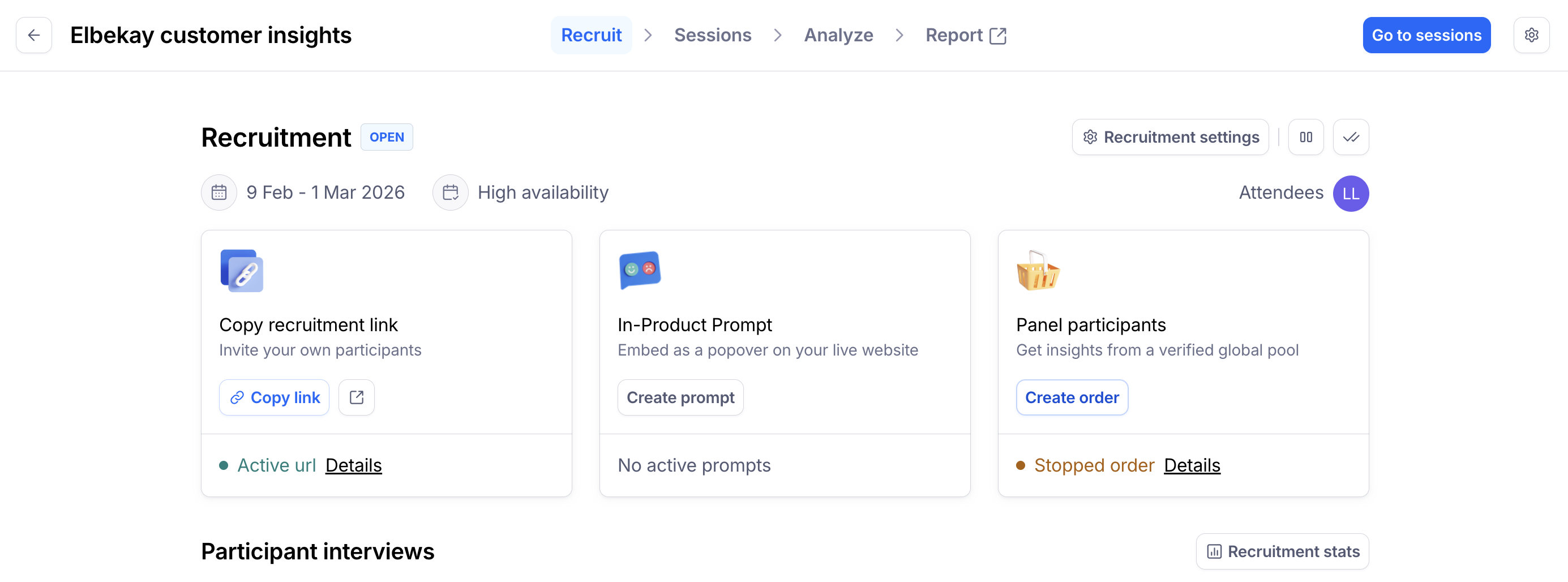
Open the Recruit page, click Create order from the Panel participants block.
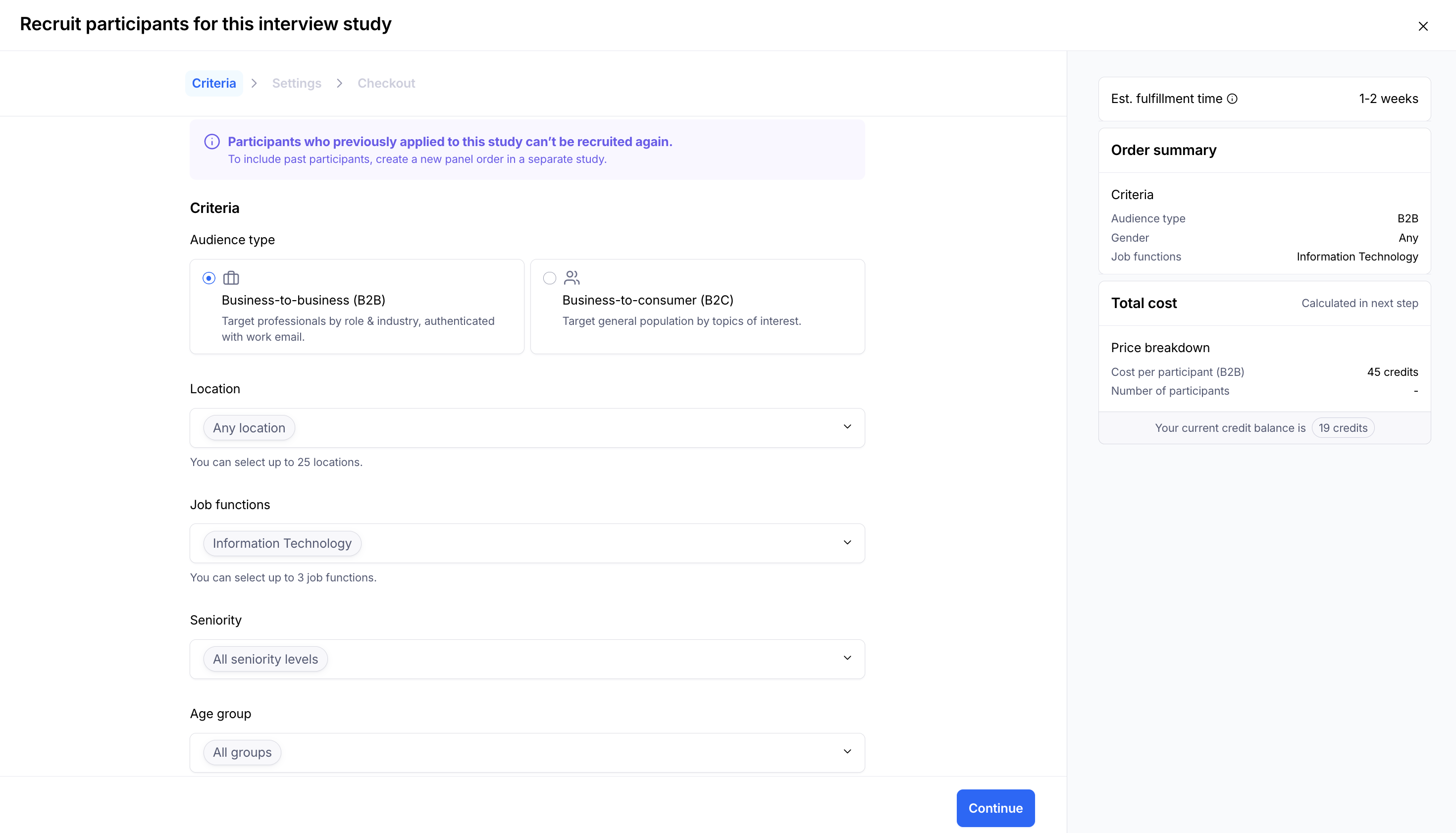
Criteria
Define the audience type:
Business-to-business (B2B)
Business-to-consumer (B2C)
Each of these audiences has a different credit cost. How much do panel credits cost?
Define the targeting criteria using filters. The required criteria will be different depending on the audience type.
To learn more about the filtering options, check out Flexible filters.
At the bottom of the page, you’ll see a preview of the screener questions you’ve defined for your study. To edit the screener questions, open the Details tab in the recruitment settings.
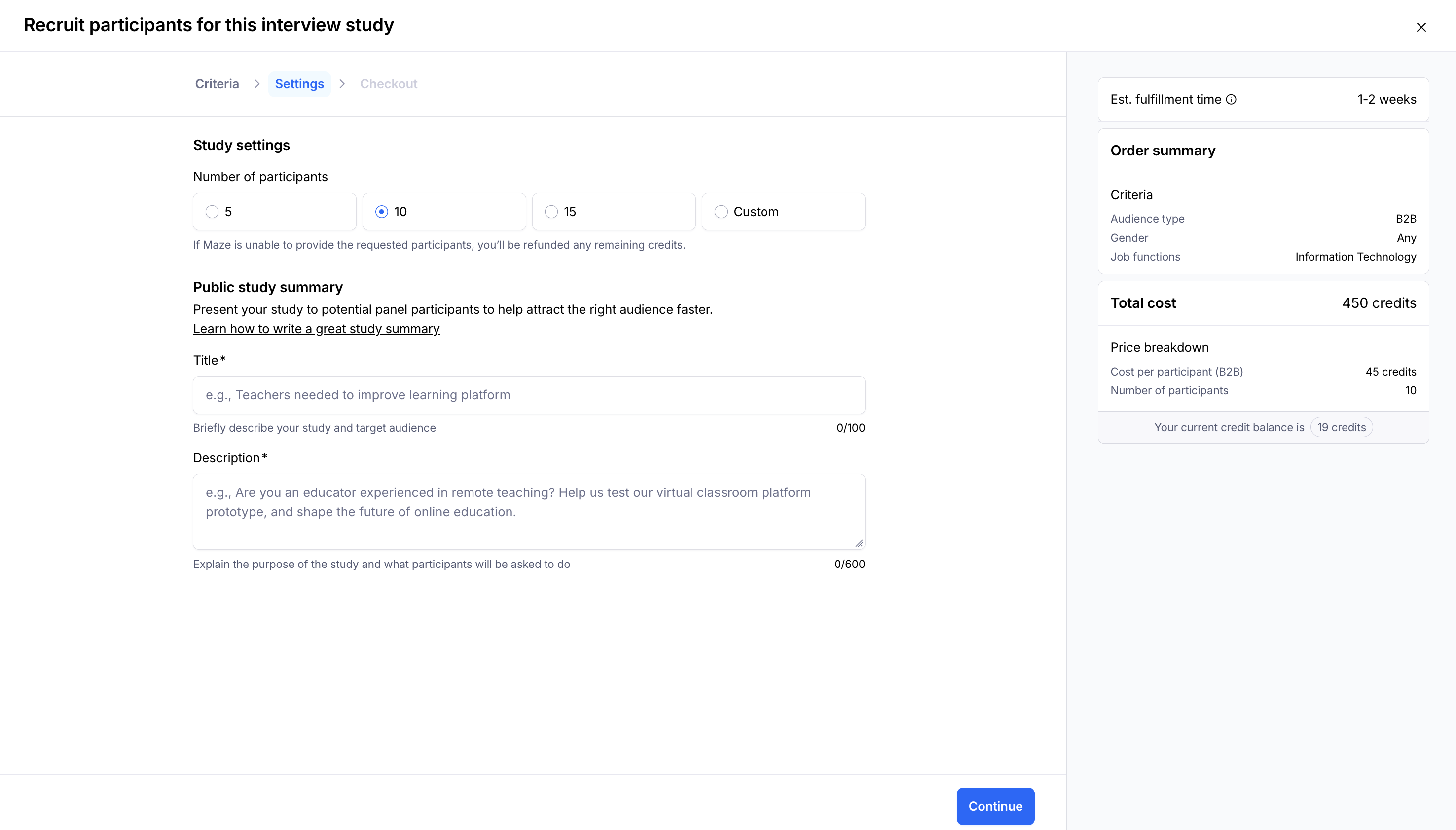
Settings
In the study settings, define the number of panel participants you’re looking for, and a title and description for potential participants.
Learn best practices to write a summary for your panel order
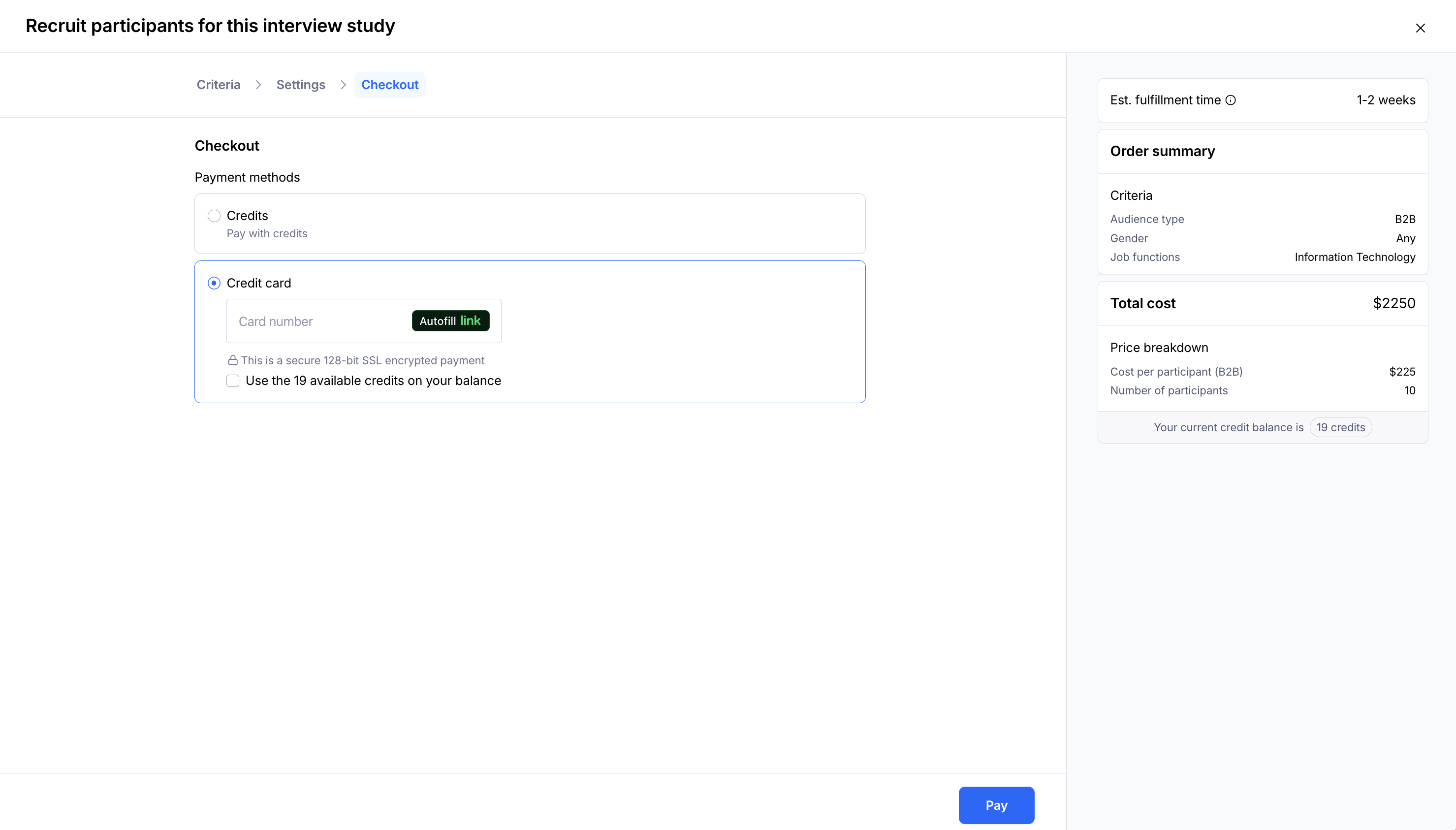
Checkout
You can pay using your team’s credits, or directly via credit card.
Scheduling interviews with qualified participants
If a participant qualifies for the testing using the screener questions, they’ll have access to the study’s recruitment link, where they’ll be able to schedule a time.
Scheduled panel participants will appear in the study’s Recruit tab.
Learn more about managing recruited participants
What happens after the interview?
Panel participants receive their incentive payment as soon as they’re marked as ‘Interviewed’.
If no other action is taken, 72 hours after the end of the scheduled session time, participants are automatically marked as ‘Interviewed’ and receive the incentive.
If you wish to report a participant, you should do it within this 72-hour window, and before marking them as ‘Interviewed’.
It isn’t possible to report or revoke the incentive payment once it’s sent.
Recruitment Statuses
Customers can engage with different order statuses for their moderated panel order/s:
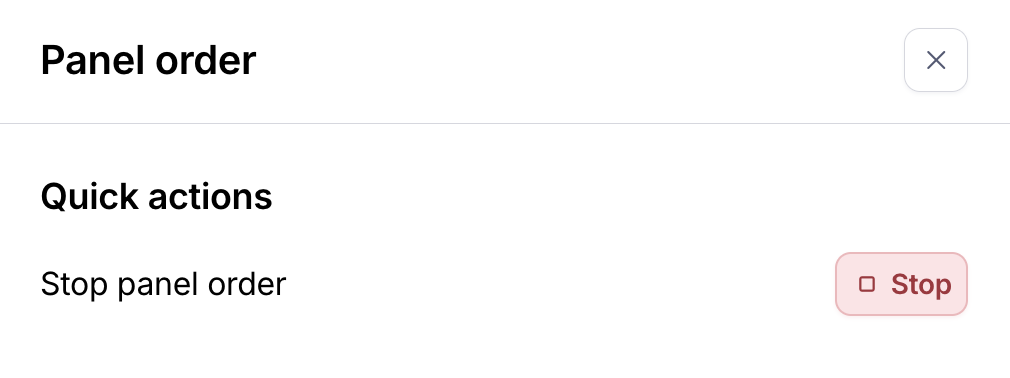
Stop Panel Order: the stop panel order button cancels your panel order and any scheduled sessions you have. No new participants can schedule and any unused credits are refunded.
Pause Scheduling: the pause scheduling button prevents new participants from scheduling but already scheduled interviews can still occur. You will need to un-pause recruitment to allow additional participants to schedule.

Complete Recruitment: the complete recruitment button cancels your panel order and any scheduled sessions you have. No new participants can schedule and any unused credits are refunded.

Reporting participants
When recruiting panel participants, the quality of the interviews is our biggest concern. Our goal is to provide high-quality participants quickly, so you can trust their insight to make confident, informed decisions.
If you’re dissatisfied with any aspect of an interview with a panel participant, please report it. Your feedback helps us maintain our panel quality.
Learn more about reporting moderated panel participants
What happens if an interview is cancelled?
When you need to cancel a scheduled interview, the system handles it differently based on timing and who initiates the cancellation: researcher vs participant.
In both cancellation scenarios, if your panel order is still active in Respondent, the slot remains available so you can backfill with a new participant. This ensures you can still reach your desired number of interviews despite any cancellations.
Researcher-initiated cancellations
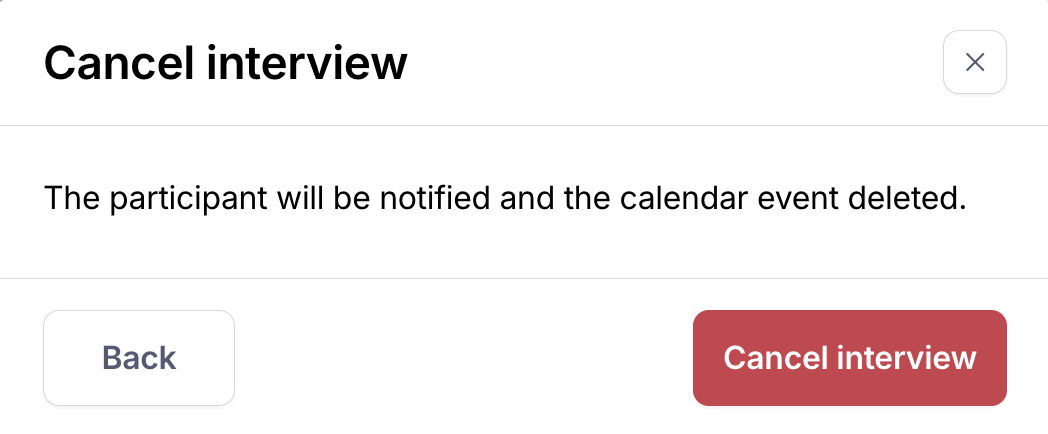
If you cancel an interview as a researcher, you'll see a popup modal with further context regarding the outcomes of a cancellation:
Less than 4 hours before the scheduled time: The participant will still receive full payment through Respondent, and the interview will be marked as Canceled in the "No shows & cancellations" section under the "Scheduled" tab.
More than 4 hours before the scheduled time: No payment is issued to the participant, and the interview will simply appear as Canceled in the "No shows & cancellations" section.
Participant-initiated cancellations
If a participant cancels their interview through Respondent, the interview will automatically move to the "No shows & cancellations" section under the Scheduled tab.
Note: Participants should reschedule instead of cancel interviews since they cannot reschedule after the fact.