Getting started with moderated studies
Last updated: April 23, 2026
Unlock the full potential of moderated research. Maze moderated studies allows your team to streamline analysis and sharing of insights from user interviews.
See a demo report with the insights you can get from moderated studies.
Who can use this feature
Maze moderated studies are an Enterprise plan feature.
Only team members can work together on moderated studies. External collaborators can't be invited to moderated studies. Learn more about roles and permissions
Create a moderated study
Unmoderated and moderated studies are complementary in a research project.
Similar to unmoderated studies, you can create moderated studies from a project in Maze. You’ll see moderated studies on a separate list on the project page. You can create as many studies as needed.
To create a new moderated study:
Open the relevant project.
Inside the project page, click Moderated interview.
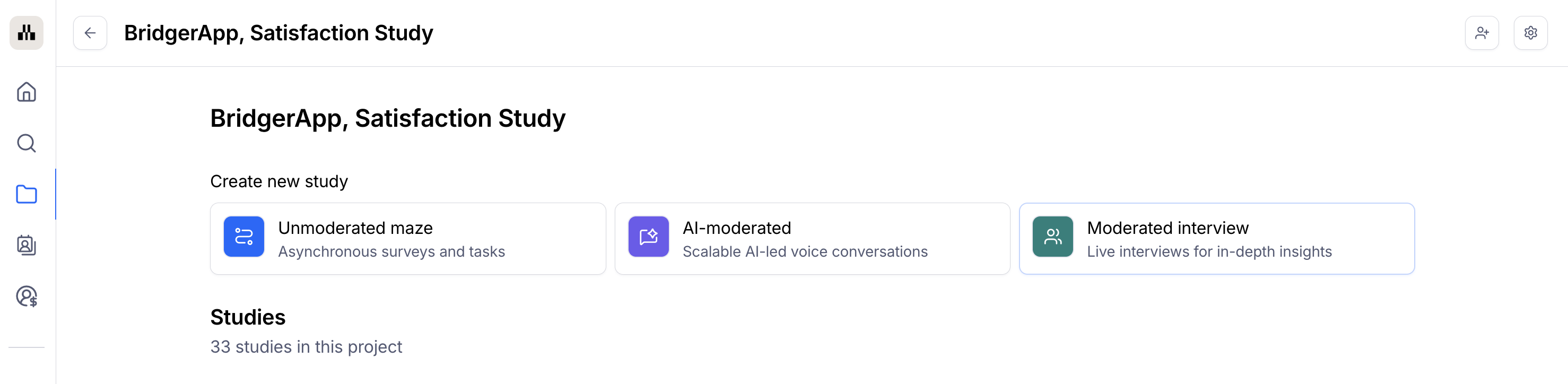
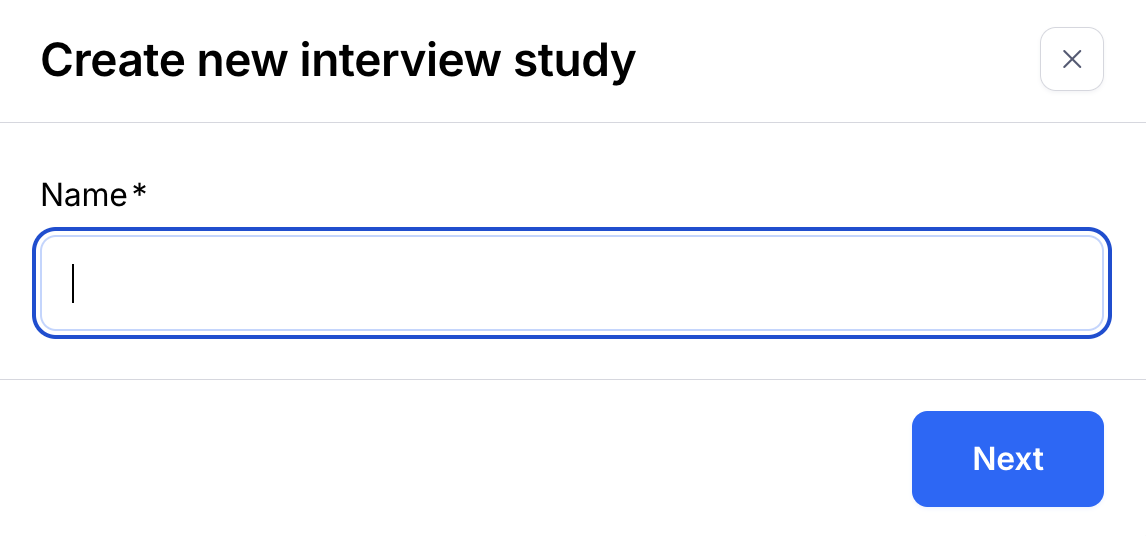
Add a name for your study and click Next.
4. Select whether you'd like to Set up recruitment or Upload sessions.
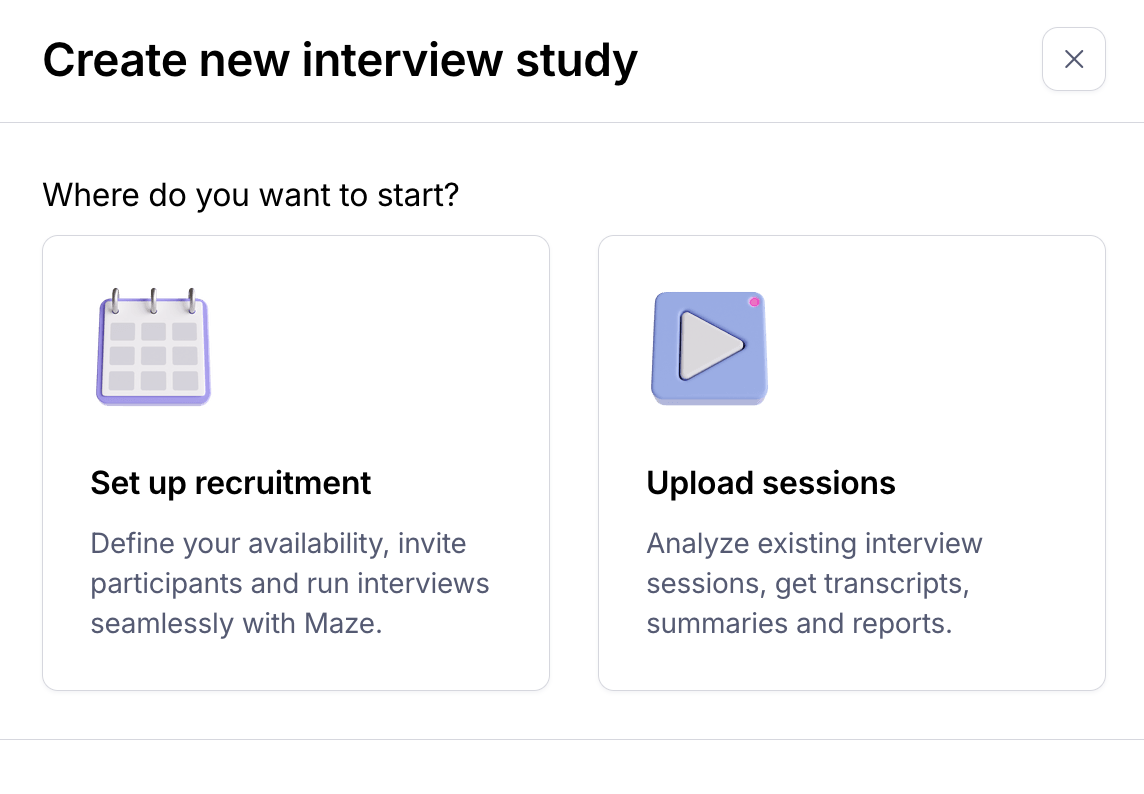
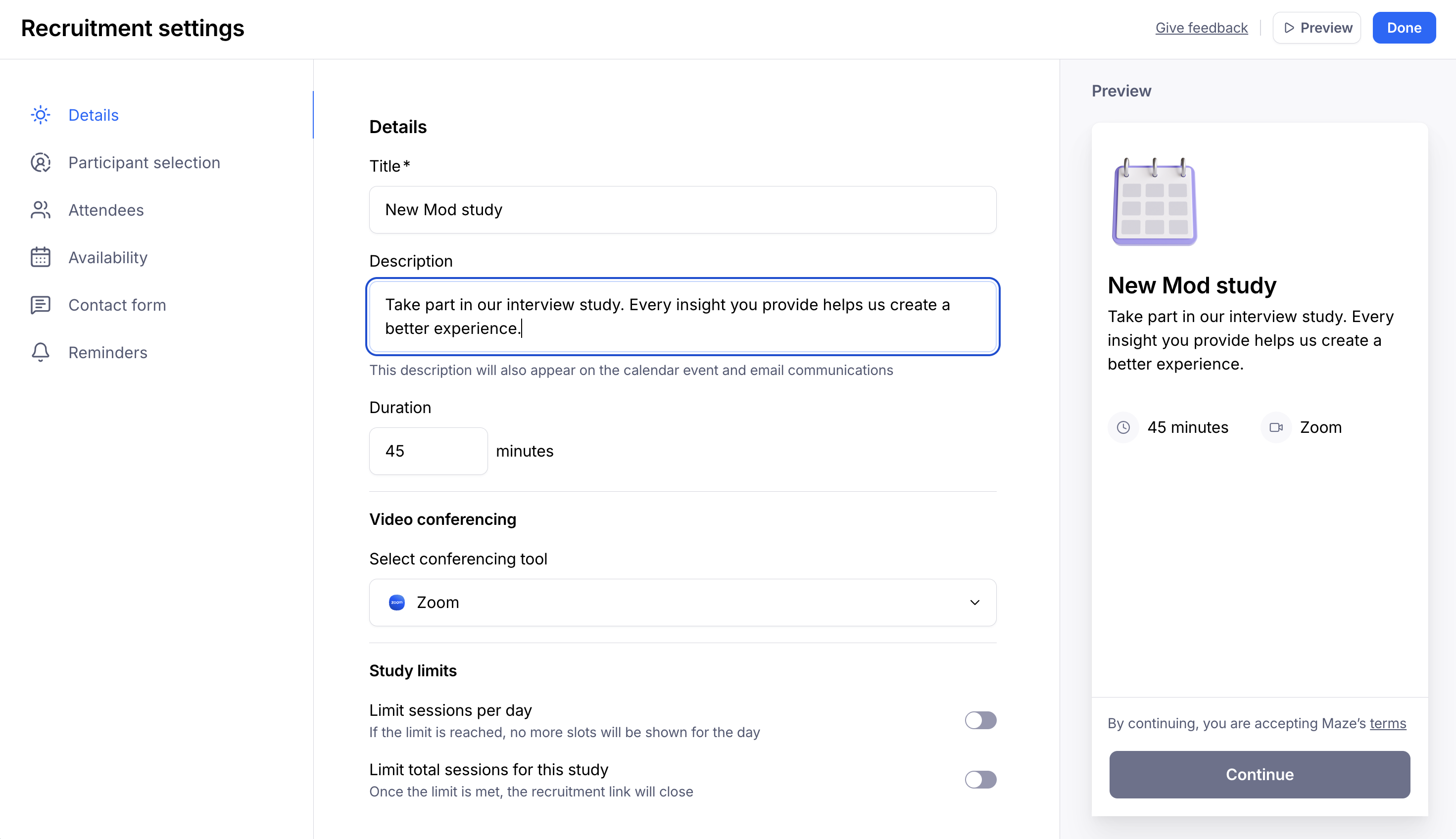
If you select Set up recruitment, you'll navigate through a series of steps to define your availability, conferencing tool of choice, participant selection method, select interview attendees, and ultimately invite your participants.
If you select Upload sessions, you'll have the ability to upload your own interview recordings to generate transcripts, analyze your sessions and share insights more broadly.
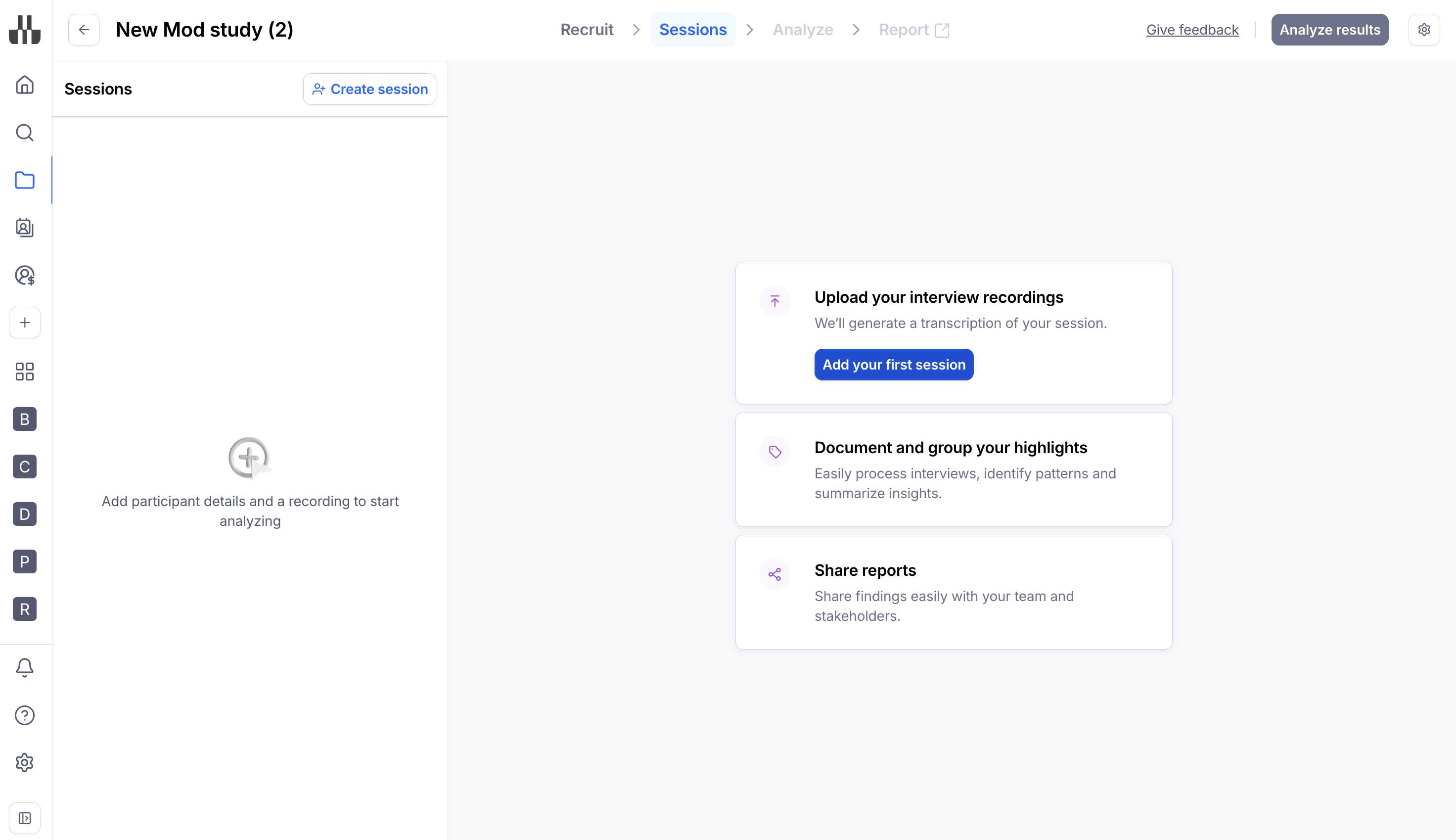
Each interview study has four sections: Recruit, Sessions, Analyze, and Report. You can move back and forth in these steps using the navigation bar at the top.

Recruit: Set up and distribute your recruitment link to schedule participants for interviews.
Sessions: Manage your sessions and upload/store recordings and transcriptions.
Analyze: Analyze highlights across interviews and summarize your insights.
Report: View and share an auto-generated report with your stakeholders.
Recruit your participants
The Recruit tab streamlines the participant scheduling process via a seamless calendar integration.
You can create and distribute recruitment links, allowing participants to select their preferred session date and time based on your team's availability or use our flexible conferencing link to recruit through your favorite panel platforms, like User Interviews, while keeping everything else–scheduling, conferencing, analysis–in Maze.
Learn more about recruiting participants for moderated studies
There are three ways to share your recruitment link with potential participants:
Copy link: This generates a link that you can distribute on your own channels.
In-product prompt: Allows you to embed the recruitment link as a popover on your website. Learn more about setting up prompts on your website
In moderated study prompts, participants will always be directed to a new tab. It’s not possible to book an interview directly via the prompt.
Hire panel participants: Allows you to recruit panel participants for moderated studies. Learn more about the moderated panel
Conferencing
Simplify and optimize your moderated studies with our fully integrated video conferencing experience.
Key features include automatic uploads, where recordings are immediately available for review once complete, and in-app conferencing that centralizes everything in Maze. This allows you to manage your research end-to-end, from participant recruitment to conferencing and session analysis. All of this without switching between tools or installing any extensions or plugins. Additionally, we've just introduced a new and exciting feature - the option to invite observers into your interview session. Observers are stakeholders who can join a live interview session via a secure link without being visible to the participant.
Learn more about the conferencing features
Organize your research data
Unmoderated and moderated studies are complementary to each other during a research project.
Similarly to unmoderated studies, you can create moderated studies from a project in Maze. You’ll see these studies on a separate list on the project page.
Once you’ve created a moderated study, add individual sessions and upload interview recordings manually or via the Zoom integration.
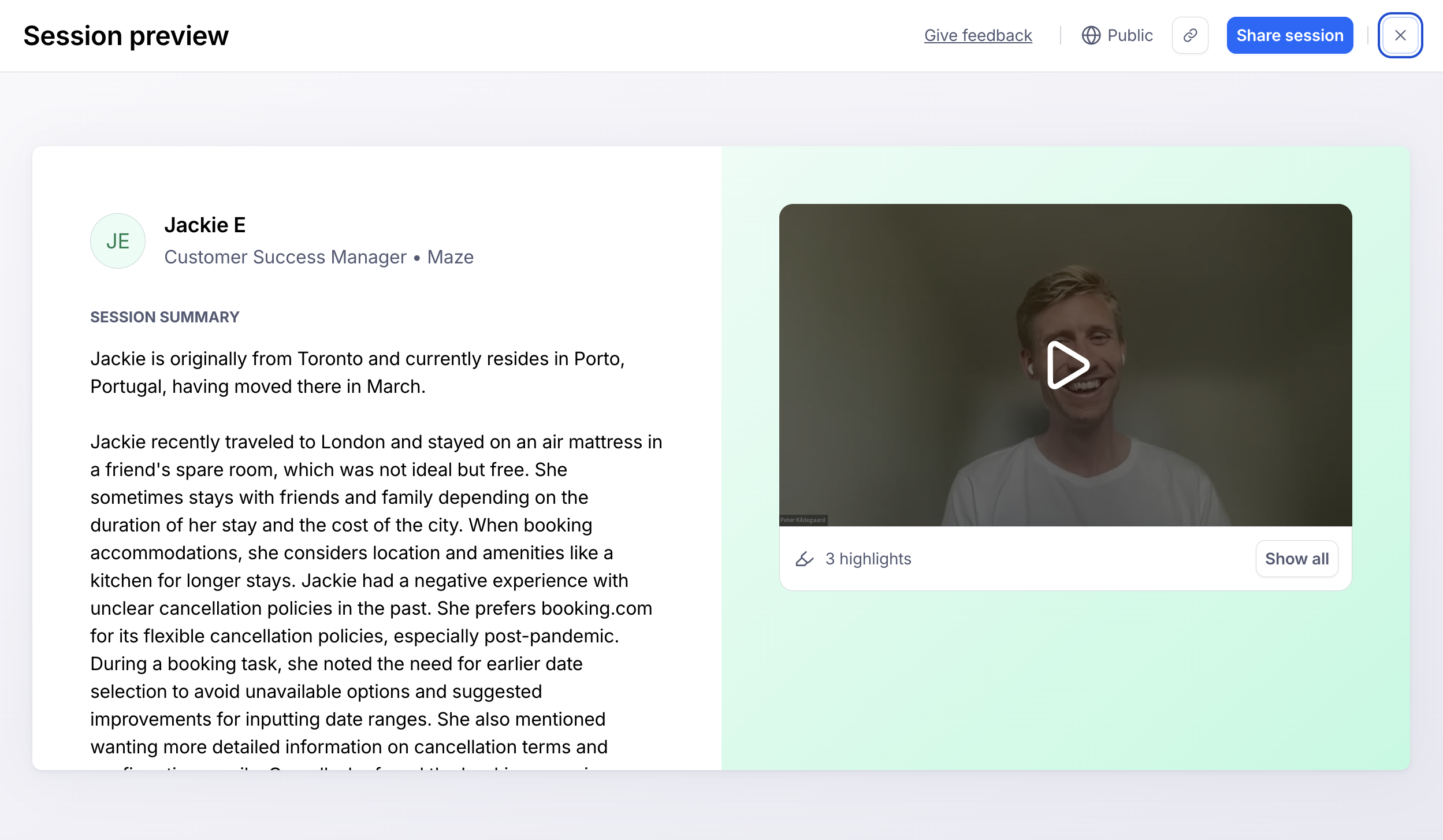
From the auto-generated transcripts, you can start adding your highlights.
Learn more about organizing your research data with Maze moderated studies
Extract insights from sessions
After adding your first highlight, you can access the study results via the Analyze tab.
Here, you can identify common themes across highlights and organize your data to present it to your stakeholders.
Learn more about results and reporting in Maze moderated studies
See a demo report with the insights you can get from moderated studies.
Sharing interview data
You can easily share and embed links to interview highlights, sessions, themes, and reports.
Learn more about sharing interview artifacts
Delete participant data
Maze stores your participant data (such as interview recordings and transcripts) so that you can continue to have access to it until you choose to delete it.
If you no longer need access to it or have received a data subject request, you have the option to delete all data associated with a study.
How to delete participant data
Honoring your GDPR obligations when testing with Maze
Additional resources
How to conduct user interviews and improve insight collection
Still need help?
If you have any questions or concerns, please let our Support team know — we'll be happy to help!